
How to Get the Ocarina of Time
Get It Through an Event After Obtaining Three Spiritual Stones
In Ocarina of Time, you can get the Ocarina of Time during an event that occurs when you go to Hyrule Castle Town after obtaining the Three Spiritual Stones. Zelda comes out through the gate and throws the Ocarina, so pick up the Ocarina in the river. Another event follows when you pick it up, and you learn the Song of Time.
Ocarina of Time: Effects and Uses
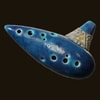
| Category | Item |
|---|---|
| Usable By | Child, Adult |
| Effect | Play the songs you've learned on the Ocarina |
Ocarina Songs and Sheet Music List
Play Using the Left D-Pad Button
| Action | Button/Note |
|---|---|
| Take out the Ocarina | Left D-Pad |
| Check the sheet music | ZL |
| Play a note | L Low D R F A A Y B X High D |
| Raise by a whole step | L Control Stick Up |
| Lower by a whole step | L Control Stick Down |
| Raise by a half step | D-Pad Up |
| Lower by a half step | D-Pad Down |
| Wide vibrato | L Control Stick Left |
| Narrow vibrato | L Control Stick Right |
In Ocarina of Time, you can play the Fairy Ocarina by pressing left on the D-Pad. When you hold the Ocarina with left on the D-Pad, you can check the sheet music you have with ZL, so be sure to make use of this feature. You can also change the pitch while playing using the Control Stick or by pressing up and down on the D-Pad, so give it a try.
Songs Have No Effect Until You Learn Them
Playing the Ocarina without having learned any songs has no effect. Make sure to learn the song you want to use first.
There Are 2 Types of Ocarina, but They Have the Same Effect
There are 2 types of Ocarina. You obtain the Fairy Ocarina at the very beginning of the game, then use the Ocarina of Time as the story progresses. They differ in the story, but in terms of gameplay, both serve the same purpose: playing songs from sheet music.
You Can Play the Ocarina with Humming or an Instrument
You can play the in-game Ocarina by humming or using a merchandise Ocarina. You can also select an item from Options > Ocarina Voice Input, take out the Ocarina, and play it with the - Button, so give it a try.
Choose One-Handed or Two-Handed Controls
You can choose one-handed or two-handed controls for playing the Ocarina in Options. One-handed controls make playing easier, while two-handed controls let you perform finer techniques such as vibrato, so choose whichever suits you.
Enlarge Image