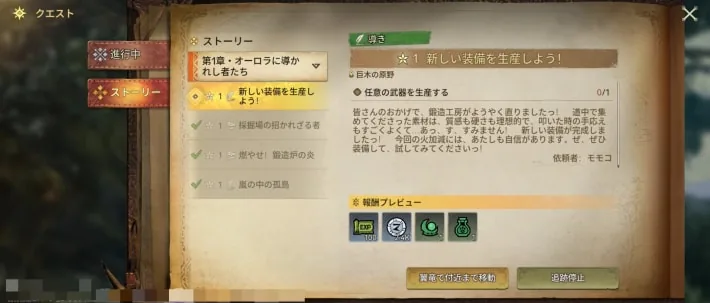
Monster Hunter Outlanders lets up to 4 players hunt together. This guide covers how to start co-op from the party lobby, how to add friends, how to recruit players or get help, what is known about crossplay between iOS and Android, and the rewards you get from co-op. Co-op unlocks once you clear "Ready for Another Adventure!", a story quest in Chapter 1. Some details come from the closed beta. Information as of October 29, 2026.
How to Start Co-op
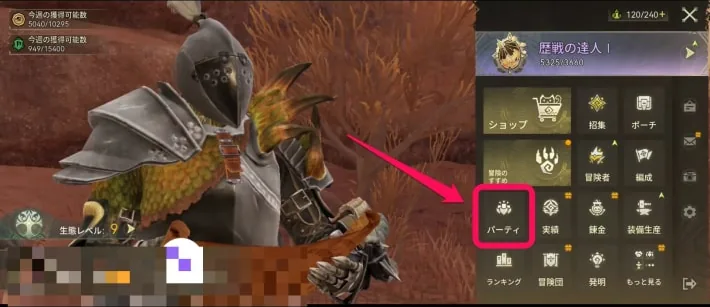
Open the party option in the menu to go to the party lobby. You can also get there from content that supports co-op, such as Free Hunt. From the lobby, there are four ways to play together.
| Way to play | What it does |
|---|---|
| Create a party | Pick a hunt, make your own party, and invite friends or other players |
| Join a party | Join a party that is recruiting for the hunt you picked |
| Matchmaking | Automatically grouped with players who picked the same hunt; empty slots are filled with AI adventurers after a while |
| Assist matchmaking | Drop into a random quest where other players are looking for help |
Create a party
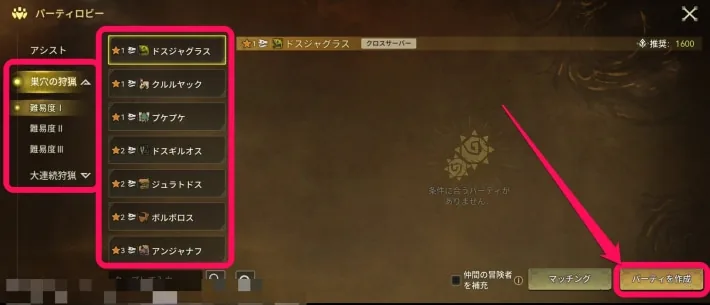
- Open the party lobby.
- Pick the hunt you want to take on.
- Choose to create a party.
- Tap a + slot to invite friends or other players.
You can also call for players with the recruit button on the party screen (see the recruiting section below).
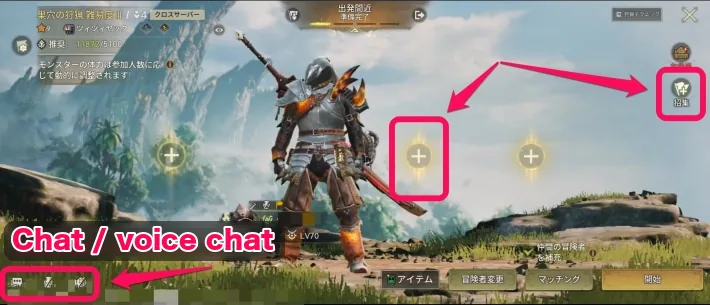
On the party screen you can open the chat and turn voice chat on or off. Use the + slots to invite registered friends, or call for other players to fill the empty slots.
Join a party
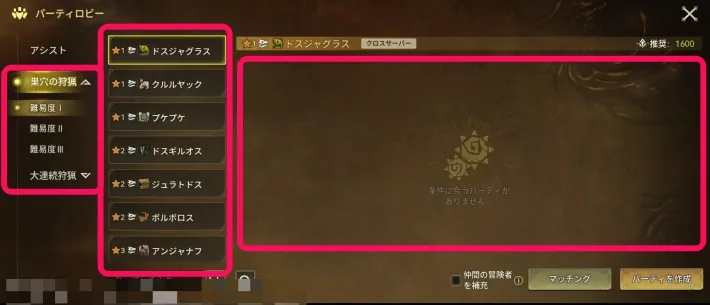
- Open the party lobby.
- Pick the hunt you want to take on.
- Choose to join a party.
- Press the ready button when you're set.
You can't join if no party is recruiting for the hunt you picked. In that case, use another way, such as matchmaking.
Matchmaking
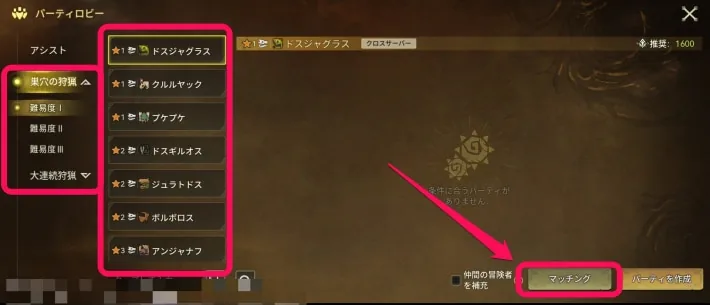
- Open the party lobby.
- Pick the hunt you want to take on.
- Choose matchmaking and wait.
You're automatically grouped with other players who picked the same hunt. If the wait runs over, the empty slots are filled with AI-controlled adventurers and the hunt starts.
Assist matchmaking
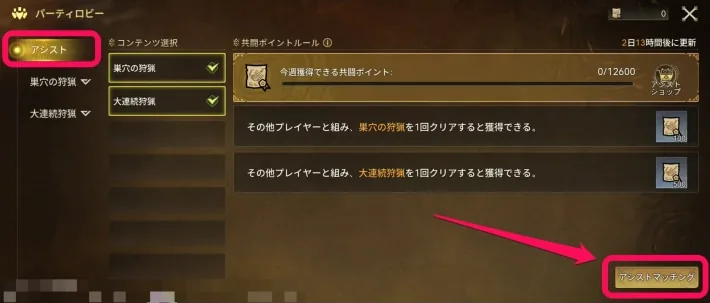
- Open the party lobby.
- Choose assist matchmaking from the assist tab and wait.
Assist matchmaking is drop-in co-op. Instead of picking a quest, you're matched at random into a quest where players are recruiting.
How to Add Friends
Friends unlock with the same Chapter 1 quest as co-op. Once registered, you can invite them to co-op, see whether they're online, and send them private chat messages.
- Open the friends screen from the second page of the menu.
- Type the player's name into the search bar and search.
- Send a friend request. You're friends once they accept it.
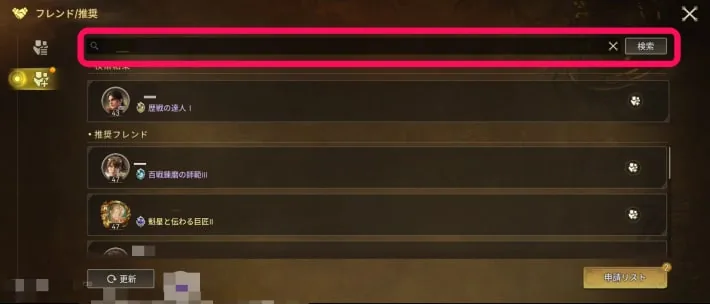
The same screen also shows suggested friends you can send requests to. They're usually people you don't know, so think before you send one.
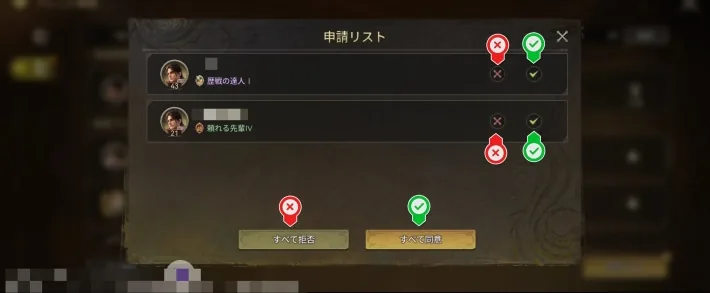
Requests you receive are in the request list, opened from the bottom right of the friends screen. You can accept or decline each one.
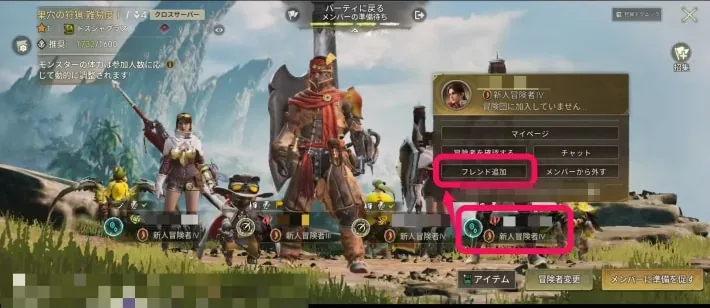
You can also send a request to an adventurer you're partied with, from their profile in the party.
If a friend can't find you
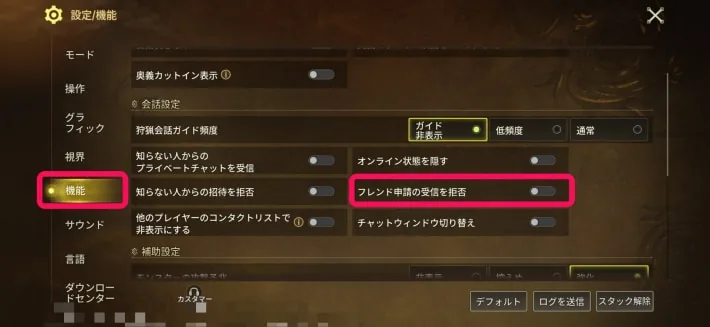
Some settings limit online features, so you may not show up in a search. Open the settings next to the menu, go to the features tab, and check that receiving friend requests isn't turned off.
Recruiting Players and Calling for Help Instead of SOS
If you want an SOS-style way to call for help, use these features.
- Recruit button: on the party screen, call for players to fill your empty slots.
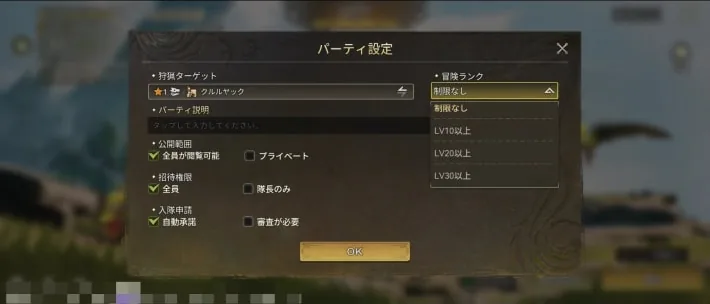
- Party settings: as party leader, you can set who may join or invite, an Adventurer Rank limit, and the target, so you can open the party to anyone or keep it private.
- Helping others: assist matchmaking drops you into quests where other players are recruiting, so it's the way to answer someone else's call for help.
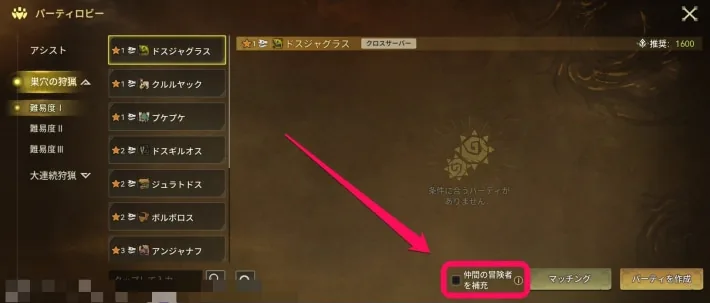
- Going solo: when matchmaking, tick the option to fill empty slots with AI-controlled adventurers. This lets you take on co-op content solo. You can switch this on even while creating a party.
Is There Crossplay Between iOS and Android?
The official site lists iOS and Android as supported platforms, but as of October 29, 2026 it doesn't say whether iOS and Android players can play together.
Co-op Content and Rewards
These are the main kinds of content you can play in co-op. Only Free Hunt and Marathon Hunt can be picked from the party lobby.
| Content | What you get |
|---|---|
| Free Hunt | Materials for weapons and armor, plus one-time first-clear rewards |
| Apex Challenge | High-difficulty content held regularly, where you can craft exclusive weapons |
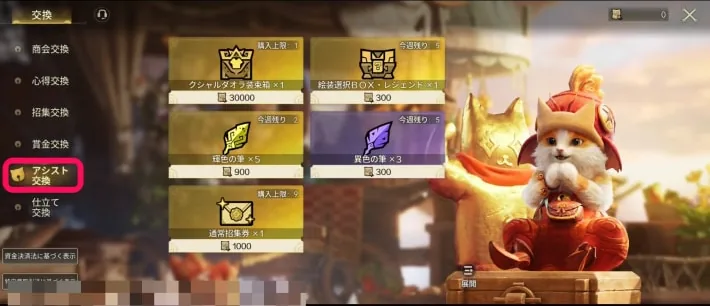
| Assist matchmaking | Completing tasks earns currency for the assist shop, which sells Visage enhancement materials and a limited number of Standard Contracts |
Co-op vs. Solo
A Co-op Skill becomes available
When you party up with other players or AI adventurers, a powerful Co-op Skill becomes available after some time. The whole party focuses fire on a specific part, and if you knock the monster down, the damage multiplier goes up.
Monster health changes with the number of players
The party screen shows that monster health is adjusted to the number of players taking part.
More Ultimates to work with
Solo, you're limited in the kinds of Ultimates you can bring. In a party, each member brings their own, which widens your strategy a lot.
Leaving a Party and Fixing Connection Problems
How to leave
To leave during co-op, tap the door icon at the top of the screen. It sits next to the party display shown at the top during co-op.
Check your settings
Some settings reject invites or friend requests from others. Especially when playing with strangers, check the features tab in the settings to make sure you aren't rejecting them.
Check your connection
Co-op depends on your network, so a stable connection is recommended. An unstable one can get in the way of the hunt.
The screenshots are from the Japanese version of the game.