
Best Settings for DQM: The Withered World
| Recommended Settings | Setting |
|---|---|
| Motion Sickness Prevention | Choose what suits you |
| Camera Horizontal/Vertical Controls | Your Preference |
| Minimap Rotation | OFF |
| Camera Distance | Far |
| Battle Speed | Fast |
| Name After Scout/Synthesis | Skip |
| Send to Monster Depot After Show of Force | Automatic |
| Dash Button | Toggle |
Type B Is Recommended for Those Prone to Motion Sickness
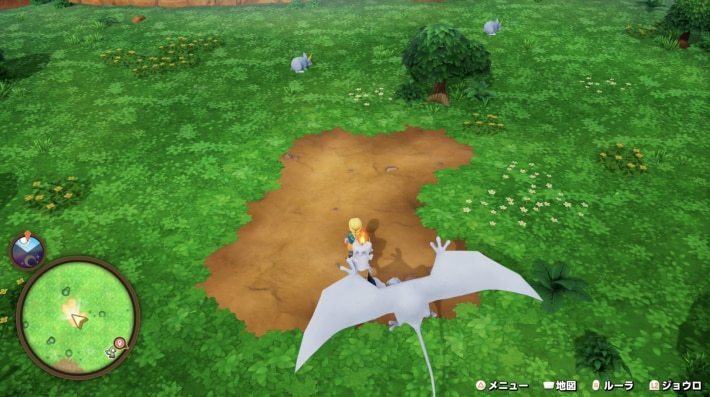
If you're prone to motion sickness in Dragon Quest Monsters: The Withered World (DQM4), select Type B under “Motion Sickness Prevention.” This locks the camera in an overhead view, greatly reducing screen shake as you move across the map.
Best Settings to Prevent Motion Sickness
Set Dash to Toggle
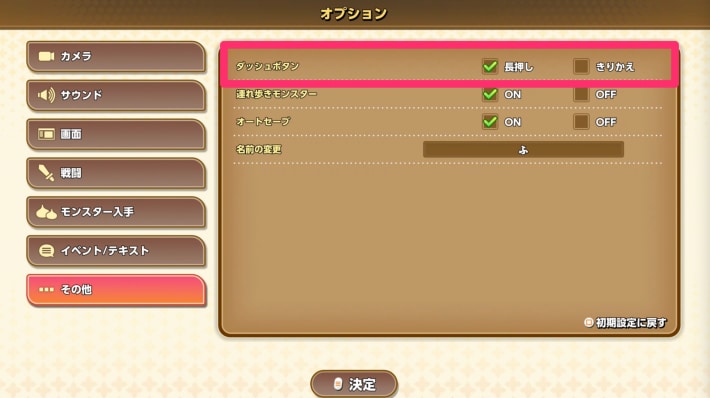
Setting the Dash button to “Toggle” lets you keep dashing after pressing the button once. This is recommended since you won't have to hold the button down.
Turn Autosave On or Off Depending on the Situation
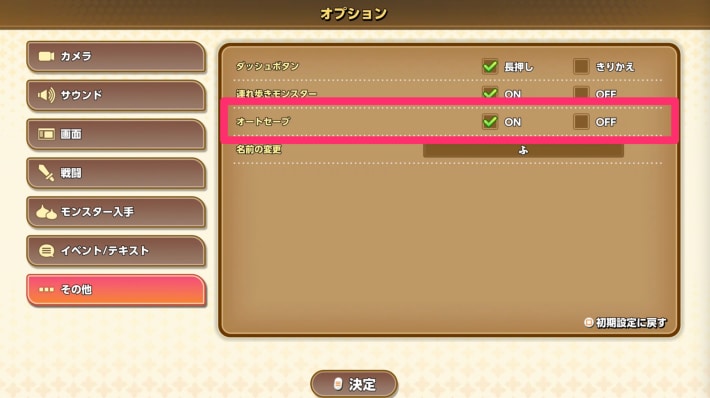
Autosave is ON by default, but turning it OFF stops it from overwriting your manual saves. This lets you save manually right before the monster you want to Scout, then reload as many times as needed until the Scout succeeds.
How to Change Settings
Select Options from the Menu
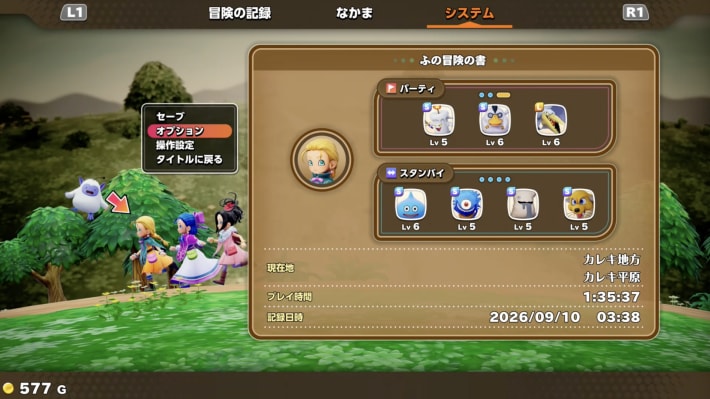
You can change the settings in DQM: The Withered World by selecting Options from the menu screen. You can change them whenever you can control your character.