
How to Turn Voice Audio On or Off
Adjust the Volume in the Sound Options
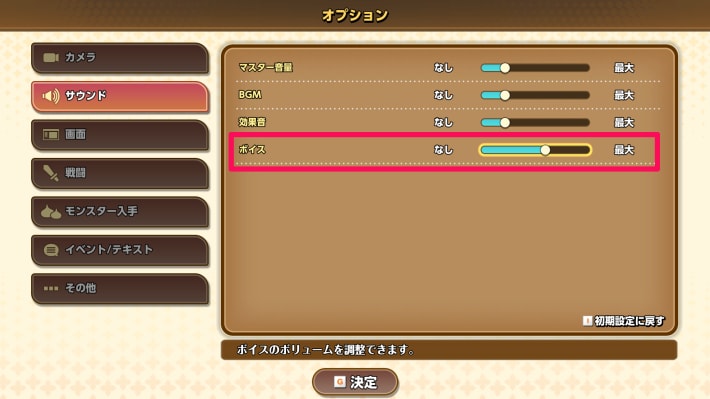
You can adjust the voice volume in the Sound settings under Options in Dragon Quest Monsters: The Withered World (DQM4). To turn voice audio off, set the volume to “None” and the characters will stop speaking. That said, the game is voiced, so it's worth playing with voices on.
How to Change the Language
Choose Japanese or English for Voice Audio in the Options
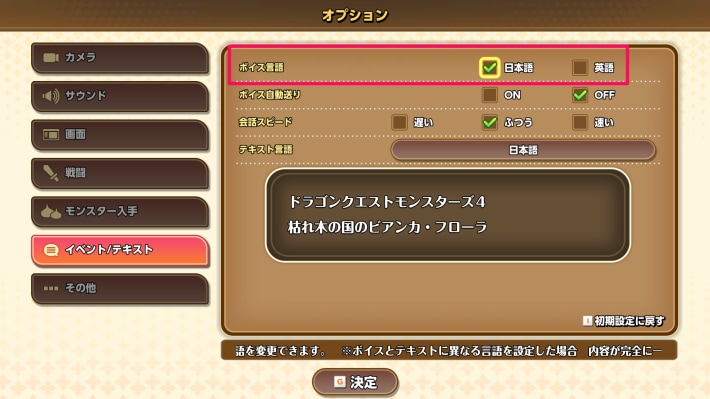
You can change the voice language in DQM: The Withered World under Options > Event/Text Settings. You can choose between Japanese and English, so play with whichever voices you prefer.
Text Language Can Only Be Changed from the Title Screen
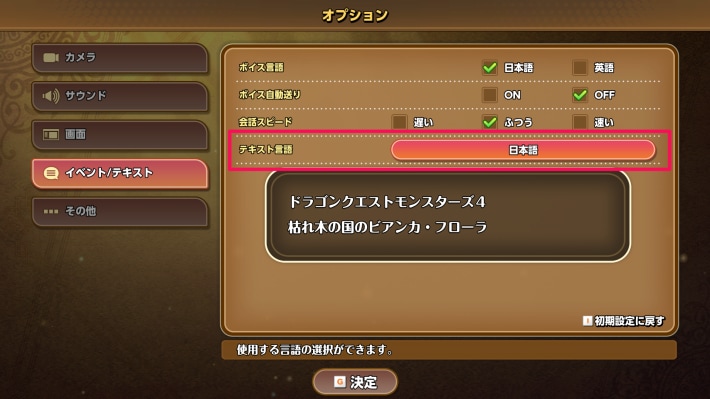
You can only change the text language from the Options menu on the title screen. Although the option is also available in the in-game Options menu, you can't change it there. Also, be aware that changing the text language may cause some text to display incorrectly.