
Can You Get Sparkling Monsters?
Not Confirmed in the Demo
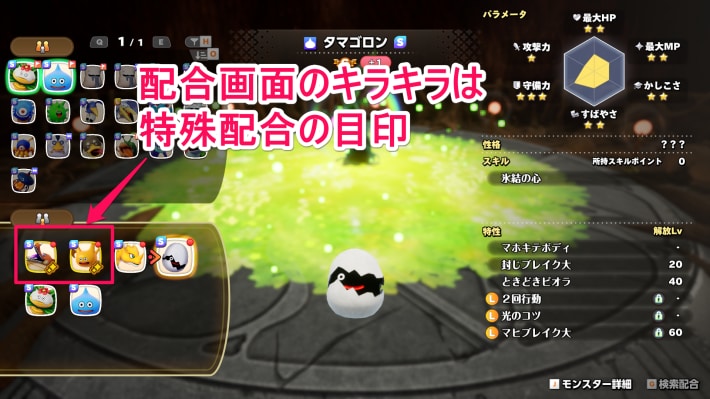
In the Dragon Quest Monsters: The Withered World (DQM4) demo, we haven't confirmed that sparkling monsters can be born. The sparkling frame on the Synthesis screen indicates a special Synthesis and has nothing to do with sparkling monsters, so keep that in mind.
Special Synthesis Monsters: List and How to Get Them
There's Little Need to Farm for Sparkling Monsters
In the previous game, sparkles disappeared when you performed Synthesis, and you couldn't pass them on. If the mechanics haven't changed, there's little need to farm for sparkling monsters in the demo, since carryover to the full game is restricted.
How to Reroll Synthesis
- Turn Off Autosave in the Options
- Save in Front of the Roots of Creation
- Perform Synthesis on a Monster
- Return to the Title Screen If You Don't Get the Desired Stats
- Continue from Your Save and Repeat Synthesis
When rerolling Synthesis in DQM: The Withered World, the most important thing is to turn off autosave. Once autosave is off, you can reroll by simply repeating Synthesis → Return to Title.
Turn Off Autosave in the Options
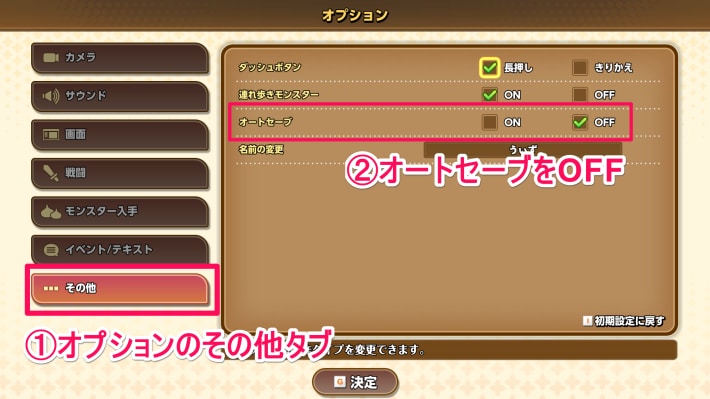
First, open the Options and turn off autosave in the Other tab. Since this setting requires you to save manually, be sure to save manually or turn autosave back on before quitting.
Recommended Settings and How to Change Them
Save in Front of the Roots of Creation
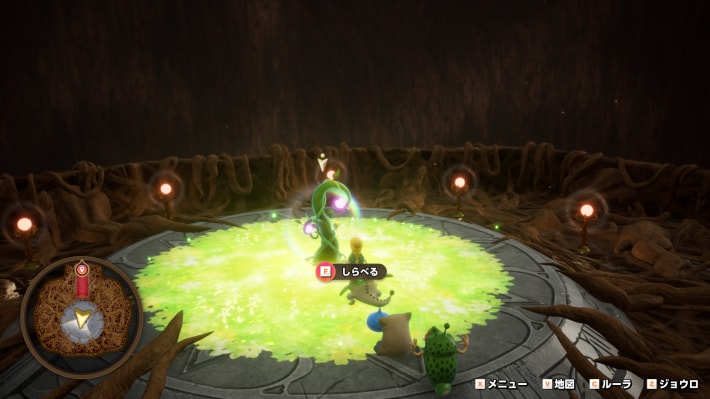
Once you've turned off autosave, save in front of the Roots of Creation. You can perform Synthesis at any Roots of Creation, so you can just Zoom to the nearest one.
Perform Synthesis on a Monster
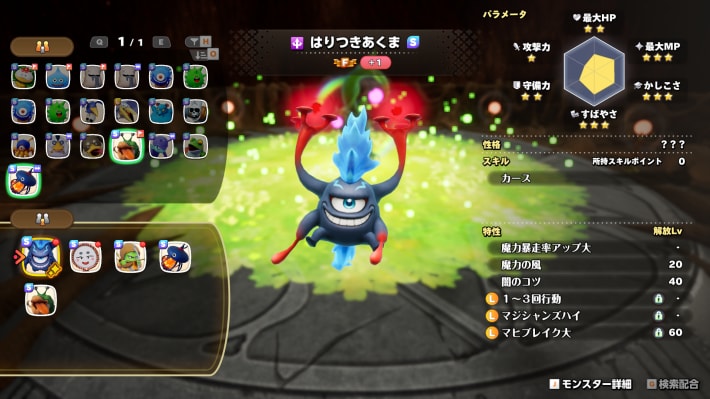
Once your save is complete, you can get started with Synthesis. Note that the parent monsters must be at least Level 10 to perform Synthesis.
When Can You Start Synthesis? How to Do It and Where
Return to the Title Screen If You Don't Get the Desired Stats
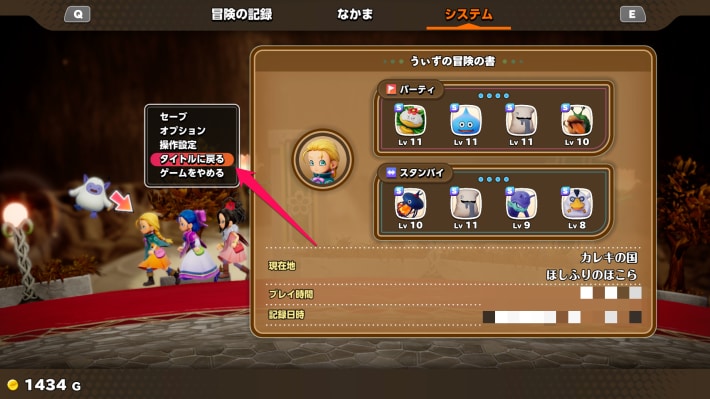
If the child monster you get from Synthesis doesn't have the stats you want, return to the title screen from the menu.
Load Your Save and Repeat Synthesis

Select “Continue” on the title screen to start right in front of the Roots of Creation. Then, repeat Synthesis and return to the title screen to reset until you get a monster with the stats you want.