
Here are the best Tactics and behaviour patterns in DQM: The Withered World. This guide covers what each Tactic does and how to set it, so use it when choosing Tactics for your DQM4 monsters.
Best Tactics and Behaviour Patterns
- Use “Show No Mercy” for Attackers
- Use “Debilitation” for Debuffers
- Use “Support Your Allies” for Buffers and Healers
- Use “Focus on Healing” for Dedicated Healers
- Use “Don't Use Abilities” to Save MP
- You Can Also Adjust Which Abilities Are Used
In Dragon Quest Monsters: The Withered World (DQM4), it's best to use different Tactics based on each monster's role. Use “Show No Mercy” for attackers, “Debilitation” for debuffers, and “Focus on Healing” for healers, among others. Be sure to set Tactics that suit the abilities they know and their roles.
Use Show No Mercy for Attackers
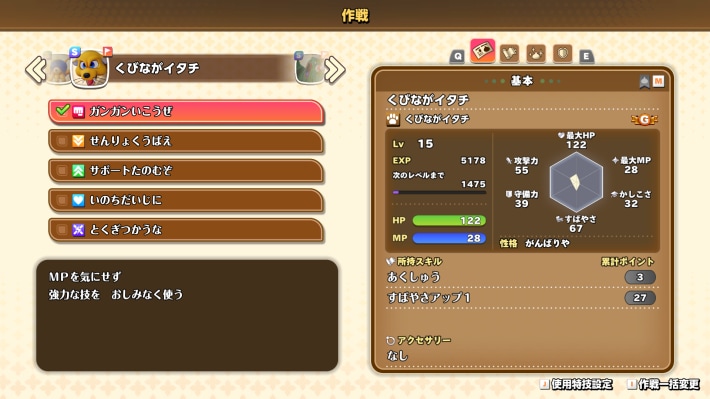
“Show No Mercy” is best for attackers. Since it prioritises attacking without worrying about MP, set it for attackers with powerful offensive abilities.
Use Debilitation for Debuffers
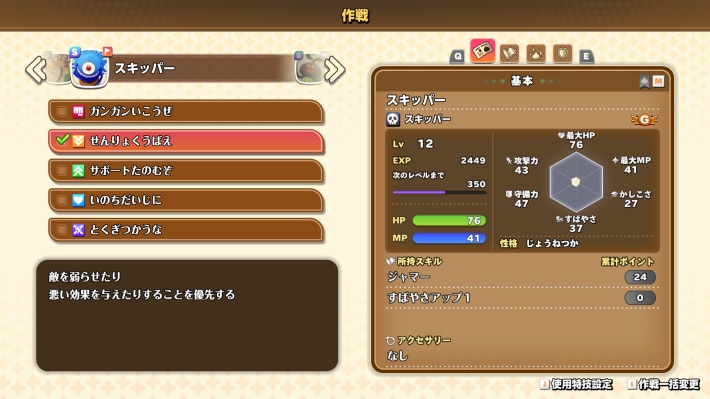
“Debilitation” is best for monsters that aim to lower enemy stats or inflict status ailments. Set it for monsters that know many disruptive abilities, so they can weaken the enemy while fighting.
Use Support Your Allies for Buffers and Healers
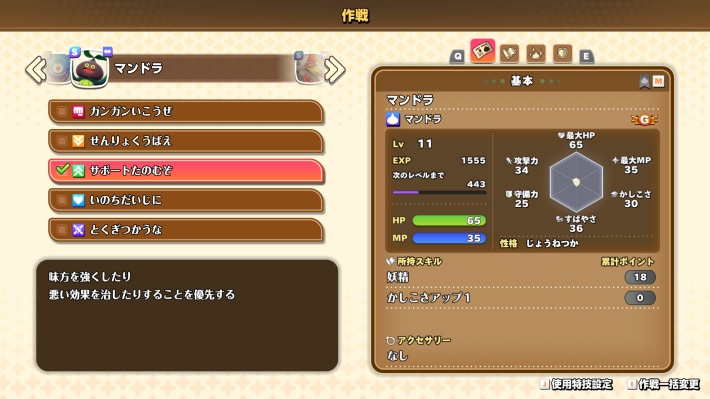
“Support Your Allies” is best for monsters that support allies by buffing or healing them. Set it for monsters you want to prioritise buffing and healing allies over attacking.
Use Focus on Healing for Dedicated Healers
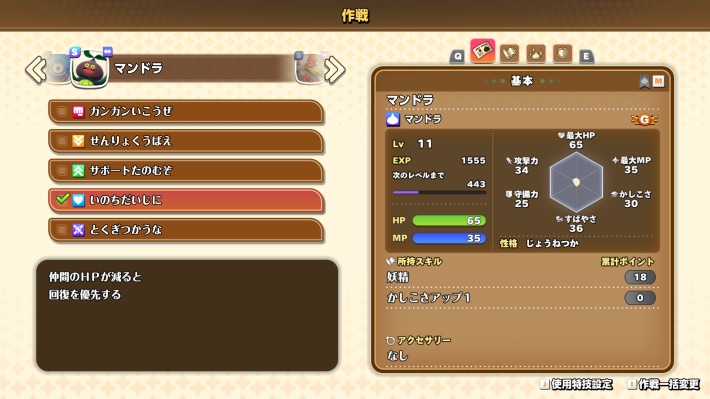
“Focus on Healing” is best for monsters you want to prioritise healing above all else. Since it prioritises healing allies who have lost HP, setting it for your healer in boss fights or battles against powerful enemies can help keep your party stable.
Best Healer Monsters and Talents
Use Don't Use Abilities to Save MP
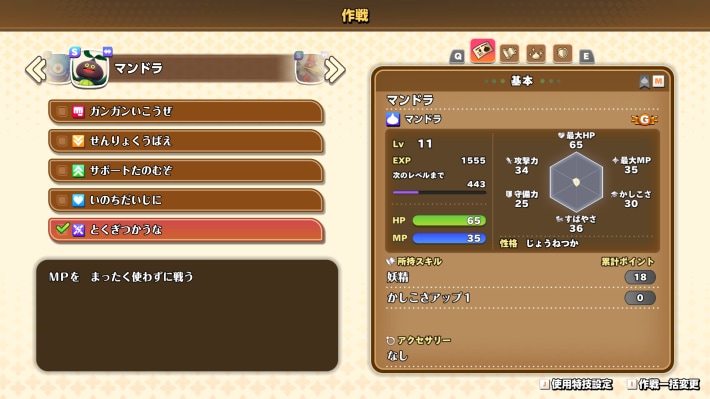
“Don't Use Abilities” is best when you want to conserve MP. Since it fights without using abilities, use it when you don't want to spend MP, such as in battles against weak enemies or during long explorations.
You Can Also Adjust Which Abilities Are Used
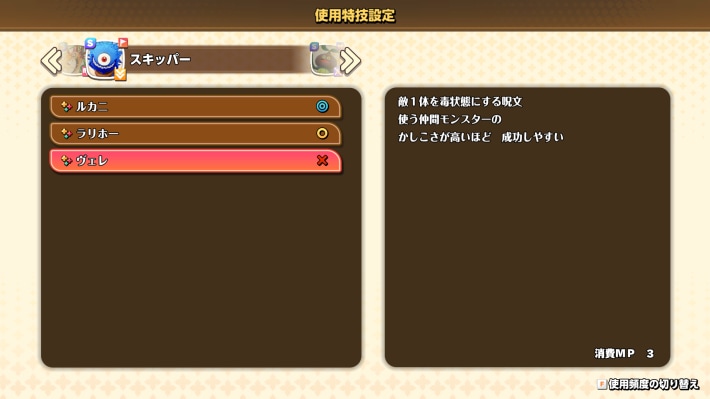
You can adjust which abilities monsters use when on Auto from among the abilities they know. In addition to Tactics, setting which abilities they use makes it easier for monsters to act according to the roles you want them to fulfill.
How Tactics and Commands Work
| Tactics | Behaviour Pattern |
|---|---|
| Show No Mercy | Use Powerful Attacks Without Worrying About MP |
| Debilitation | Prioritise Debuffs and Status Ailments on Enemies |
| Support Your Allies | Prioritise Support Such as Buffs and Healing for Allies |
| Focus on Healing | Prioritise Healing Allies |
| Don't Use Abilities | Save MP by Fighting Without Using Abilities |
In DQM: The Withered World, it's best to set Tactics according to the role you want each monster to fulfill. Set Tactics to match the abilities they know and their role in the party, such as “Show No Mercy” for attackers and “Focus on Healing” for healers.
You Can Choose Actions with Commands in Normal Battles
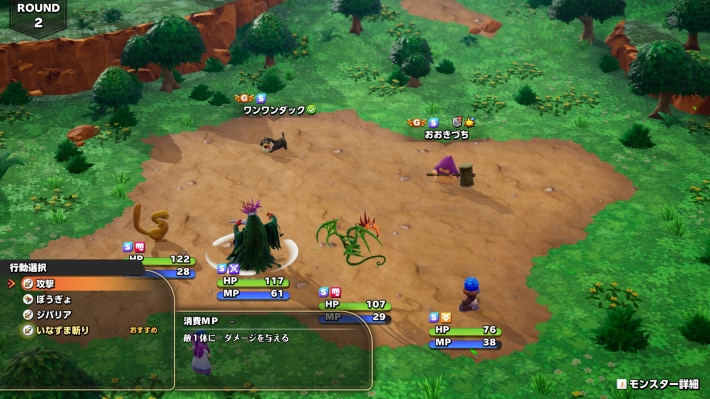
In normal battles, selecting “Commands” lets you directly specify which abilities and other actions monsters use. If you want them to use a specific attack or support ability against an enemy, use “Commands” instead of relying on Tactics.
You Can't Give Commands in the Battle Arena
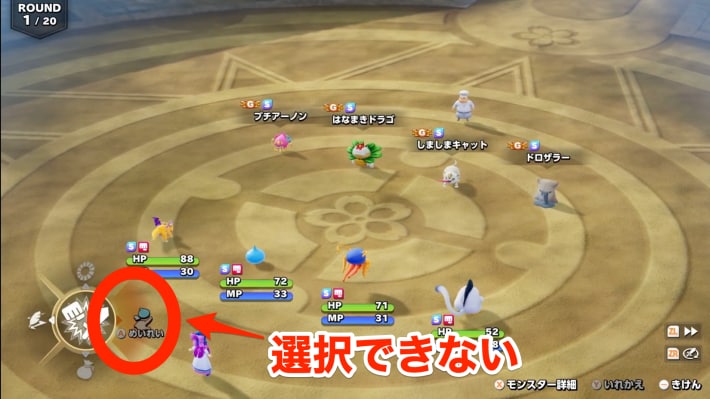
Since you can't give monsters commands in the Battle Arena, it's important to set each monster's Tactics in advance. Take on the challenge with Tactics suited to each monster's role, such as attacking or healing.
How to Unlock the Battle Arena and What You Can Do There
Monsters Follow Tactics in Auto-Battle
In Auto-Battle, monsters fight automatically, so setting Tactics is important. Setting suitable Tactics for each monster lets you assign roles such as attacking and healing as the battle progresses. Combining this with increased battle speed also makes grinding, such as levelling up, more efficient.
How to Change and Set Tactics
Can Be Set for Each Monster in the Field
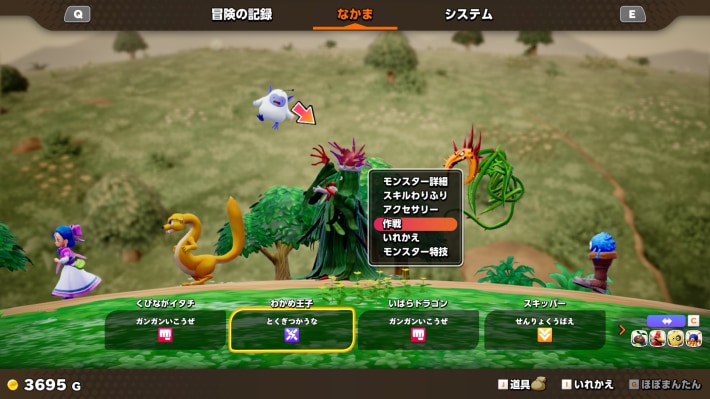
In DQM: The Withered World, you can set Tactics for each monster from the field menu. Before using the Battle Arena or Auto-Battle, make sure each monster's Tactics suits its role.
Change Tactics During Battle
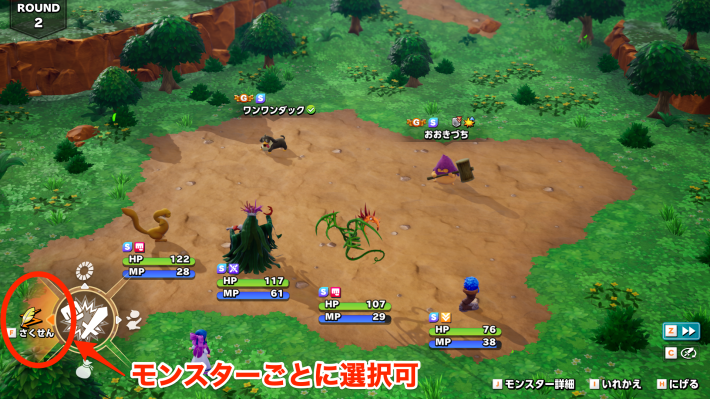
Even if you forget to change your Tactics before battle, you can change it from “Tactics” during battle. Switch it to suit the battle, such as prioritising healing when enemy attacks are intense.
Choose Commands to Directly Control Actions
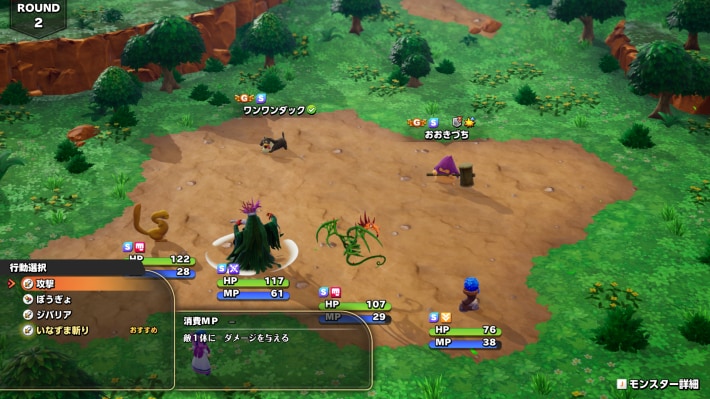
If you want to choose your monsters' actions yourself, select “Commands.” Unlike “Tactics,” you can directly choose which abilities each monster uses.