
A good Homeland layout makes farming and production easier to manage. Here are the Build Menu tools that help you arrange facilities, how to save and share layouts as Combos, a temperature-focused farming layout with its Combo Code, and layout tips.
Build Menu Tools for Arranging Your Homeland
You can split your Homeland into different areas depending on whether you want to focus on farming, production, or decoration. The toolbar at the top of the Build screen has the tools that make arranging facilities and furniture easier.
| Key and tool | What it does |
|---|---|
| F1: Multi-Select Mode | Move several objects together. |
| F2: Grid Display | Makes it easier to place facilities and furniture precisely. |
| F3: Grid Snapping | Also helps with precise placement. Used together with Grid Display, it makes layouts easier to recreate. |
| F4: Top-down Lock | Useful when arranging larger sections of the Homeland. |
| F7: Combo Menu | Save finished arrangements as Combos and share them with Combo Codes. |
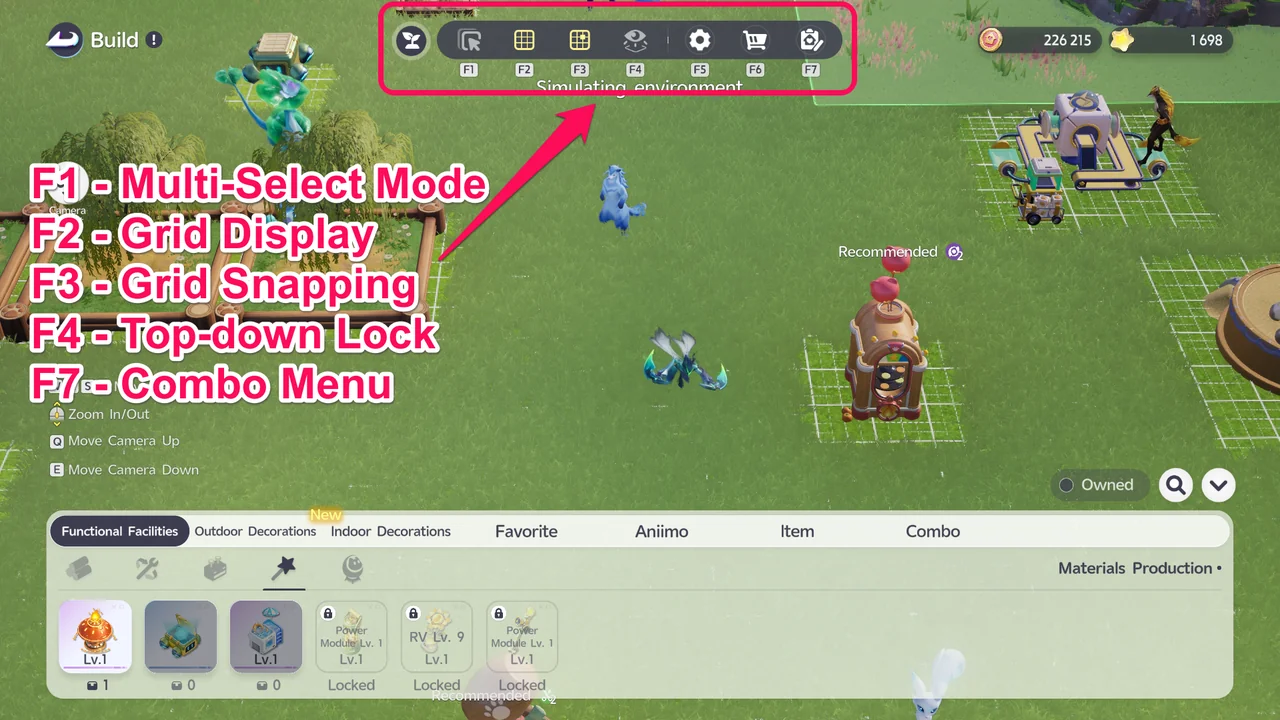
The toolbar keys on PC, from F1 Multi-Select Mode to F7 Combo Menu.
Save and Share Layouts with Combos
A Combo is a saved arrangement. Combos can be shared with other players through Combo Codes, so you can recreate someone else's layout without placing every object by hand.
The Combo Menu opens the Home Design screen, with My Designs, System Design, and Shared Design tabs. Each saved Combo shows its Combo Size, Item Quantity, description, and Combo Code, with a button to copy the code.
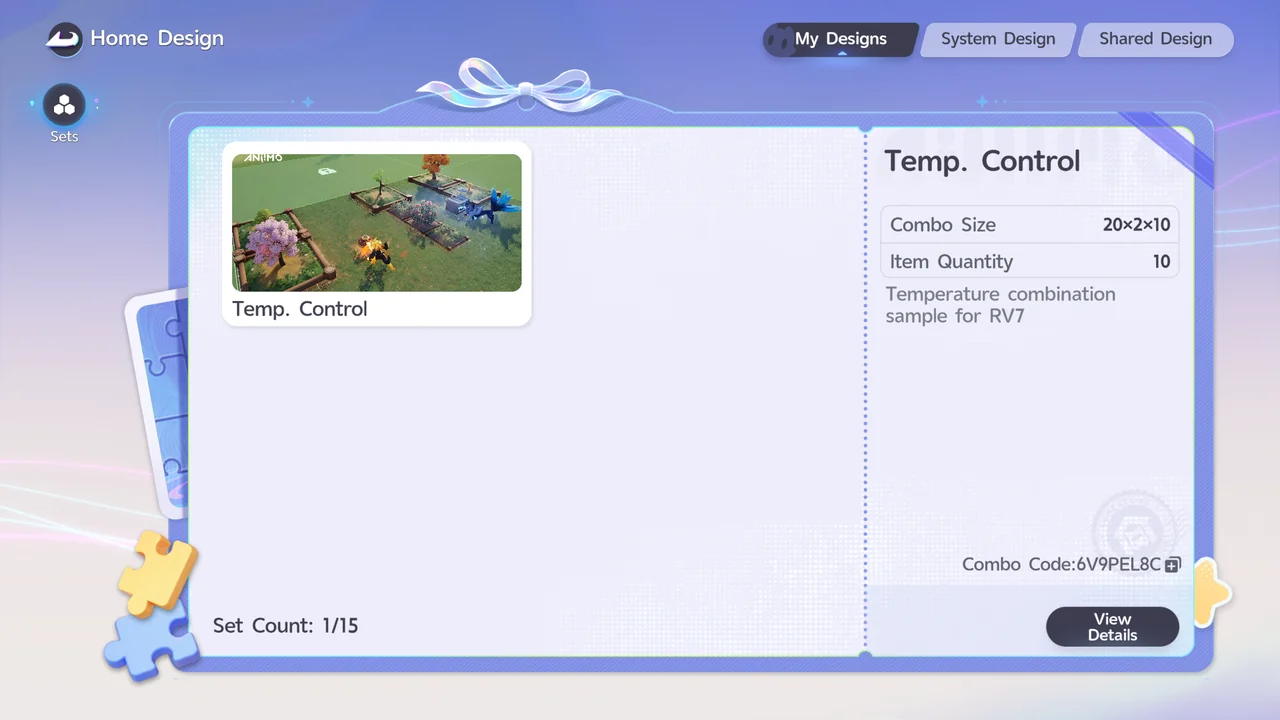
Each Combo on the Home Design screen has its own Combo Code.
Temperature-Focused Farming Layout
The Heat Furnace and Cooling Unit unlock at RV Lv.7. In our playthrough, specific layouts did not matter much before that, so if you are just starting out, you do not need to worry too much about furniture placement.
The effects of the Heat Furnace and Cooling Unit only apply within their effective range, so place them carefully when you design a farming area. Check the effective range while building to see which Farmland it reaches.
Their ranges can overlap, which lets you create different temperature zones in the same farming area. For example, set the Cooling Unit to Freeze and the Heat Furnace to Warm, and the area in between becomes Cool. This way you can meet different temperature requirements without placing several Heat Furnaces or Cooling Units.
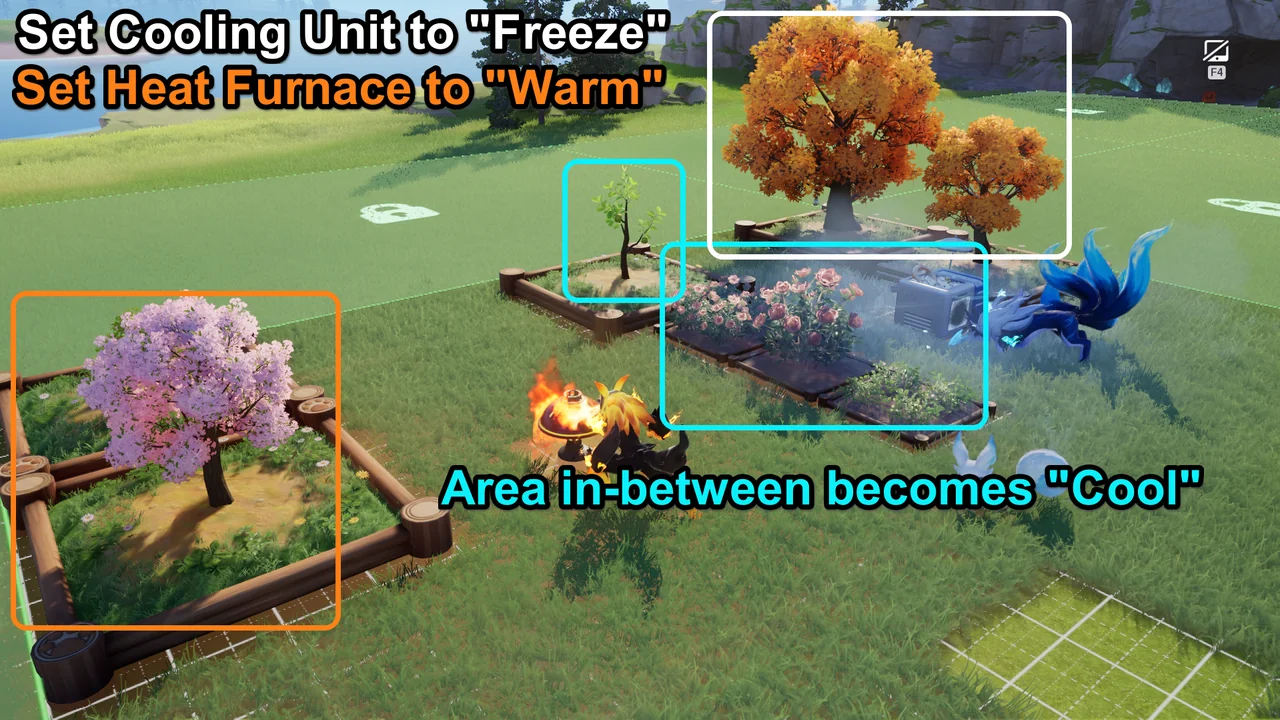
With the Cooling Unit on Freeze and the Heat Furnace on Warm, the area in between becomes Cool.
Our temperature layout is saved as the Combo Temp. Control (Combo Size 20×2×10, Item Quantity 10). Copy its Combo Code below to recreate it.
Homeland Layout Tips
These are the tips from our playthrough.
| Tip | Details |
|---|---|
| Storage Units near production | Place Storage Units close to production and processing furniture so that Hauling Aniimo can store your goods in the Warehouse faster. |
| Mind the effect range | When placing facilities such as the Heat Furnace, Cooling Unit, and Sunlamp, check how far their effect reaches. |
| Group Farmland by temperature | Keep Farmland that needs the same temperature within the range of the right facility. |
| Plan for later RV levels | Leave room for the facilities you will unlock at higher RV levels so you do not have to rearrange again and again. |
| Buy Plots as you need them | There is no advantage to buying Plots early. |
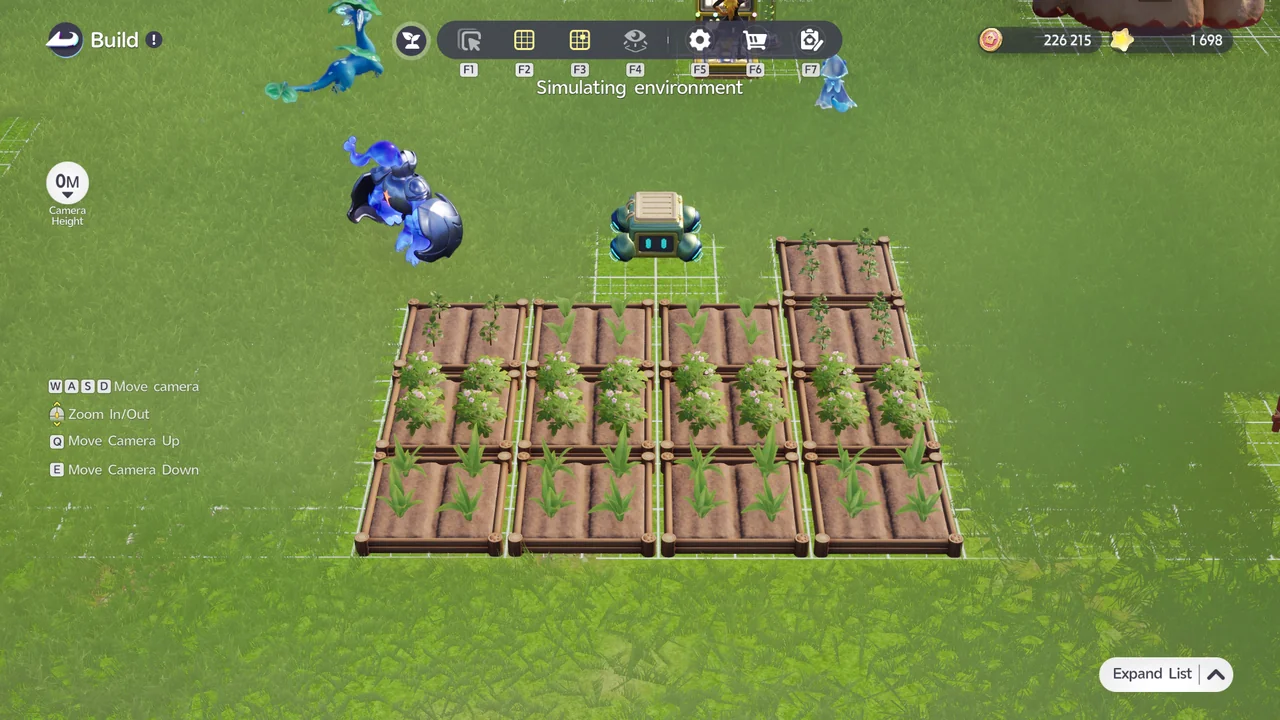
In the recorder’s layout, the Storage Unit sits right next to the Farmland.
Best Aniimo for Your Homeland · RV Leveling Guide · RV System Guide · All Guides