
Worried about picking wrong? Some decisions stick with you for good. Here's which choices you can't undo, which features aren't available yet, and what you're free to change anytime.
Choices You Can't Undo
Early on, you're asked "Sun's radiance or moon's glow? Which would you choose as your guardian?" and pick your Guardian Aniimo: Helion (a Light Aniimo adept at close combat and striking targets in a small area with impressive burst potential) or Lunara (a Light Aniimo skilled in ranged area attacks, with high recovery for sustained combat).
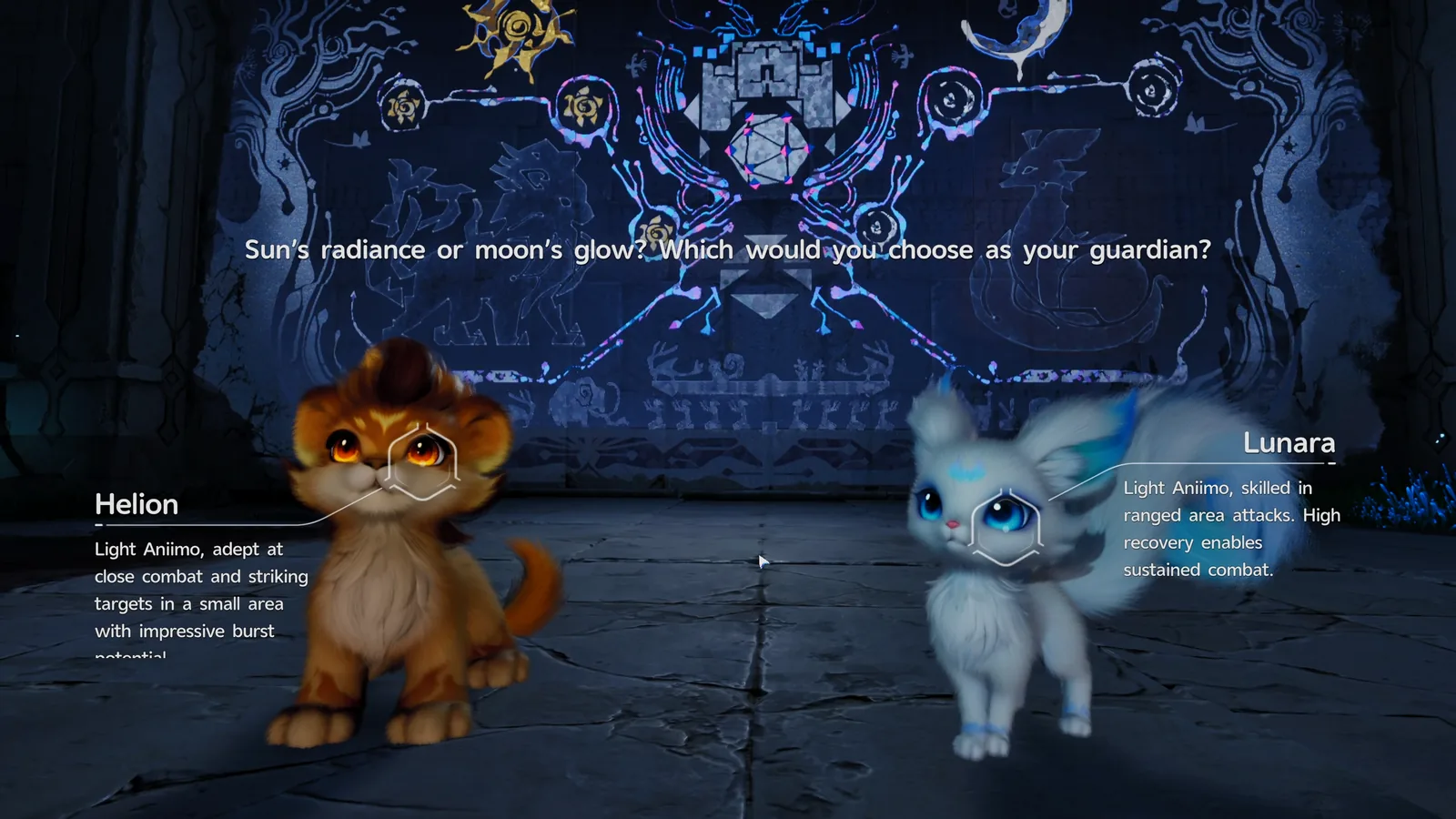
This choice is permanent. Once chosen, your Guardian Aniimo reportedly returns to the mural, only to be taken later by a mysterious group as you progress in the main storyline.
Changing your Nickname works differently. Tapping its edit icon opens an "Edit nickname" screen that requires spending a Name Change Card, an Appearance Item obtained through Glimmer Purchase. If you don't have one, the Item Cost shows 0/1 and you can't complete the change.
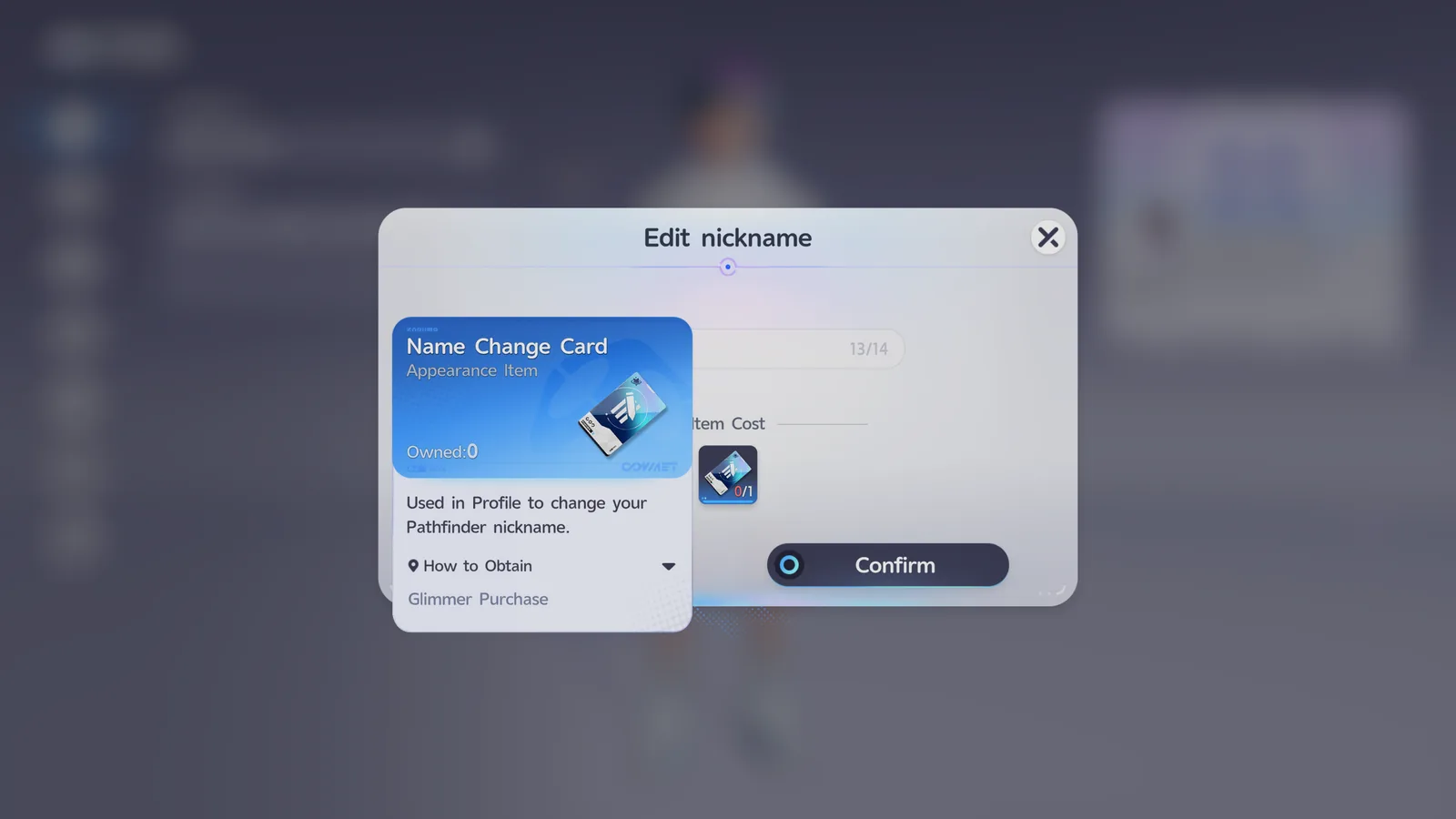
This makes changing your Nickname a soft point of no return for free-to-play players: without Glimmer to spend on a Name Change Card, whatever Nickname you pick at the start is the one you're stuck with.
Not Available Yet
Aniimo renaming isn't in the game yet. It's planned to release together with the Aniimo Affinity feature in a future update, so you can't give your Aniimo a nickname for now.
What You Can Always Change
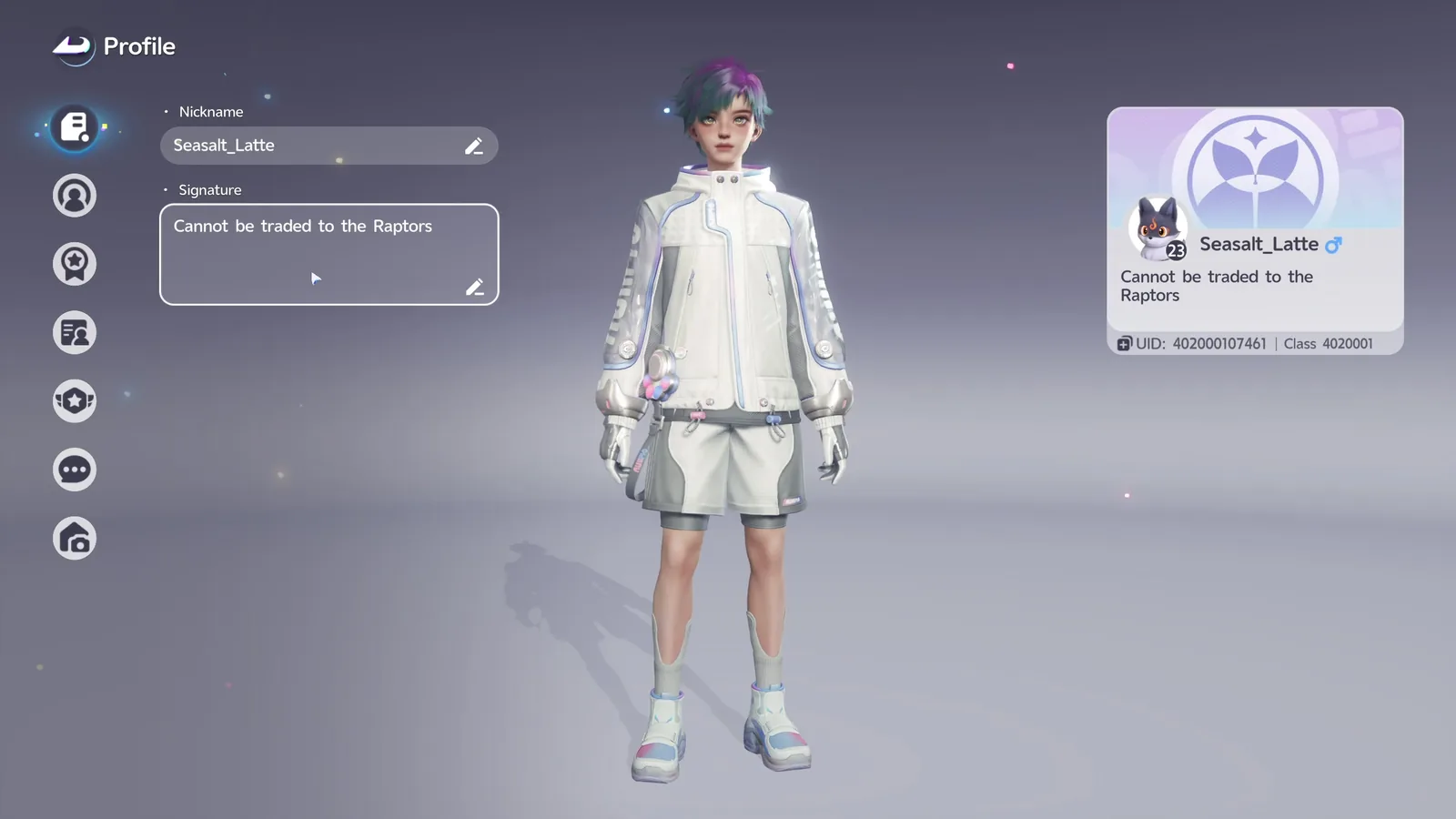
Your Signature can be edited anytime from the Profile screen using its edit icon, and the editor enforces a filter that rejects entries containing prohibited words until you rephrase them.
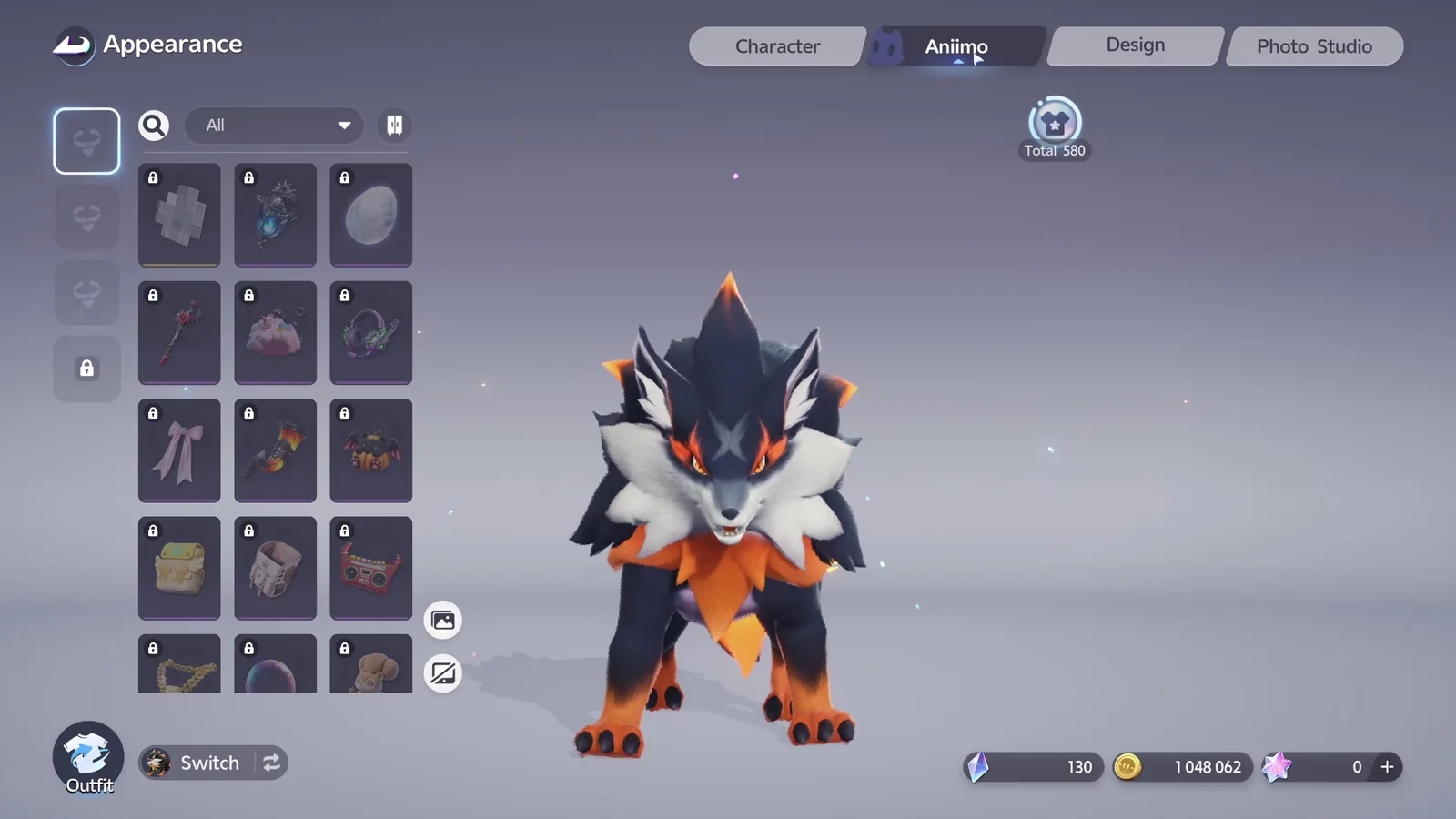
You can also accessorize your Aniimo anytime from the Aniimo tab on the Appearance screen.
Your character's face, body type, and clothing can also be changed anytime from the Appearance screen, reached through the Function Menu. That's a big enough topic for its own guide.