Got an Aniimo gift code? Here is every step to redeem it, the current working codes, and what to do if you hit an error.
Aniimo Gift Codes
Here are all the codes we've found so far, along with what each one gives you.
Working Codes
| Code | Reward |
|---|---|
| Added: September 25, 2026 | 10,000 Credits, 3 Growth Flower |
| Added: September 25, 2026 | 10,000 Credits, 3 Growth Flower |
| Added: September 25, 2026 | 10,000 Credits, 3 Growth Flower |
| Added: September 25, 2026 | 20 Glimmer (US server only) |
| Added: September 19, 2026 | 50 Glimmer, 5 Growth Flower, 5 Aniipod Pro |
| Added: September 18, 2026 | 10,000 Credits, 3 Growth Flower |
| Added: September 18, 2026 | 10,000 Credits, 5 Aniipods |
| Added: September 18, 2026 | 10,000 Credits, 5 Aniipods |
| Added: September 18, 2026 | 50 Glimmer, 5 Growth Flower, 5 Aniipod Pro |
| Added: September 18, 2026 | 50 Glimmer, 5 Growth Flower, 5 Aniipod Pro |
| Added: September 18, 2026 | 10,000 Credits, 5 Aniipods |
| Added: September 18, 2026 | 10,000 Credits, 5 Aniipods |
| Added: September 18, 2026 | 10,000 Credits, 5 Aniipods |
| Added: September 17, 2026 | 10 Glimmer, 20,000 Credits, 10 Growth Flower, 5 Aniipod Pro |
| Added: September 16, 2026 | 20 Glimmer |
Expired Codes
| Code | Reward |
|---|---|
| 50 Glimmer |
How to Redeem a Gift Code
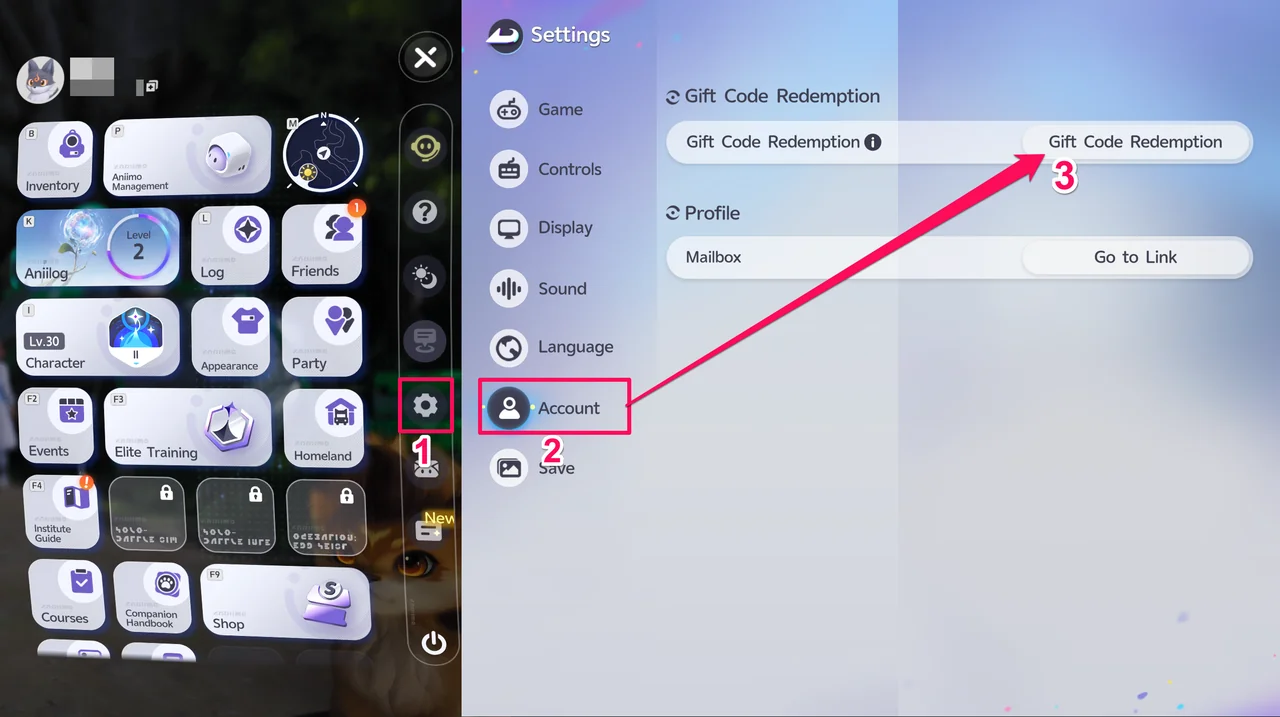
- Open Settings
From the Main Menu, select Settings. - Go to the Account tab
In the Settings window, click the Account tab. - Open Gift Code Redemption
From the Account window, select Gift Code Redemption. - Enter your code and redeem it
Type in the code, then select Redeem.
Gift Code Error Messages
| Error | What It Means |
|---|---|
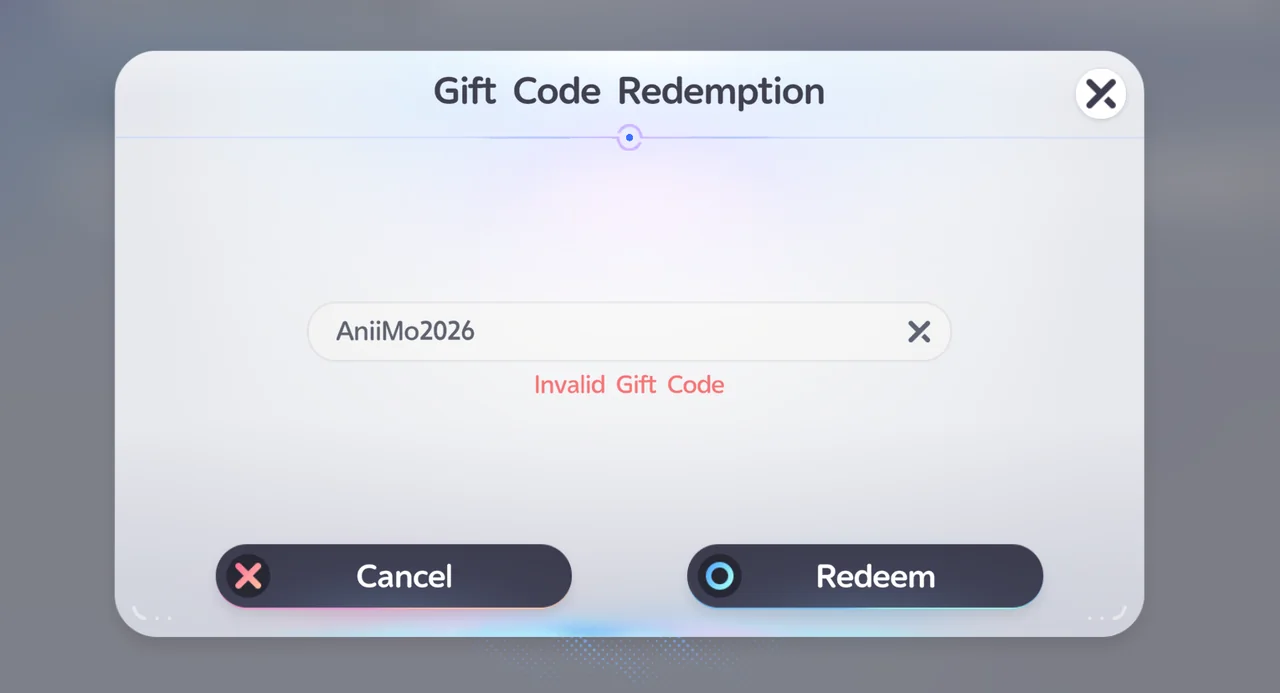
| Invalid Gift Code | Gift codes are case-sensitive. Retype the code carefully, matching the upper and lower case exactly. |
| Gift Code Redemption Limit Reached | This code has already been redeemed or has expired. |
Tip: If the error keeps showing even after entering a correct, active code, restart the game and try entering the code again.
How to Claim Your Rewards
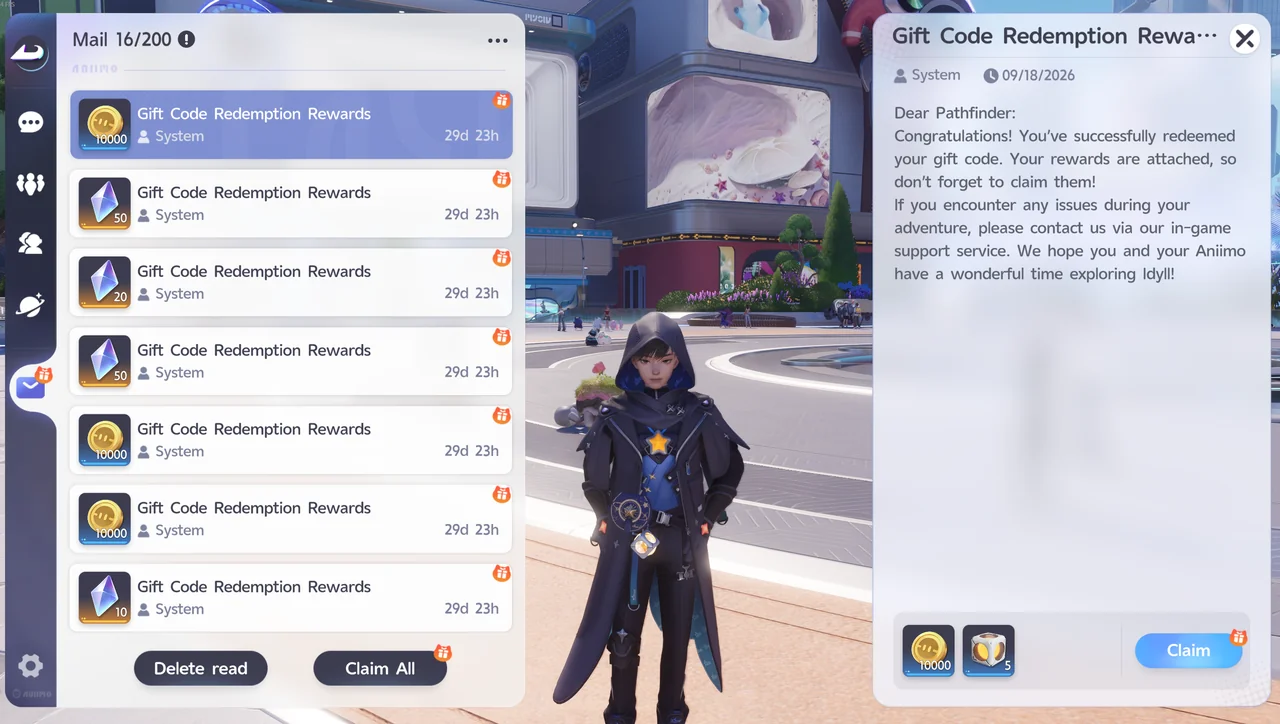
Rewards from redeemed codes are sent to your in-game Mail.
To open Mail, go to the Main Menu and click the Mail icon on the right side of the screen. You can also open Mail through the chat menu: press Enter, then Tab, then click the Mail icon on the left side of the screen.
Where to Find New Gift Codes
The Aniimo team shares new gift codes through the game's official community channels, such as its Discord server and Twitter account.