Pathfinder Skills and Passive Talents unlock as you rank up. You learn Active Skills with Demo Tapes and Passive Talents with Report Cards. Here's how to unlock, learn, equip, and reset them.
How to Unlock Pathfinder Skills and Passive Talents
- Reach one of the Pathfinder Rank level gates: Lv. 25, 35, 40, 45, 50, 55, or 60
Once you hit the gate, complete the Elite Training course it unlocks, then pass the Promotion Assessment to earn a new Character Title. Earning a Title immediately unlocks new Character Skills and Passives to learn.
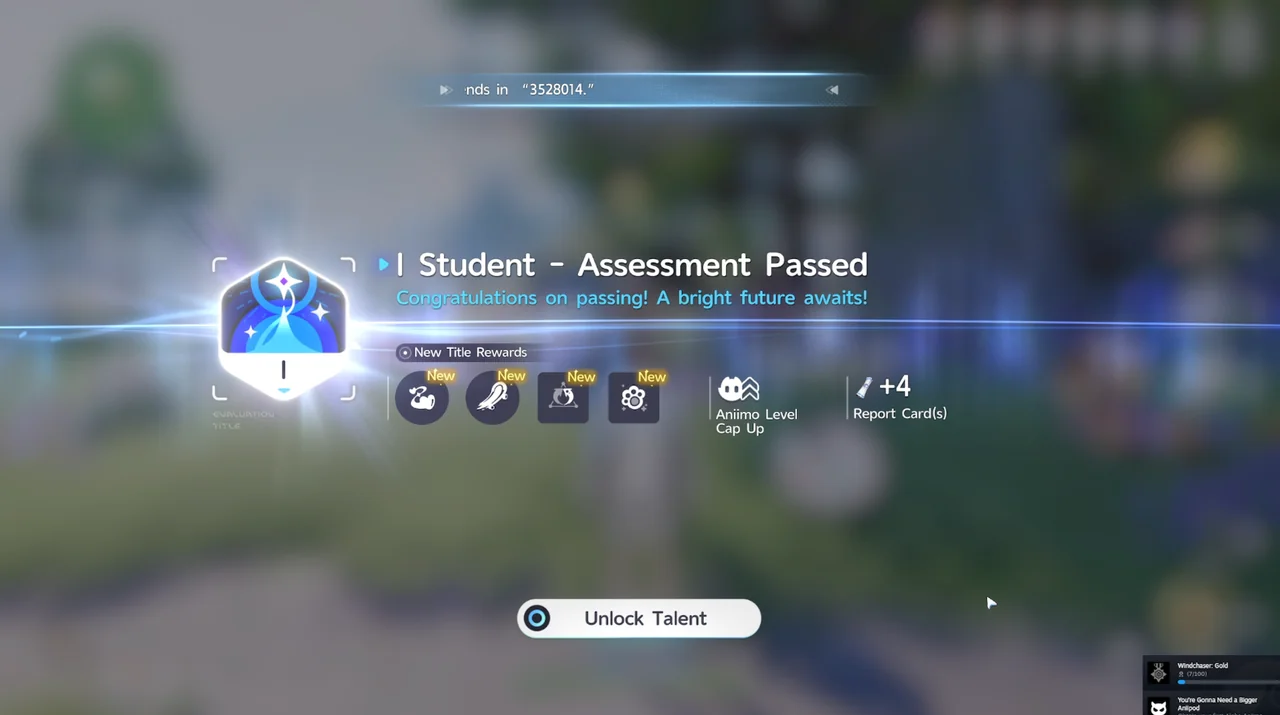
Level 60 is the last Rank Promotion gate before the current endgame content. The character level cap is currently 71.
How to Learn Pathfinder Skills and Passive Talents
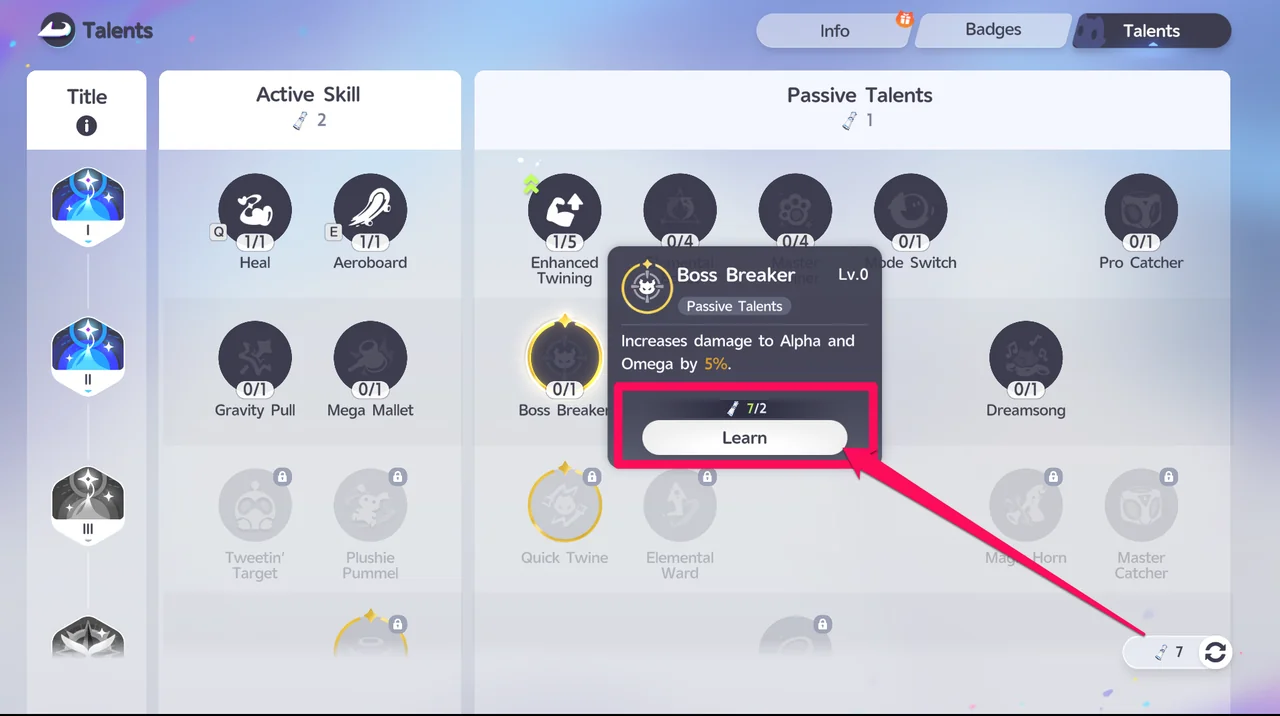
Open the Talents screen, pick the Active Skill or Passive Talent you want, and select Learn. Learning costs a set number of items: Demo Tapes for an Active Skill, and Report Cards for a Passive Talent.
Where to Get Report Cards
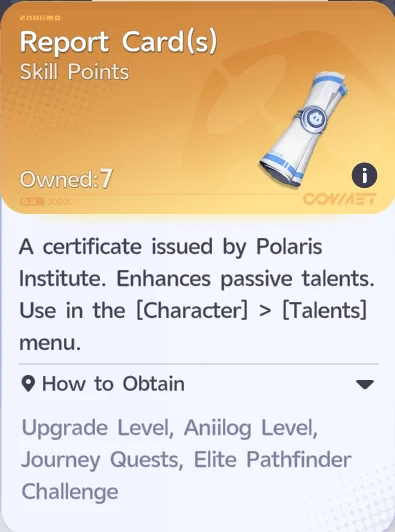
Report Cards are the item you spend to learn Passive Talents from the Character > Talents menu. You can earn them from Upgrade Level, Aniilog Level, Journey Quests, and the Elite Pathfinder Challenge.
How to Equip and Change Active Skills
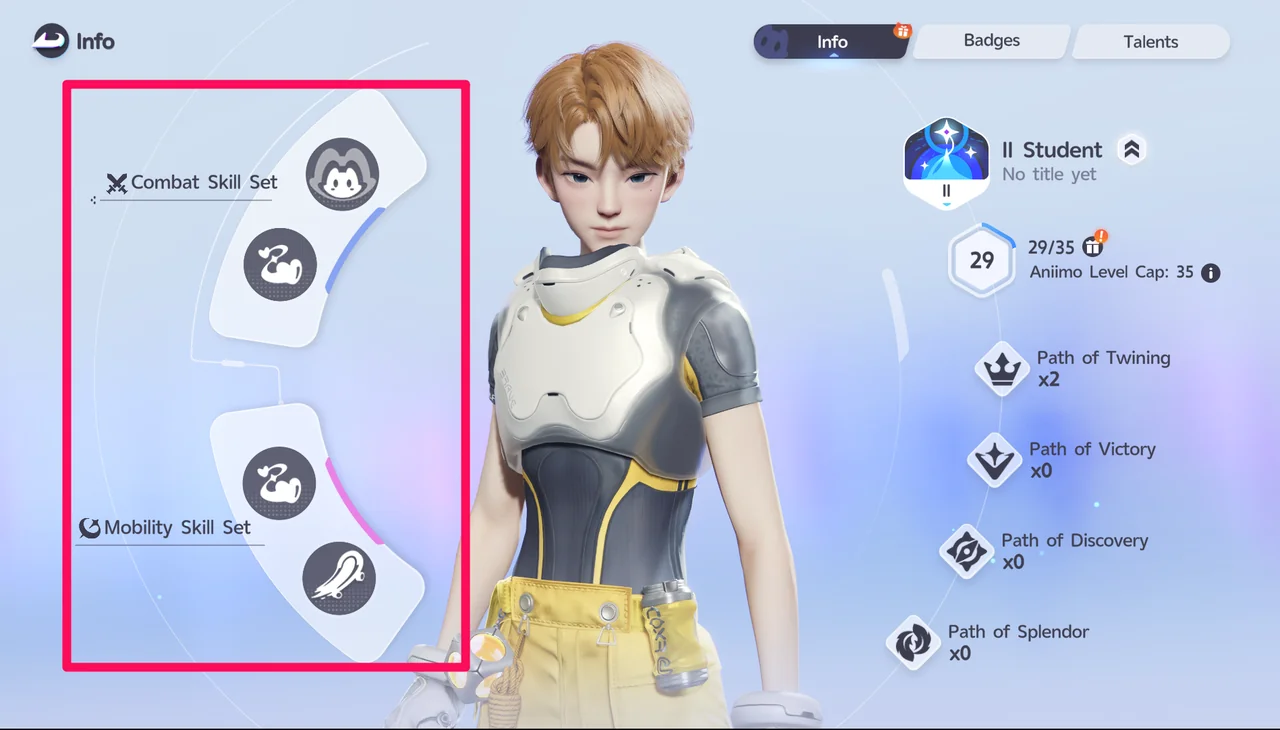
Active Skills are split into 2 sets: a Combat Skill Set you can use in battle, and a Mobility Skill Set you can use outside of combat.
To change which skill fills a slot, open the Main Menu, go to Character, and select the skill slot you want to change. This opens the Equip window, where you can pick a skill and confirm.
How to Use Active Skills
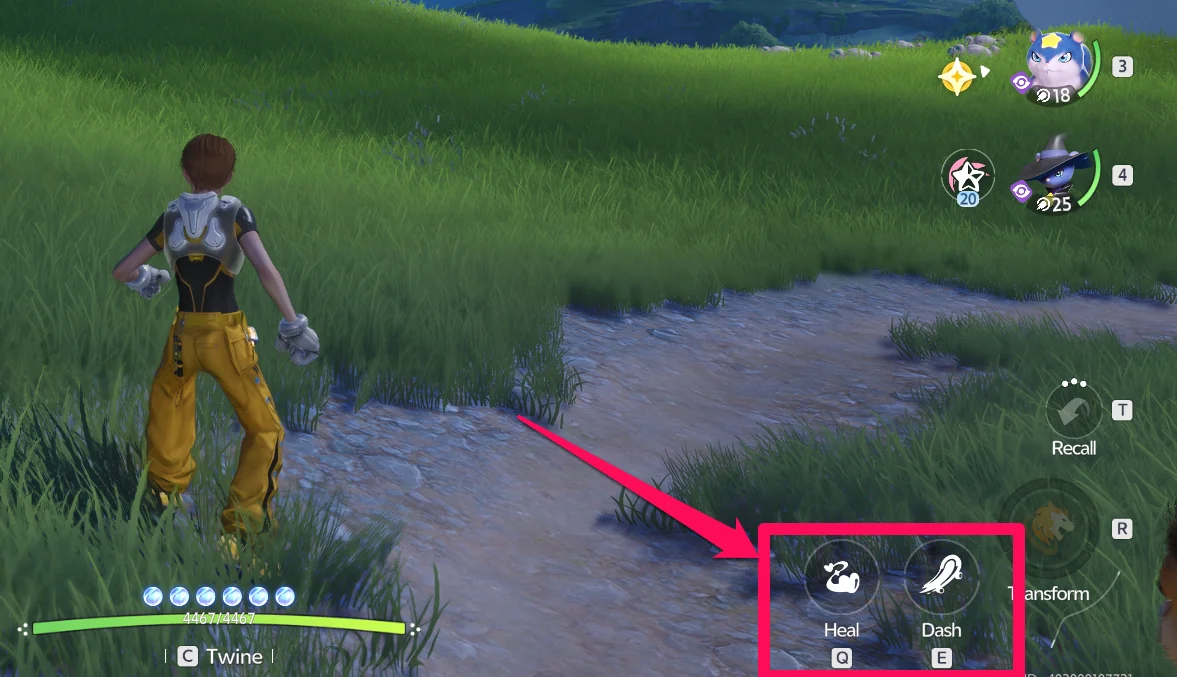
Once a skill is equipped, use it by simply pressing Q or E.
How to Reset Pathfinder Skills
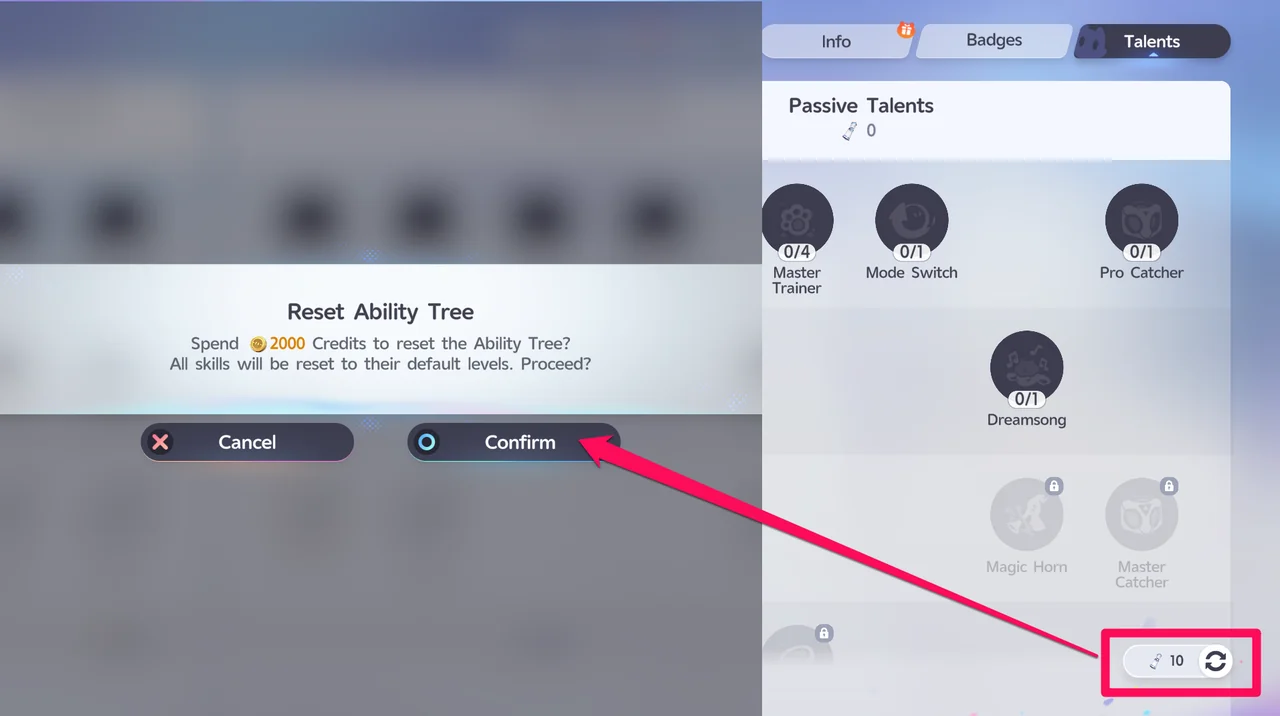
If you want to try a different skill setup, you can reset your skills. Select the Reset icon in the lower-right corner of the Talents screen, next to your Report Card count, then confirm. This costs 2,000 Credits and returns every skill to its default level.