
Aniimo doesn't let you change the weather from the start. Here's what you need to unlock it at the Breezy Plains Branch, and how the actual weather change works.
How to Change the Weather
- Open Change Weather at the Breezy Plains Branch
Travel to the Breezy Plains Branch and select Change Weather. Once the ability is unlocked, this option is no longer locked.
- Pick a biome and a weather type
Select the biome you want to change, then pick the weather you want for it. Weather type options are Prismana, Rainy, Sunny, or Snowy.
- Confirm Change Weather
Confirming Change Weather costs 1 Prismana Crystal each time you use it.

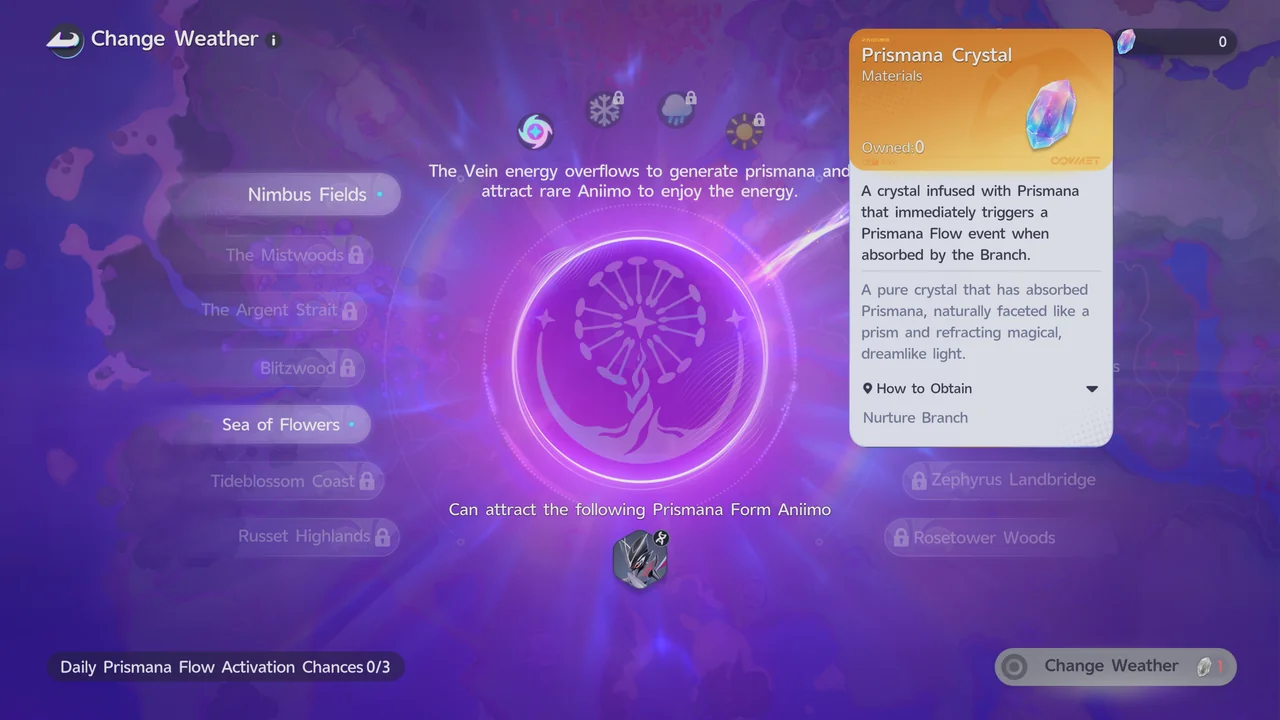
Photo Mode lets you apply weather effects temporarily for the shot, but this only changes how the scene looks in Photo Mode. It doesn't change the actual weather in the world.
How to Unlock Change Weather
- Reach the Breezy Plains Branch and infuse it with 60 Lumin Amber to unlock the Prismana Radiance ability.
- Earn the Silver badge for the region you want to change. It unlocks Ecological Intervention, which allows weather changes in that region.

Once unlocked, the Prismana Radiance ability is described in-game as: "In Breezy Plains, abundant Vein energy can change the weather, drawing out Prismana Aniimo."

Weather Also Changes on Its Own
You don't have to spend a Prismana Crystal every time. Weather also shifts on its own in real time, though the changes are random.
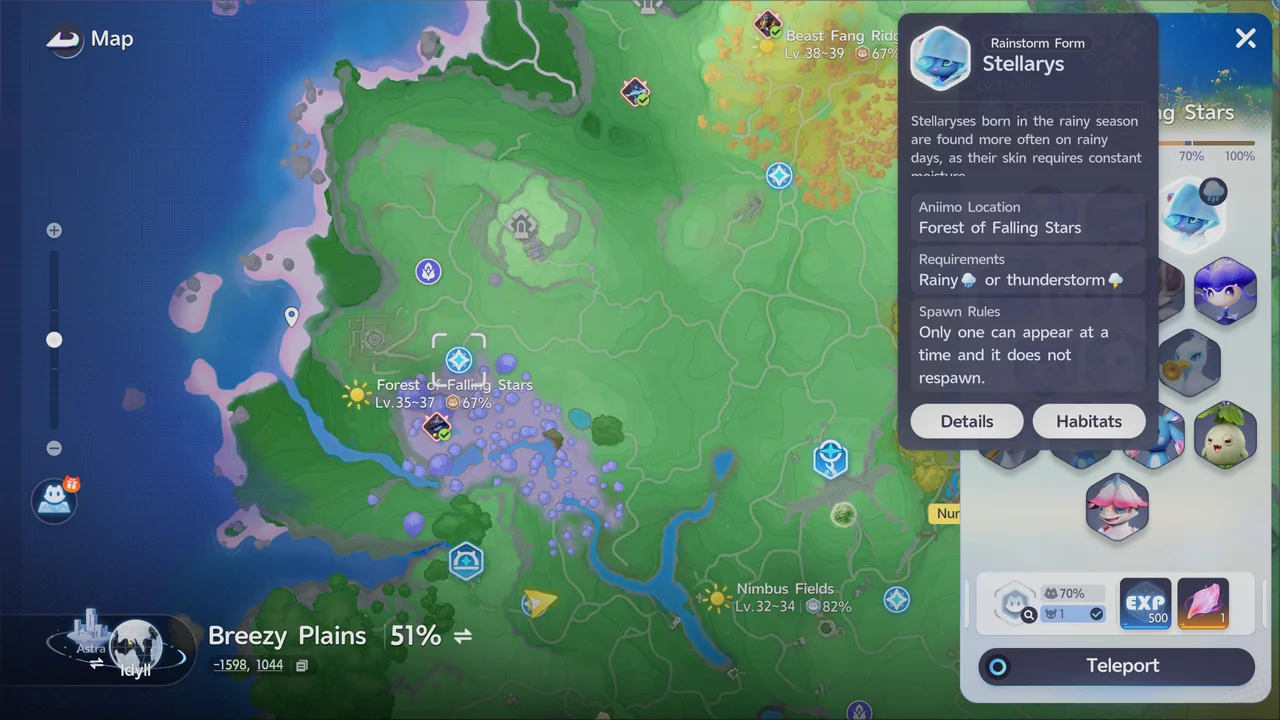
You can check the Map screen to see the current weather changes.
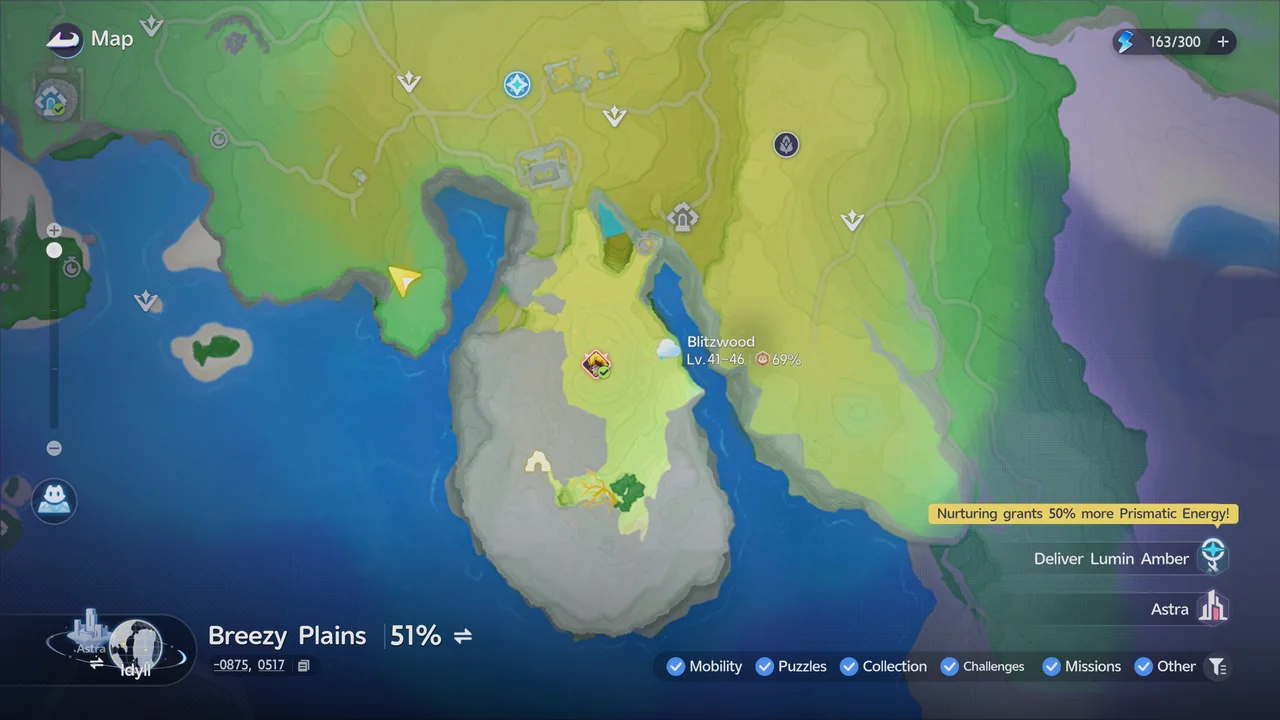
How to Check the Current Weather
Open the map and hover over each region. A weather icon next to the region name shows the current climate for that biome.
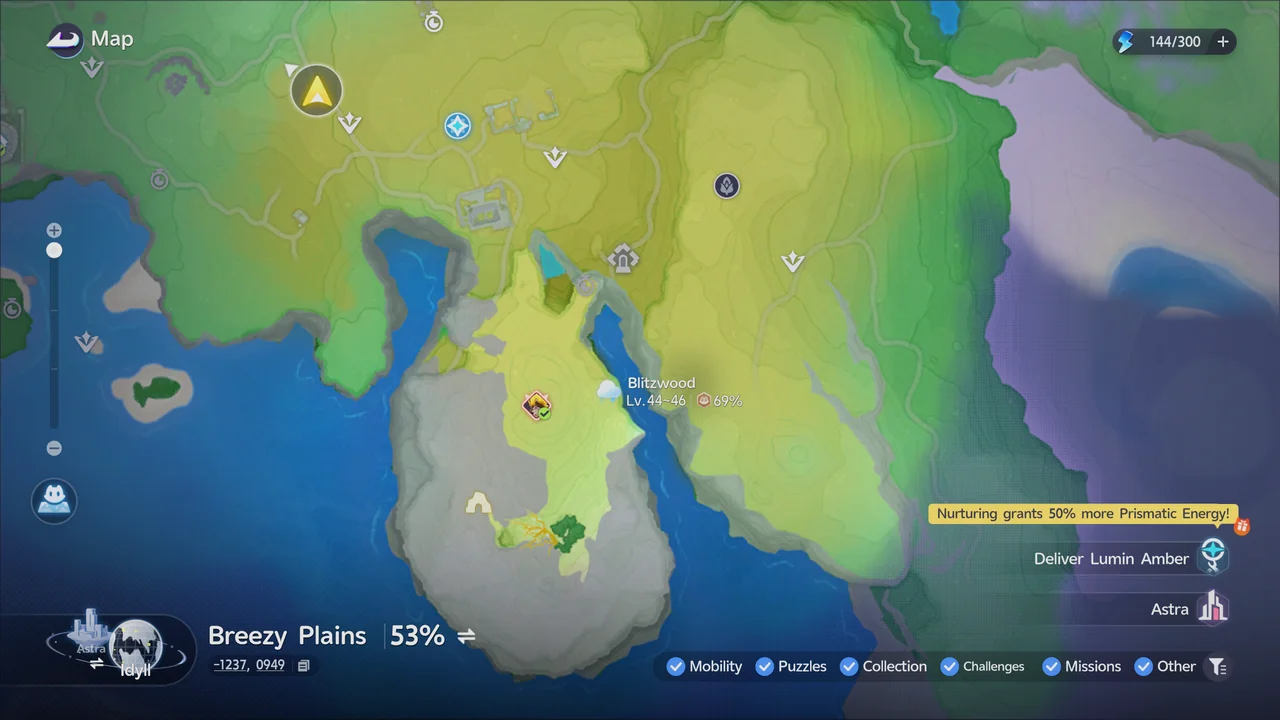
How to Check the Weather Schedule
To see upcoming weather, open the map, select a region, and go to the Weather tab. It lists that region's weather for the next 24 hours, broken into time slots.
The Weather tab also shows whether a special Aniimo will appear. Its icon is shown under the time slots in which it will appear.
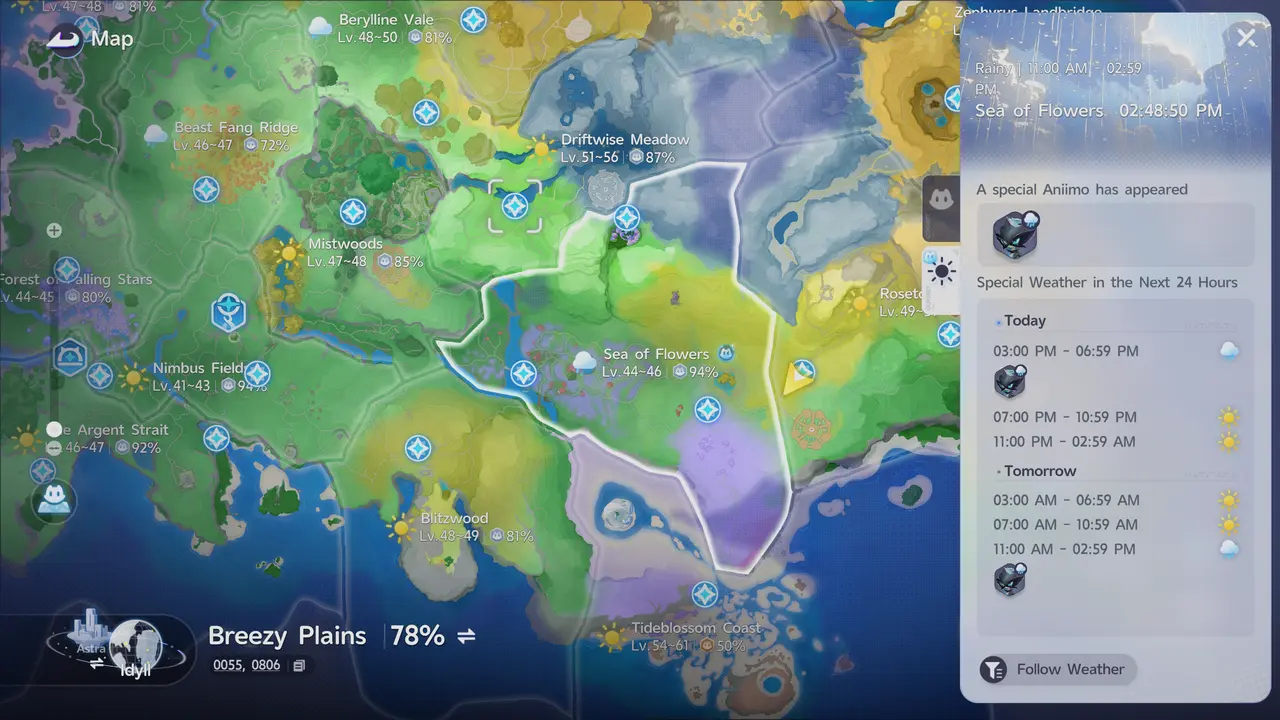
Why Weather Matters
Weather is a separate system from the day-night cycle. A few areas even have permanently fixed weather, like Russet Highlands, which is always snowy. Some Aniimo also only appear under specific weather conditions, and you can check whether an Aniimo has a weather-locked variant from its Bloom node on the Map screen.
View Stellarys's Rainfall Form details
Stellarys is one example: its Rainfall Form only appears in the Forest of Falling Stars while the weather there is Rainy or a Thunderstorm. Only one can be out at a time, and it won't respawn once caught.
Lumin Amber Guide · Best Prismana Pact Pick · How to Catch Aniimo · All Guides