
Aniimo Exchange lets you swap Aniimo with your friends. Here is how to unlock it, how to raise Friend Affinity, what a trade costs, and a few tips before you trade.
What Is Aniimo Exchange?
Aniimo Exchange is the system for trading Aniimo between players. You can use it to fill in your Aniilog or to get an Aniimo you need for an evolution requirement.
To open it, go to your Friend List and select a friend's name or icon. Their profile shows an Aniimo Exchange button.
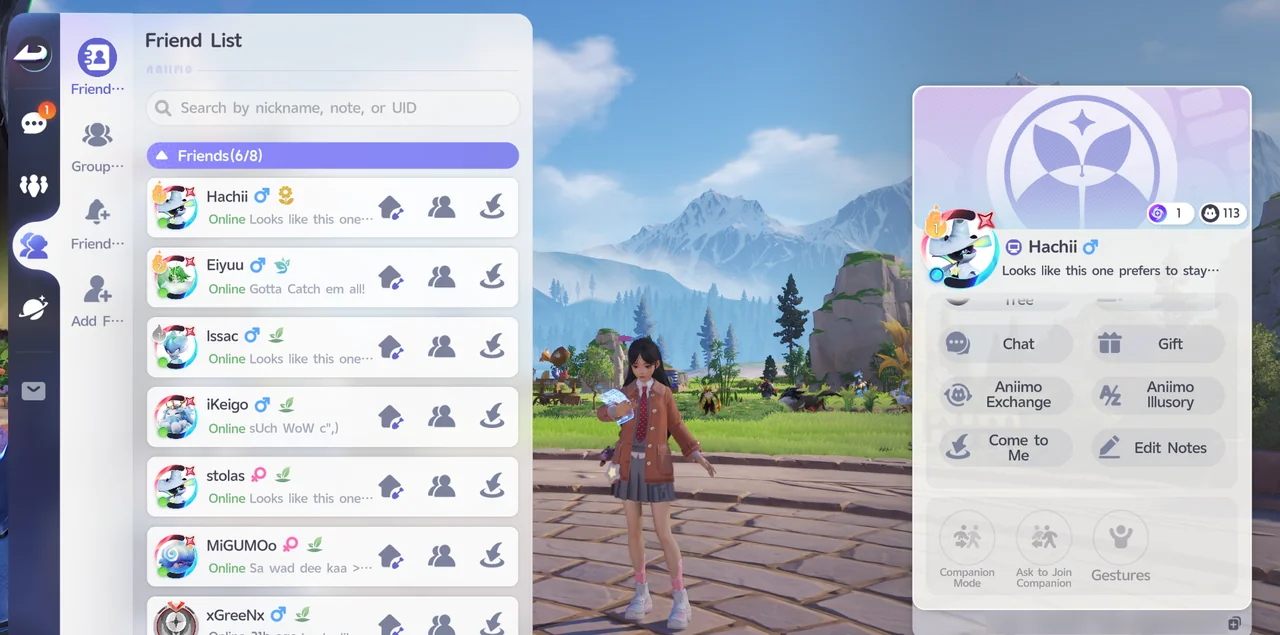
How to Unlock Aniimo Exchange
Trading unlocks when your Friend Affinity with that friend reaches Good Friend, the second Affinity level.
Not every Aniimo can be traded at Good Friend. As you move up to Close Friend and then Trusted Friend, the range of Aniimo you can trade grows.
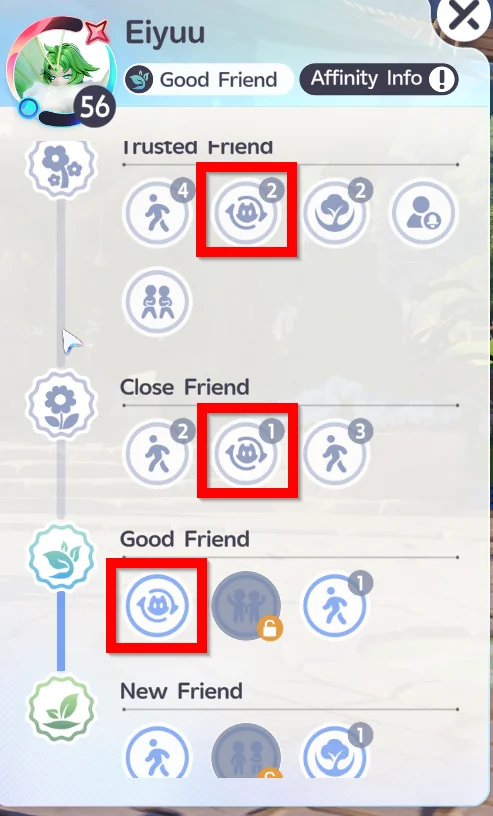
How to Increase Friend Affinity
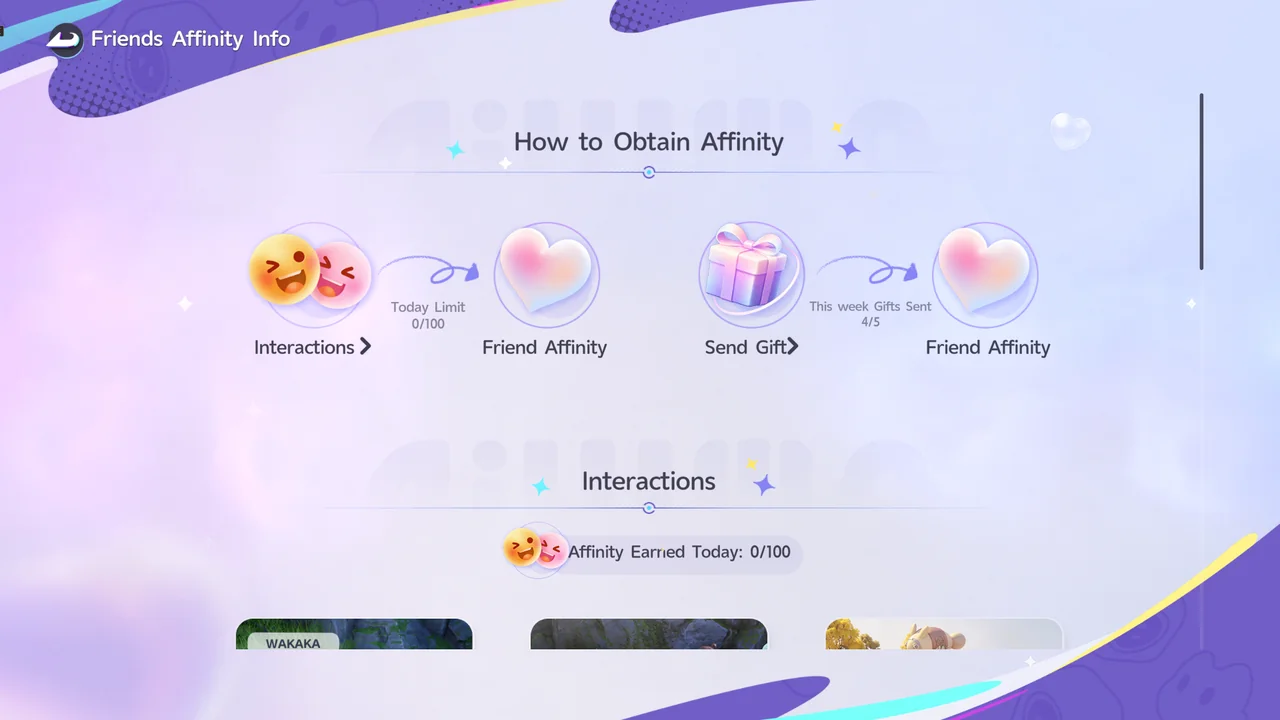
Friend Affinity goes up through Interactions and by sending Gifts. Each has its own limit:
| Method | Details |
|---|---|
| Interactions | Interacting with your friend raises Friend Affinity, up to 100 Affinity per day. |
| Send Gift | Sending your friend a Gift raises Friend Affinity. You can send up to 5 Gifts per week. |
How to Trade Aniimo
- Open your friend's profile
In the Friend List, select the friend you want to trade with and choose Aniimo Exchange.
- Pick the Aniimo to trade
Each player chooses an Aniimo. The trade screen shows both Aniimo side by side with their stats, skills, and personality.
- Both players confirm
The trade goes through once both players press Confirm. A trade costs 1000 Credits.
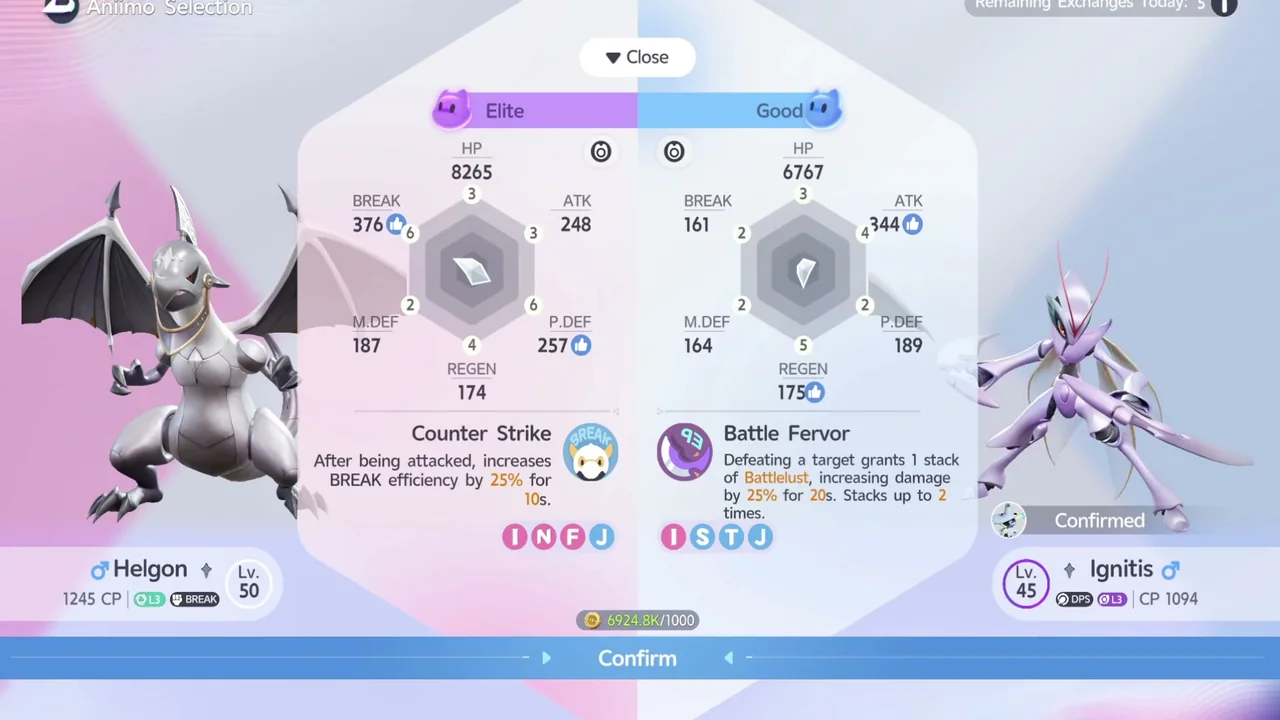
The trade screen shows how many trades you have left today in the top right. In our example, it showed 5.
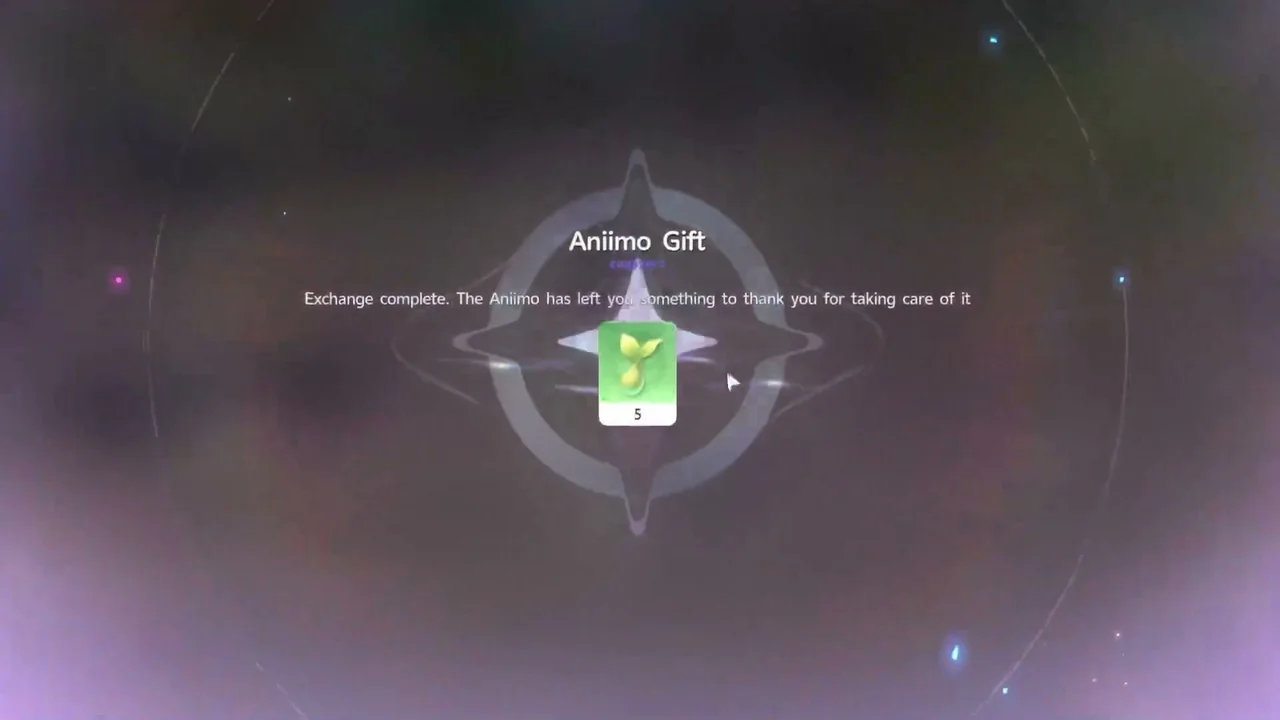
When a trade finishes, an Aniimo Gift screen appears with the message Exchange complete. The Aniimo has left you something to thank you for taking care of it. In our example, the gift was an item x5.
Benefits of Trading
Trading with a friend lets you get Aniimo you still need to complete your Aniilog, and Aniimo you need to meet an evolution requirement.
Trading Tips
| Tip | Details |
|---|---|
| Trade with friends you know | Our player recommends trading with friends so you can agree in advance on which Aniimo to exchange. |
| Offer an Aniimo of equal value | Our player recommends offering an Aniimo of about the same value as the one you receive. |
| You can trade back after 30 days | If you trade with someone you know, you can trade the Aniimo back after 30 days. |
Aniimo Index · How to Catch Aniimo · How to Farm Money (Credits)