
Your Homeland gets a Homebuilding Zone at RV Lv.8, where you can build and decorate a house of your own. Here is how to unlock and expand it, what you can buy in the Build Menu, how to get Bud Tickets, why Habitability makes decorating worthwhile, and how to build a second floor.
How to Unlock the Homebuilding Zone
Home building takes place in the Homebuilding Zone, a new area of your Homeland that opens when your RV reaches Lv.8. This is where you build and decorate your own house.
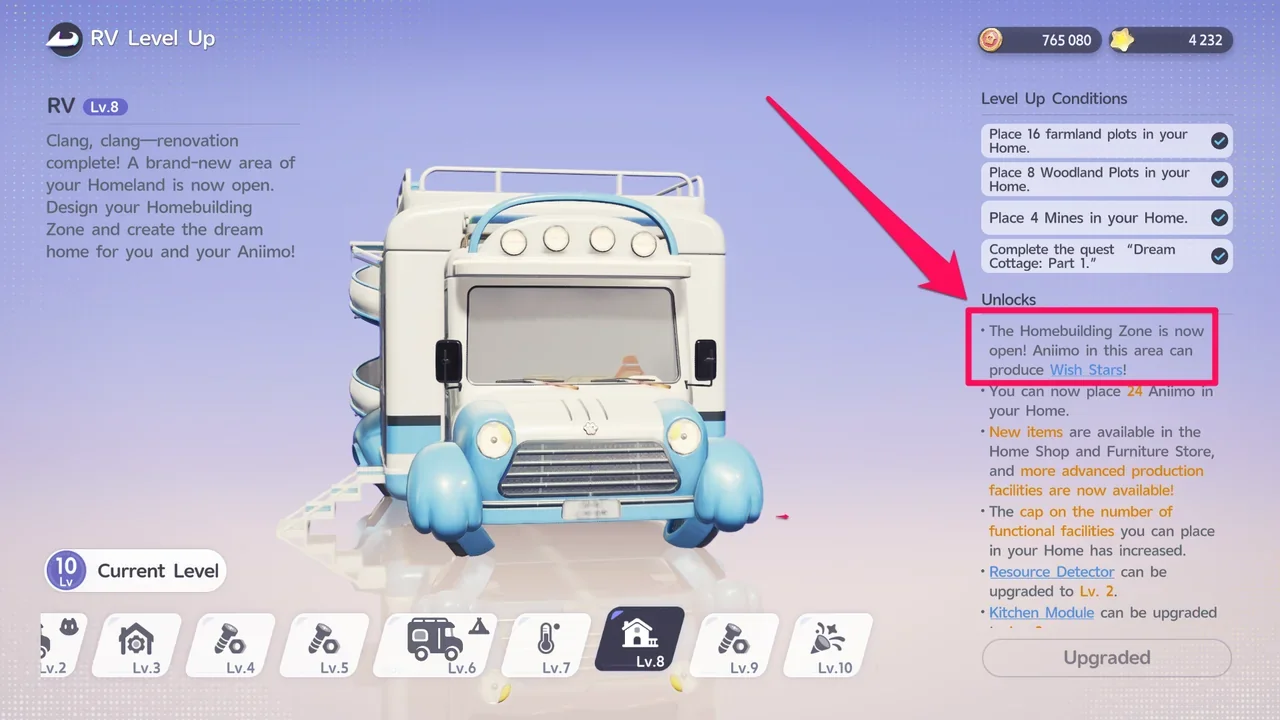
Reaching RV Lv.8 opens the Homebuilding Zone.
The RV Lv.8 unlock text says that Aniimo in the Homebuilding Zone produce Wish Stars. The currency's own tooltip and the Bud Ticket Jar call it Bud Tickets, so this guide uses Bud Tickets.
Expand Your Home with Building Plots
Like the Production Zone, the Homebuilding Zone grows as you buy more land, called Building Plots. There are 16 Building Plots in total, and you can see all of them from the Manage screen while you are in the Homebuilding Zone. You can't buy them all right away: more plots become available as your RV level goes up, and you pay for each one with Bud Tickets.
For example, Building Plot 3 can be bought once your RV reaches Lv.10 and you own its prerequisite plot. It costs 400 Bud Tickets.
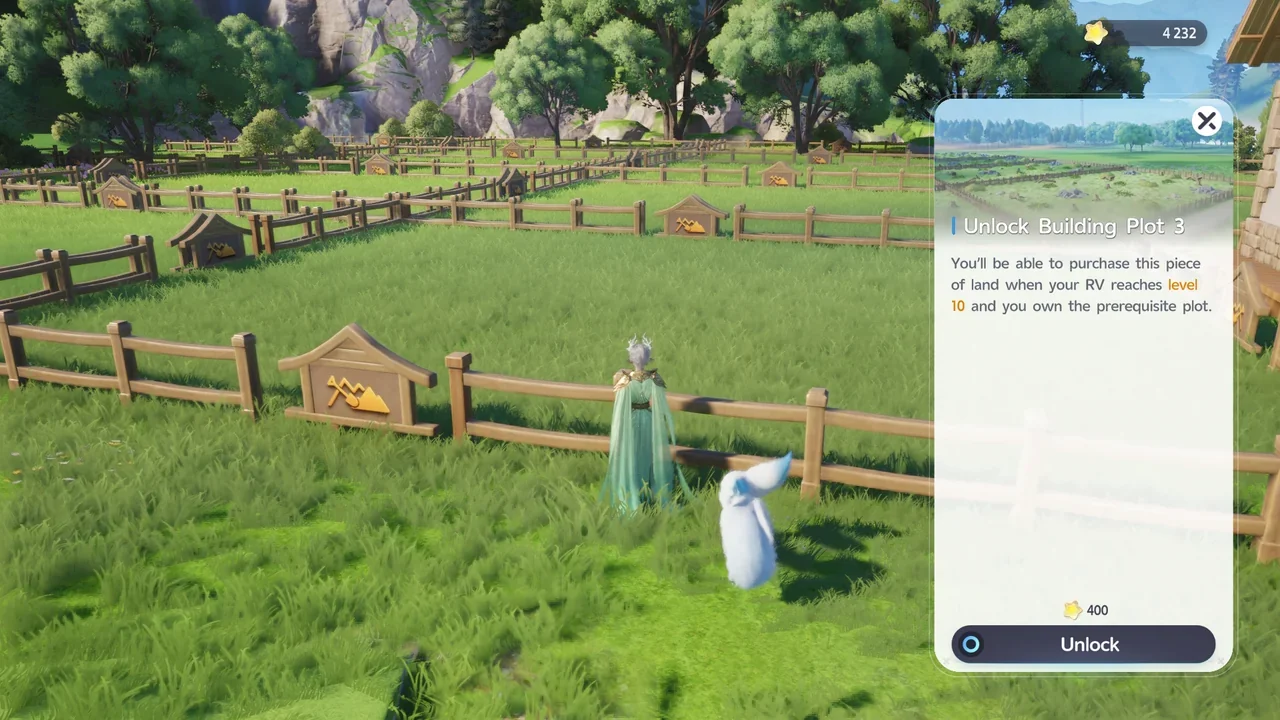
Building Plot 3 unlocks for purchase at RV Lv.10.
Build Menu Furniture Tabs
To build and furnish your house, open the Build Menu. The furniture you can buy is split into 4 main tabs.
| Tab | What's inside |
|---|---|
| Novelty Furniture | Furniture you can interact with. At the time of writing, it has only 3 items: the Bud Ticket Jar, the Bubble Gachapon, and the Floral Moon Record Player. |
| Home Decorations | The parts of the house itself, such as floors, walls, doors, windows, roofs, stairs, and pillars. |
| Outdoor Decorations | Furniture for outside your house, such as walkways, small bridges, trees, and bushes. |
| Indoor Decorations | Household items for inside your house, such as beds, chairs, shelves, lighting, and bathroom and kitchen furniture. |
The Build Menu also has Favorite, Aniimo, Item, and Combo tabs. Favorite holds the items you pick from the other tabs, Aniimo shows the Aniimo assigned to the Homebuilding Zone, Item holds decorations from the Production Zone, and Combo holds layouts shared by players. You can't buy furniture from these tabs.
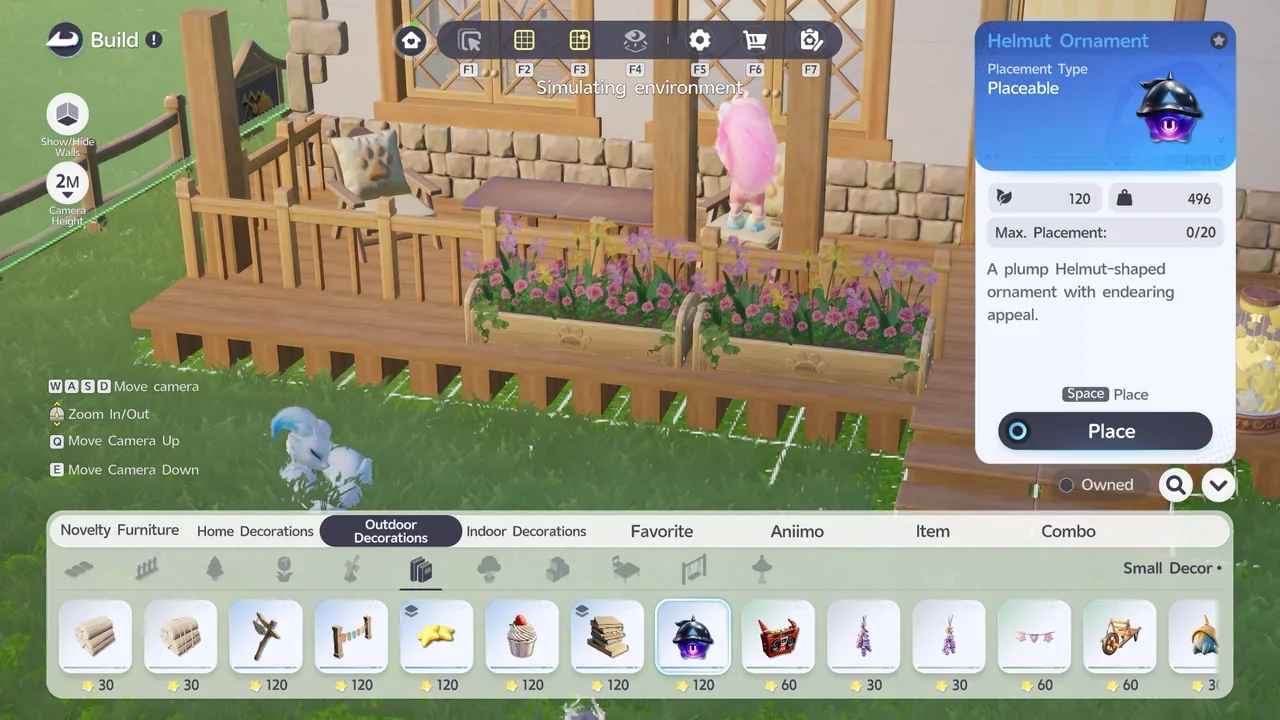
Each piece of furniture shows its price in Bud Tickets.
How to Get Bud Tickets
Bud Tickets are the Homebuilding Zone currency. You spend them on Building Plots and furniture. Daily Orders sometimes include Bud Tickets as a reward.
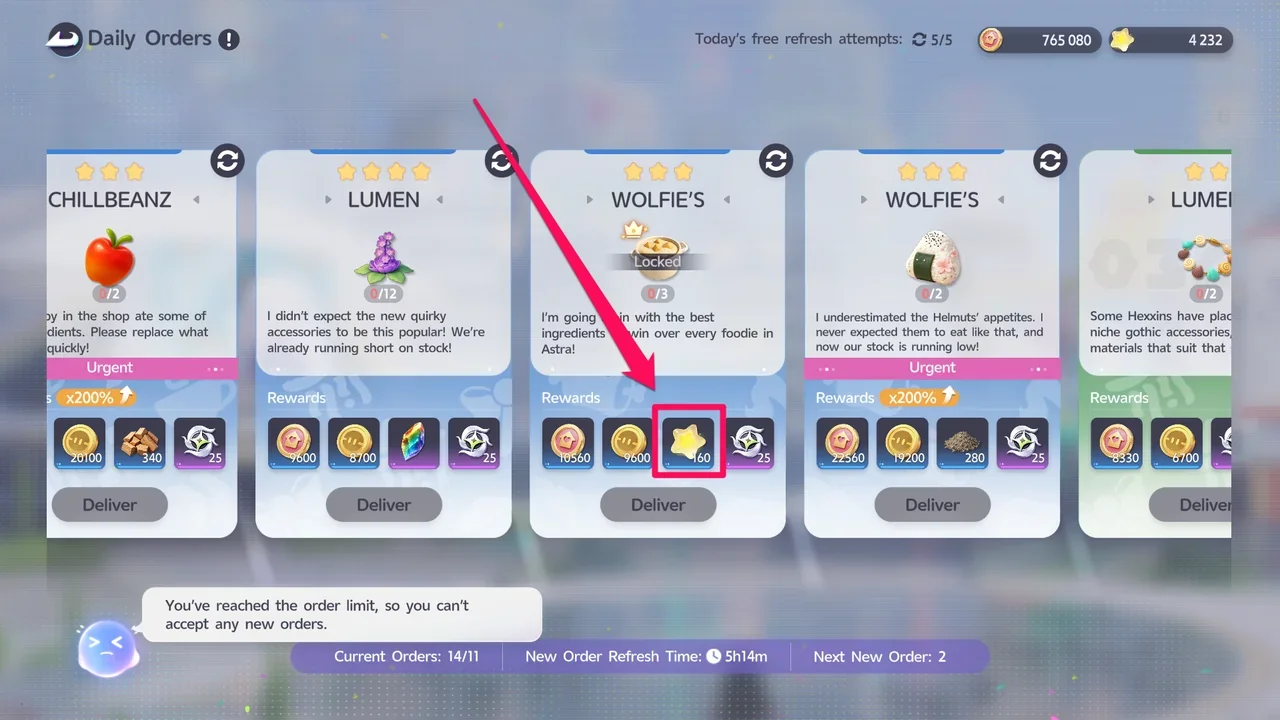
The more reliable source is the Bud Ticket Jar, a piece of Novelty Furniture you place in your home. Aniimo placed in the Homebuilding Zone keep producing Bud Tickets for the jar. Walk up to the jar and choose Harvest Bud Tickets to claim them. The jar can hold up to 1,620 Bud Tickets.
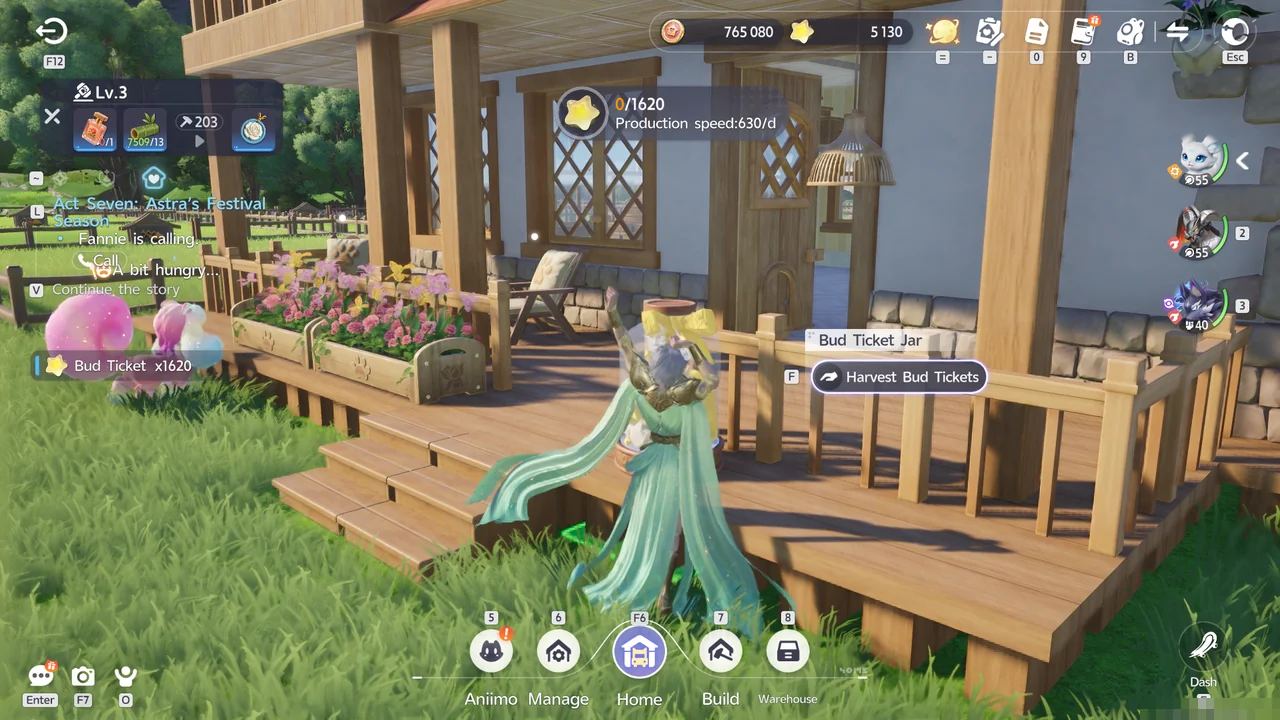
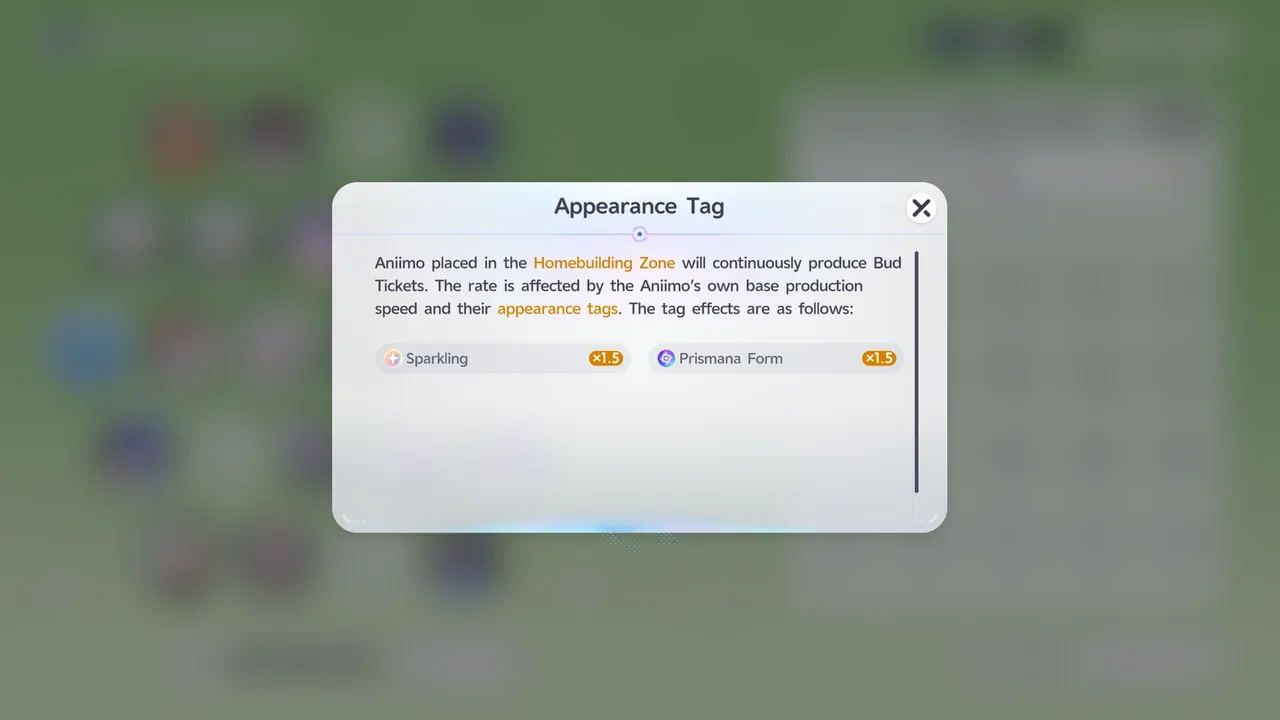
How many Bud Tickets an Aniimo produces depends on its own base production speed and its appearance tags. Sparkling and Prismana Form each multiply the rate by 1.5, and an Aniimo with both gets both bonuses.
| Aniimo | Bud Ticket production |
|---|---|
| Base Aniimo | 120 Bud Tickets per day |
| Sparkling or Prismana Form | 180 Bud Tickets per day |
| Sparkling and Prismana Form | 270 Bud Tickets per day |
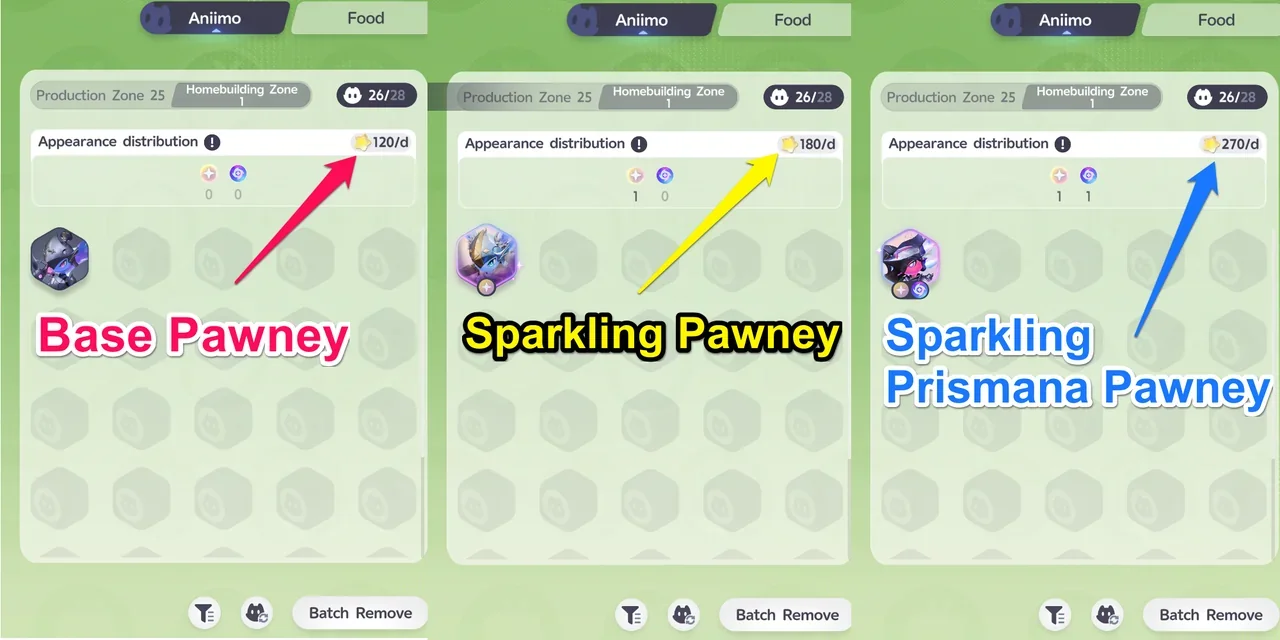
The Production Zone and the Homebuilding Zone share one Aniimo limit. The Aniimo screen counts both zones against the same cap, for example 25 in the Production Zone plus 1 in the Homebuilding Zone for 26/28. To farm Bud Tickets, run your Production Zone with as few Aniimo as you can. If you're happy with your current production, fill the free slots in the Homebuilding Zone with Sparkling Prismana Aniimo.
Why Build a Home: Habitability
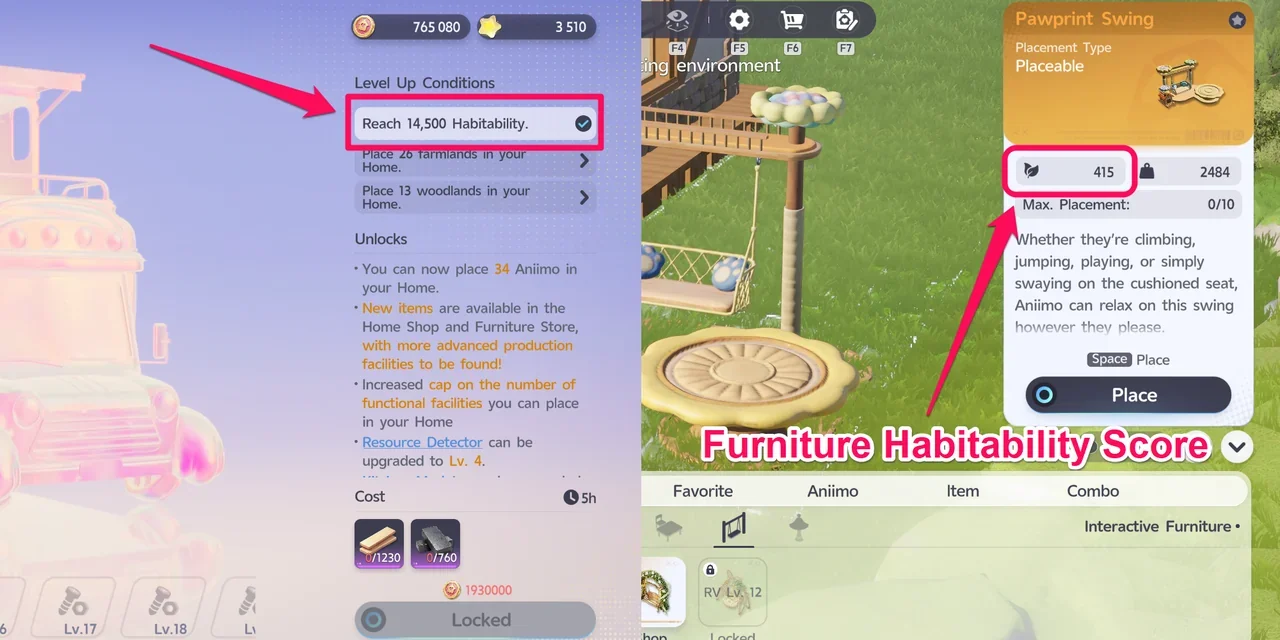
For now, the practical benefit of building and decorating your home is raising your Homeland's Habitability. Starting at RV Lv.10, RV level-ups require a certain Habitability score. For example, one level-up asks you to reach 14,500 Habitability.
The Production Zone and the Homebuilding Zone add to the same Habitability score. For example, 5 Habitability in each zone gives you 10 in total. If you don't want to place more objects in the Production Zone, place furniture in the Homebuilding Zone to reach the Habitability your next RV level needs.
Each piece of furniture shows its Habitability value in its details. For example, the Pawprint Swing has 415.
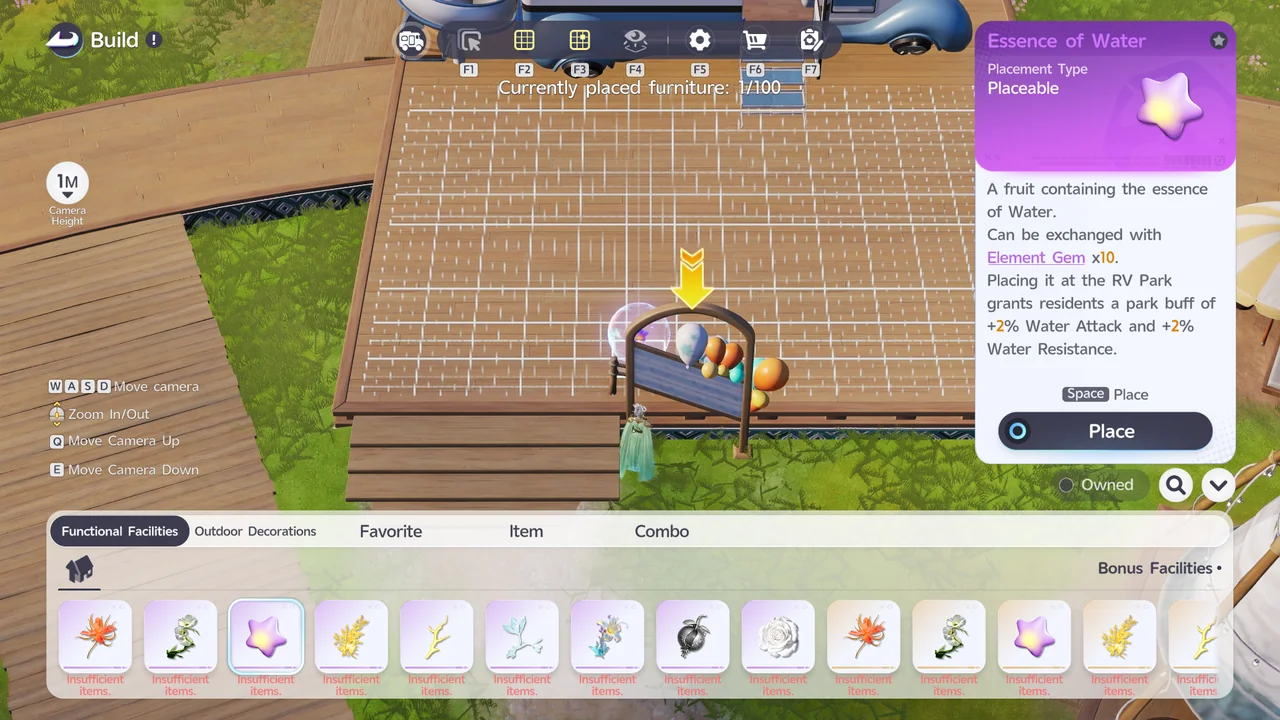
Apart from Habitability, home building is mostly cosmetic. For combat bonuses, go to an RV Park instead: interact with the Park Board and place Functional Facilities from its Platform Decorations. For example, Essence of Water gives the park's residents +2% Water Attack and +2% Water Resistance.
How to Build a Second Floor
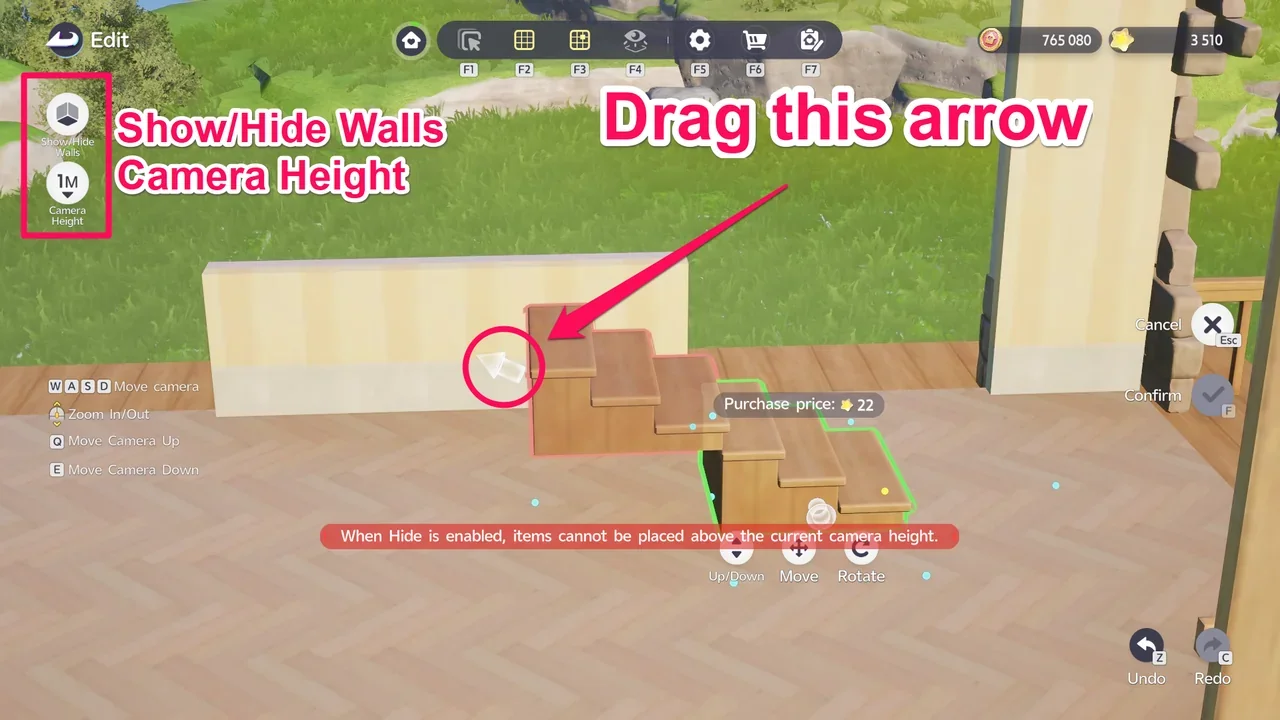
It isn't obvious, but you can build a second floor. The tricky part is that you need to adjust the Camera Height to place furniture higher up.
- Turn on Show/Hide Walls
Enable Show/Hide Walls. This makes it easier to place objects inside your house.
- Place stairs on the ground floor
Place stairs, then drag the upward arrow near the top step to extend them toward the height you want.
- Raise the Camera Height when warned
If the message "When Hide is enabled, items cannot be placed above the current camera height." appears, raise the Camera Height and keep extending the stairs.
- Attach a floor to the top step
Once the stairs reach the height you want, attach a floor to the top step and expand it to cover your second floor. You can then build on the second floor the same way as on the ground floor.
RV Leveling Guide · Homeland Layout Guide · Shiny Aniimo Guide · How to Get Prismana and Spawn Them Fast · All Guides