
This guide covers when multiplayer unlocks, how to add and invite friends, what you keep when you join someone else's world, and what you can do together.
How Co-op Works
Aniimo is fully playable solo, so co-op is optional.
Co-op works by joining another player's game. One player hosts, and the other players join the host's world. Every player has their own separate world.
How to Unlock Multiplayer
Co-op unlocks after you defeat Alpha Turbo in the main story and pass the assessment that follows. Passing it promotes you to I Student.
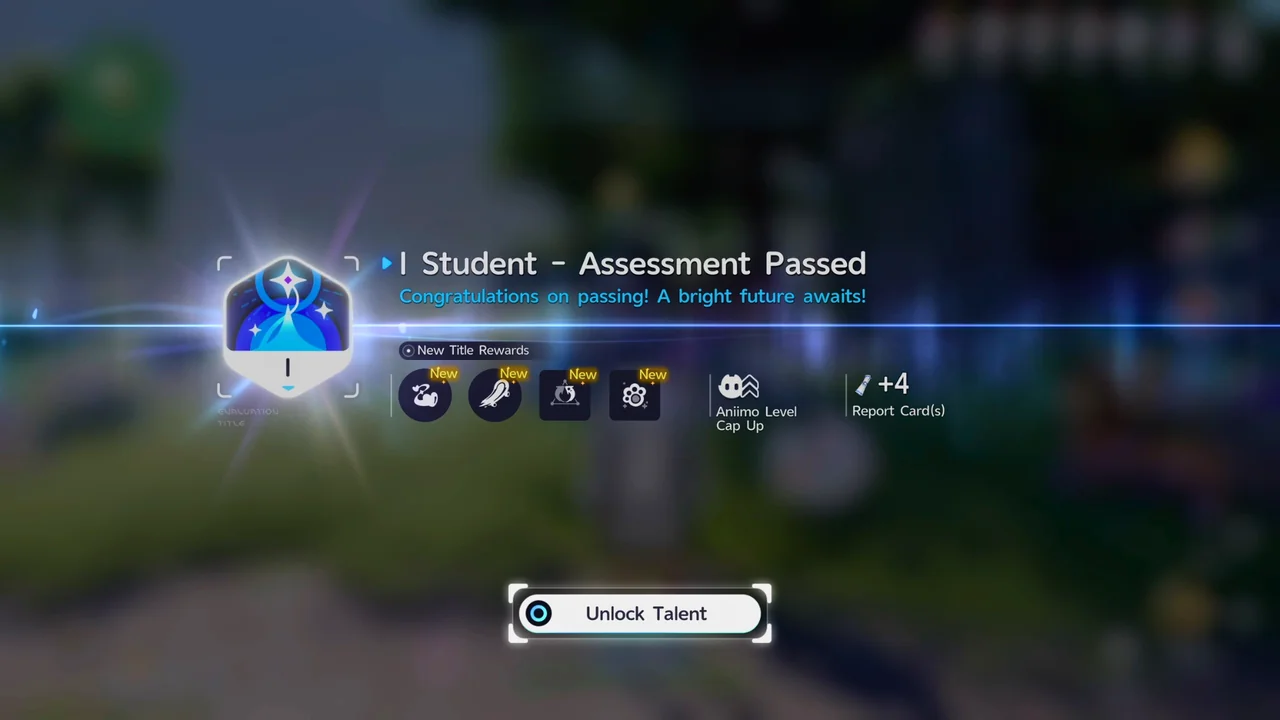
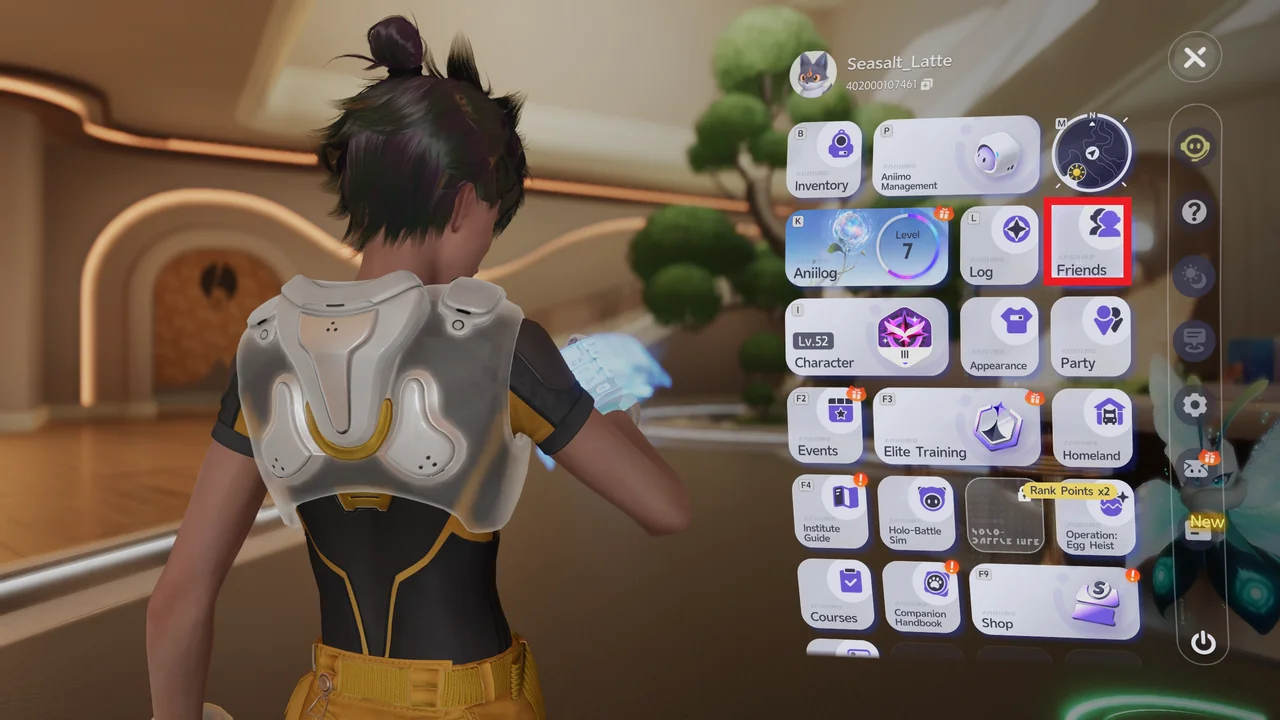
Once you reach I Student, Friends in the Function Menu becomes available.
Servers and Platforms
You can only play together if both accounts are on the same server. Co-op between different servers is not supported.
You pick your server on the Select Server screen when you log in. The options are Aniimo-Europe, Aniimo-Americas, and Aniimo-Apac.
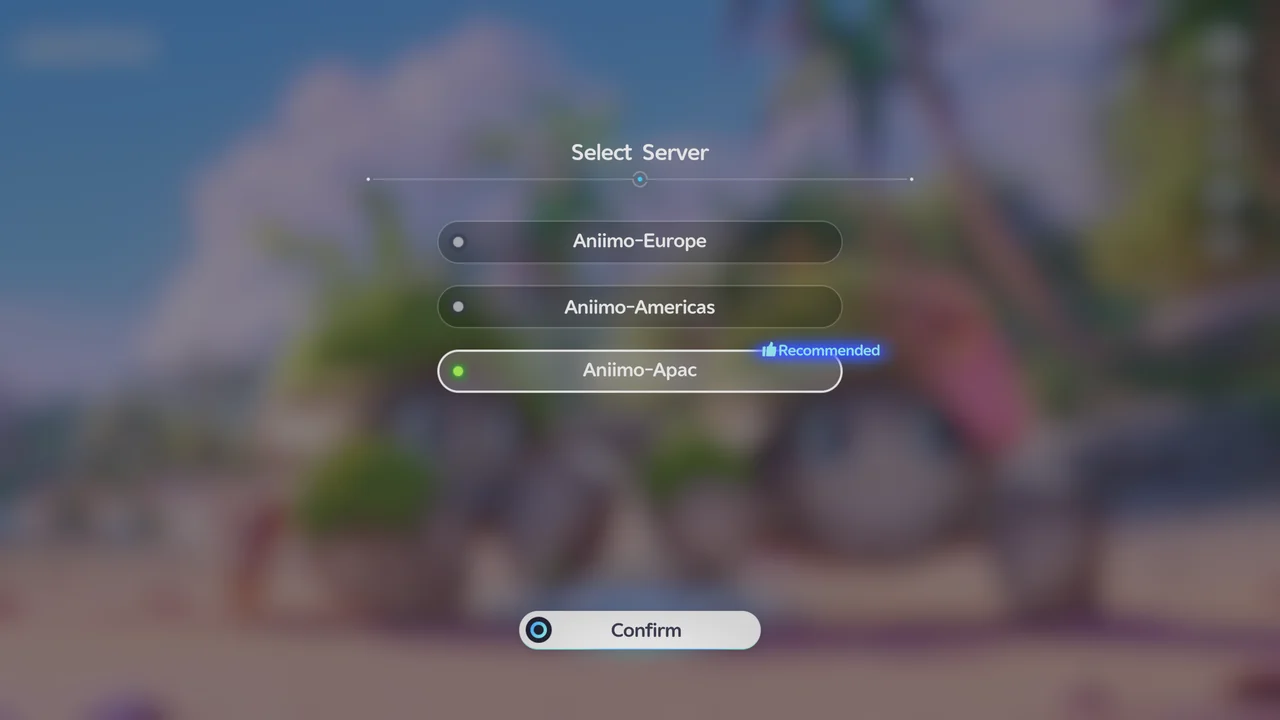
Game progress is shared across platforms on the same server. Data on different servers is independent, so pick the same server as the friends you want to play with.
At the time of writing, there is no Nintendo Switch version of Aniimo.
How to Add and Invite Friends
- Open Friends from the Function Menu
Open the in-game menu and select Friends.
- Search for the player and send a friend request
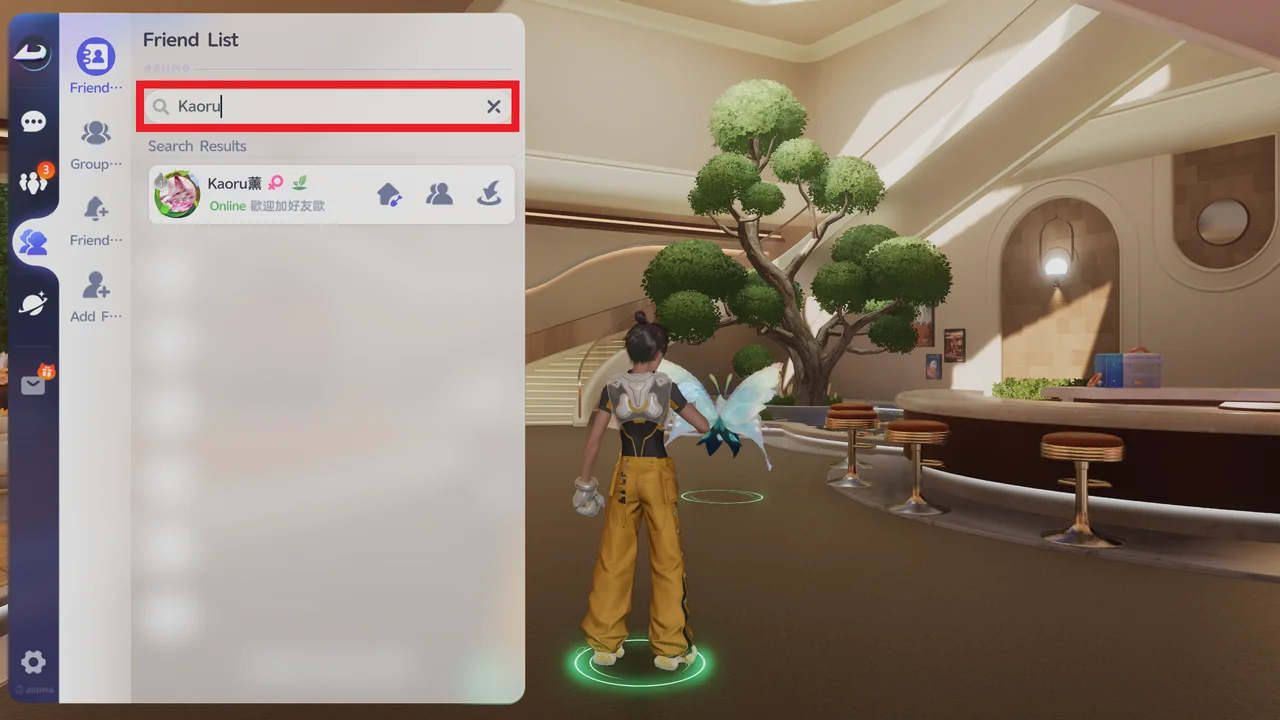
Search for the other player by nickname or UID, then send them a friend request.
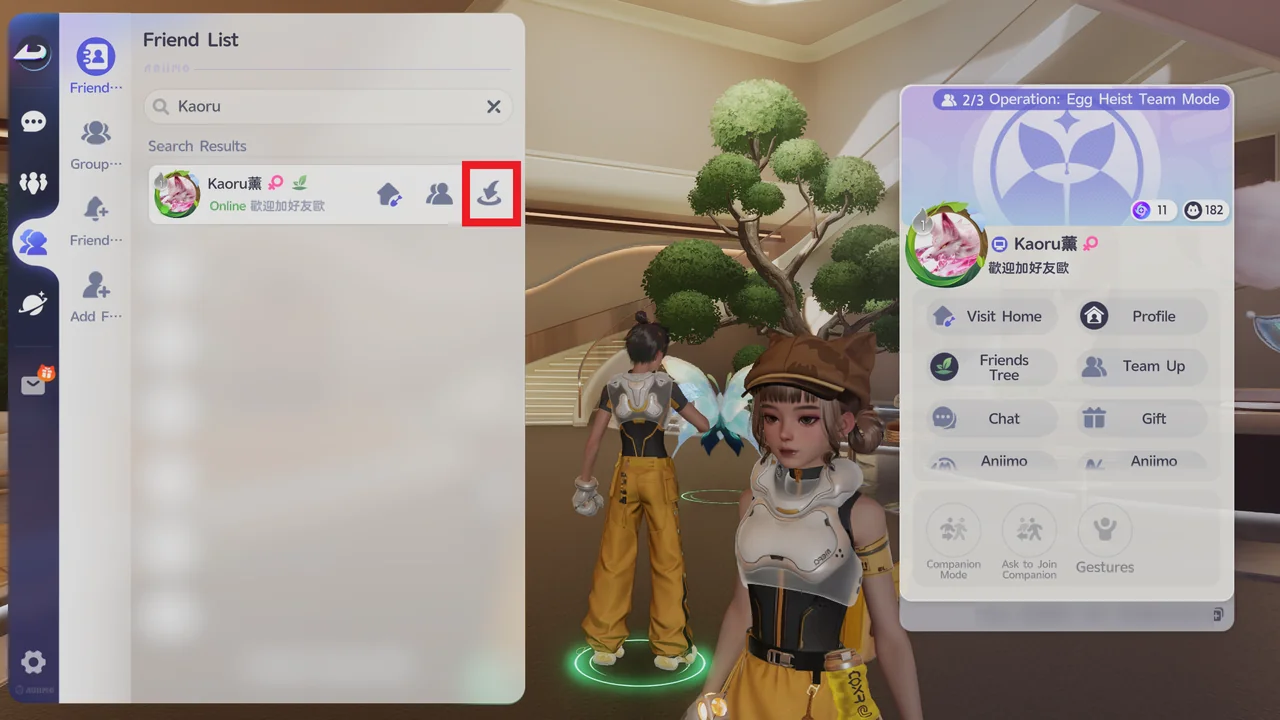
- Invite your friend with Come to Me
Once they accept, select the icon on the far right of your friend's row in the Friend List. This is Come to Me, which invites your friend over to your world.
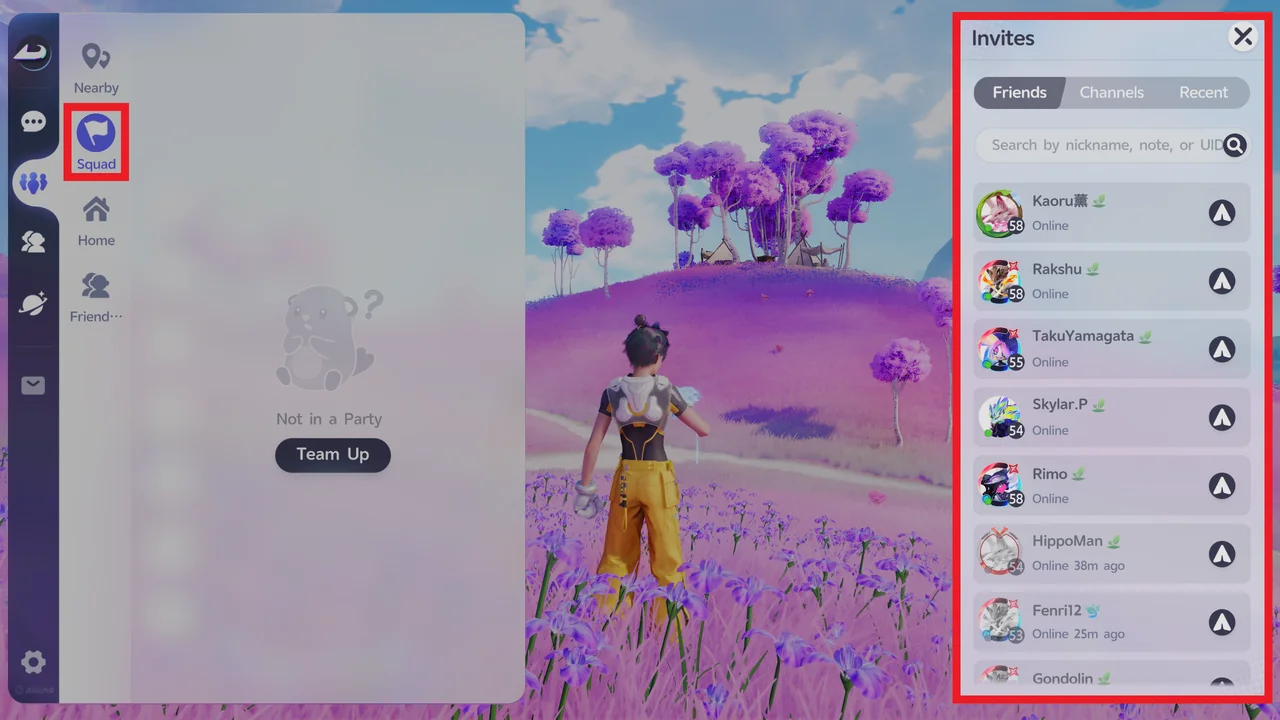
You can also send a Party invite from the Squad tab. Open the Friends menu, select Squad, select Team Up, and choose a player from your Friends list.
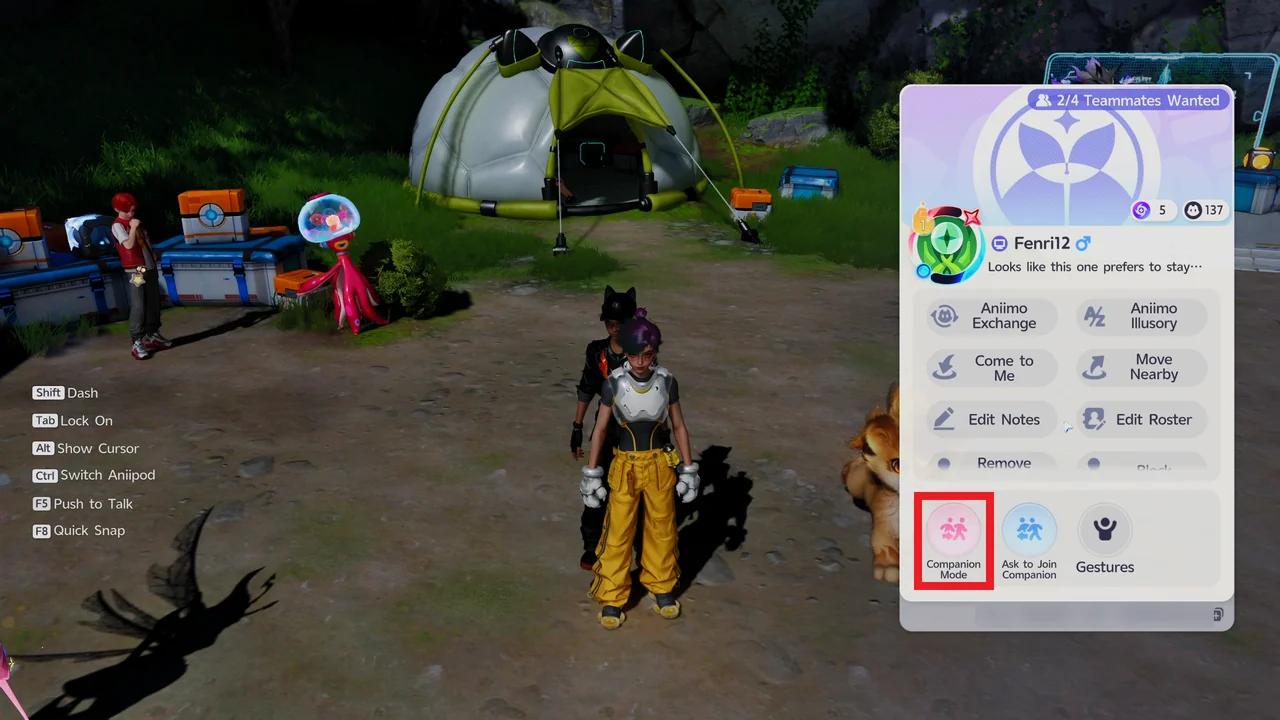
In Astra or at an Outpost in Idyll, you can also send a friend request straight from a nearby player's profile.
How Many Players Can Join
A party holds up to 4 players, including the host. The host can invite up to 3 other players.
Companion Mode and Team Up
| Feature | Details |
|---|---|
| Companion Mode | Used to explore the open world together. |
| Team Up | Used for Sanctums and boss fights. The player who starts the Team Up becomes the Team Leader and chooses which co-op activity the group takes on. |
Joining another player's world lets you look for Aniimo that appear in that world's weather. For example, if a friend has Thunderstorm weather in Beast Fang Ridge, joining them gives you a chance at Thunderstorm Form Scorchhowl without waiting for the weather to change in your own world.
What Guests Keep and What Stays With the Host
These rules are based on reports we have received. We have not yet confirmed them ourselves while playing as a guest.
| Progress | Details |
|---|---|
| Caught Aniimo and items | The guest keeps them. Personal gains from the session go back with you. |
| Quests and world progress | Saved only in the host's world. This includes completed quests, activated points or Bloom nodes, and exploration progress. |
| Teleport points | Points you unlock in someone else's world do not stay unlocked in your own world. You have to unlock them again there. |
Main story quests are single-player only and cannot be completed in co-op.
What You Can Do in Co-op
| Activity | Details |
|---|---|
| Explore and fight | Explore Idyll, catch Aniimo, and fight bosses and Alpha Aniimo together. |
| Sanctums | Solve Sanctums with a friend. |
| Visit a Homeland | Visit a friend's Homeland with the Visit Home button on their profile. |
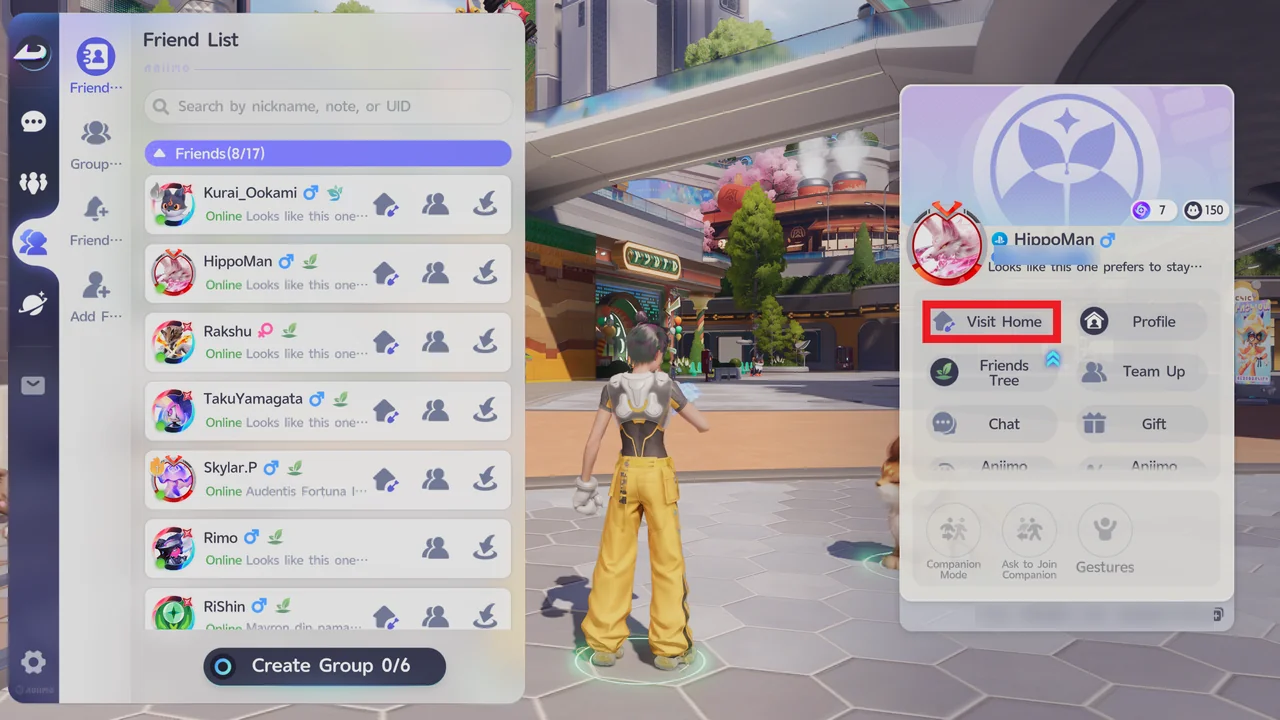
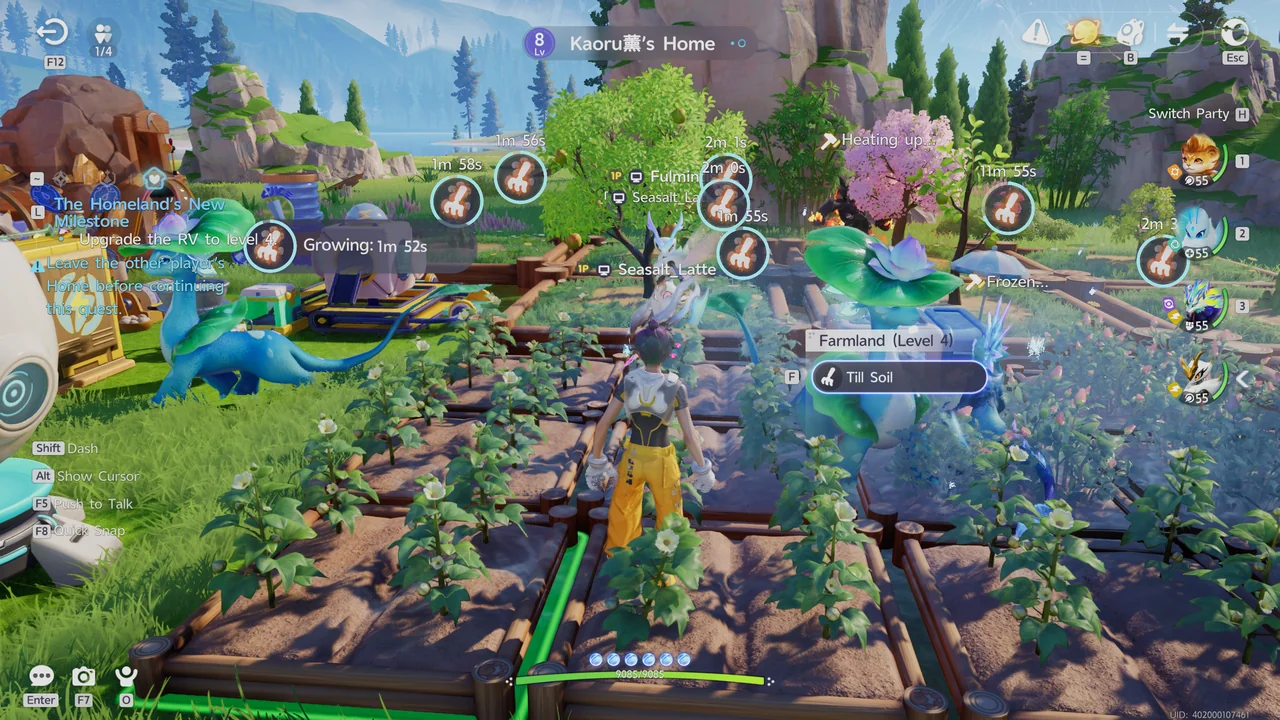
While visiting, you can till soil on your friend's Farmland and receive crop materials directly from the soil you tilled.
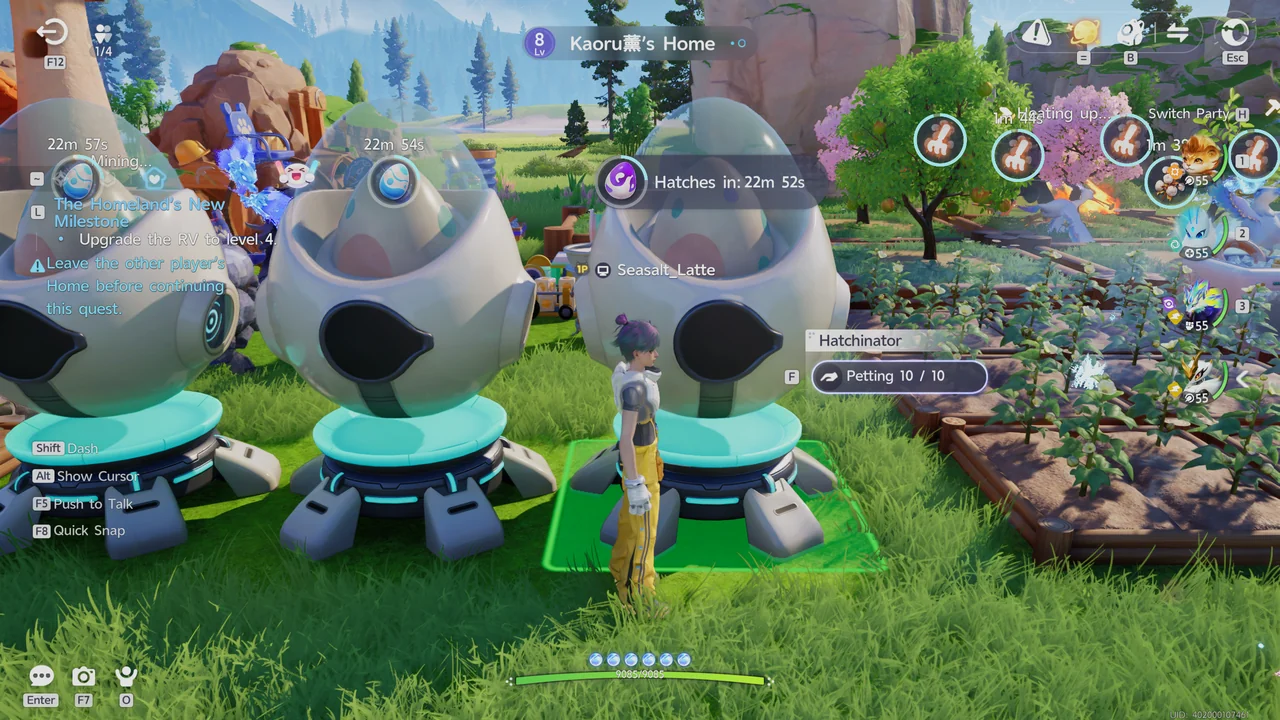
You can also pet the egg in your friend's Hatchinator to reduce its hatch time.
Public Areas Where You Meet Other Players
Other players do not appear while you explore the open world. To play together, you have to invite them or join their world.
Astra, Outposts, campfires, and RV Parks are shared public spaces. Other players are visible there even without an invite.
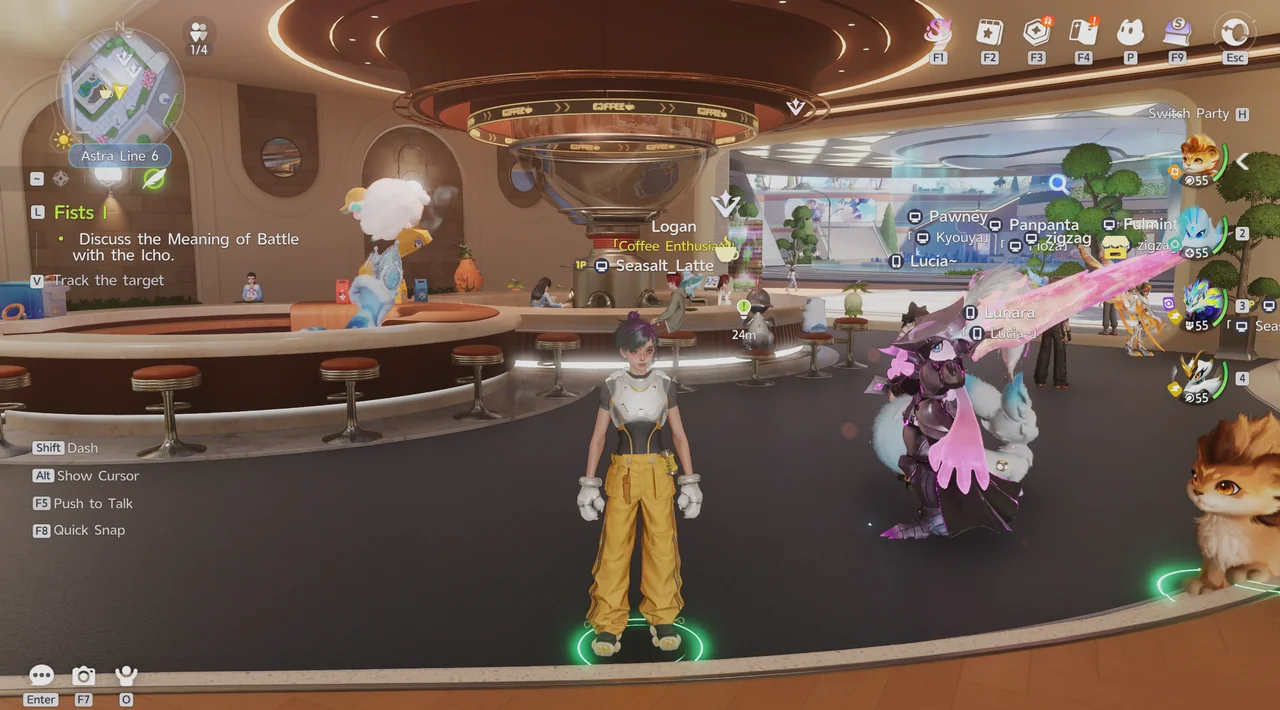
In these spaces, players can duel, trade, chat, and hatch eggs. Approach another player to open their profile, which has options to exchange Aniimo, team up, chat, or use Companion Mode.
Trading Aniimo with another player still requires Good Friend Affinity with them, as covered below.
Friend Affinity and Trading
Affinity with a friend goes up through daily interactions, chatting, gestures, and visiting each other's homes.
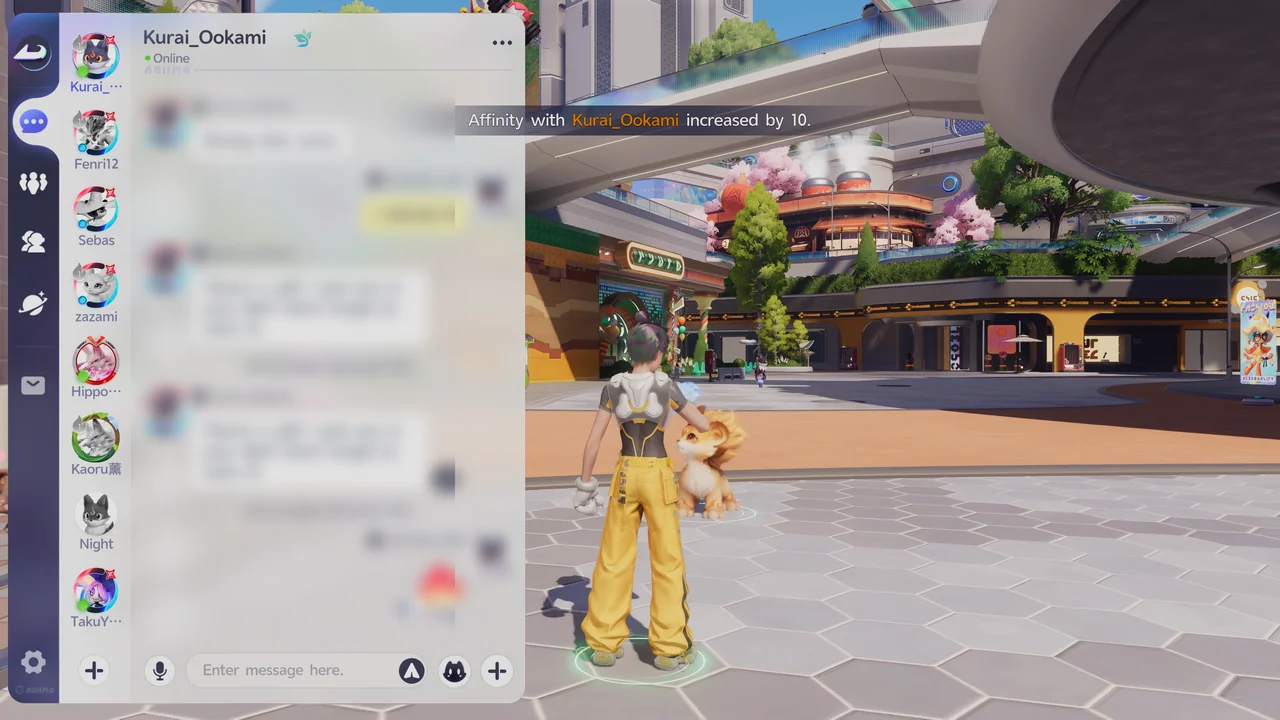
Sending or receiving a gift also raises Affinity with that player. In our example, Affinity went up by 10.
There are 6 Affinity levels. From lowest to highest, they are New Friend, Good Friend, Close Friend, Trusted Friend, Best Friend, and Soulmate. To check your level with a friend, select them in your Friend List and choose Friends Tree.
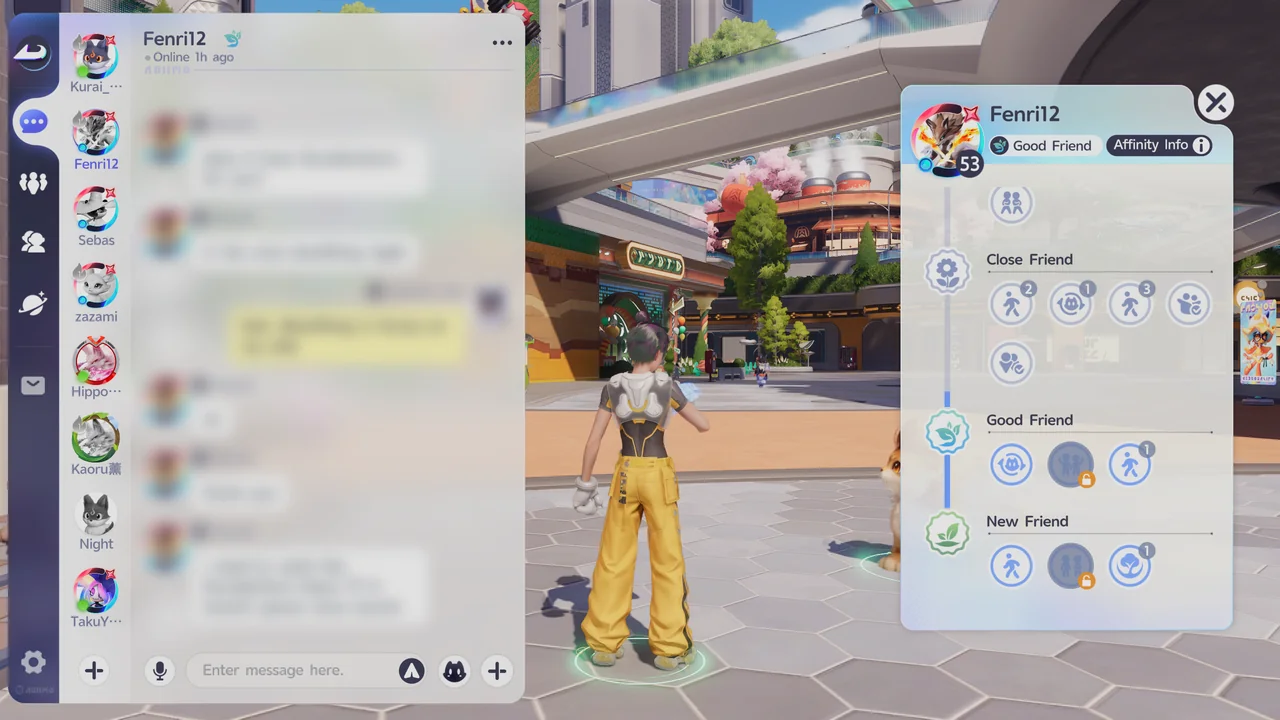
Trading Aniimo unlocks at Good Friend, and higher levels widen the range of Aniimo you can trade:
| Affinity level | Aniimo you can trade |
|---|---|
| Good Friend | Basic Form Aniimo with a max Potential of 8 only |
| Close Friend | A wider range than Good Friend (the details are not confirmed yet) |
| Trusted Friend | Also area and weather variants, with a max Potential of 9 |
| Best Friend | Also area and weather variants, with a max Potential of 10 |
- Select a nearby friend
Select a nearby friend from your Friend List.
- Select Aniimo Exchange
Choose Aniimo Exchange on your friend's profile.
- Choose an Aniimo and confirm
Choose the Aniimo to trade and select Confirm.
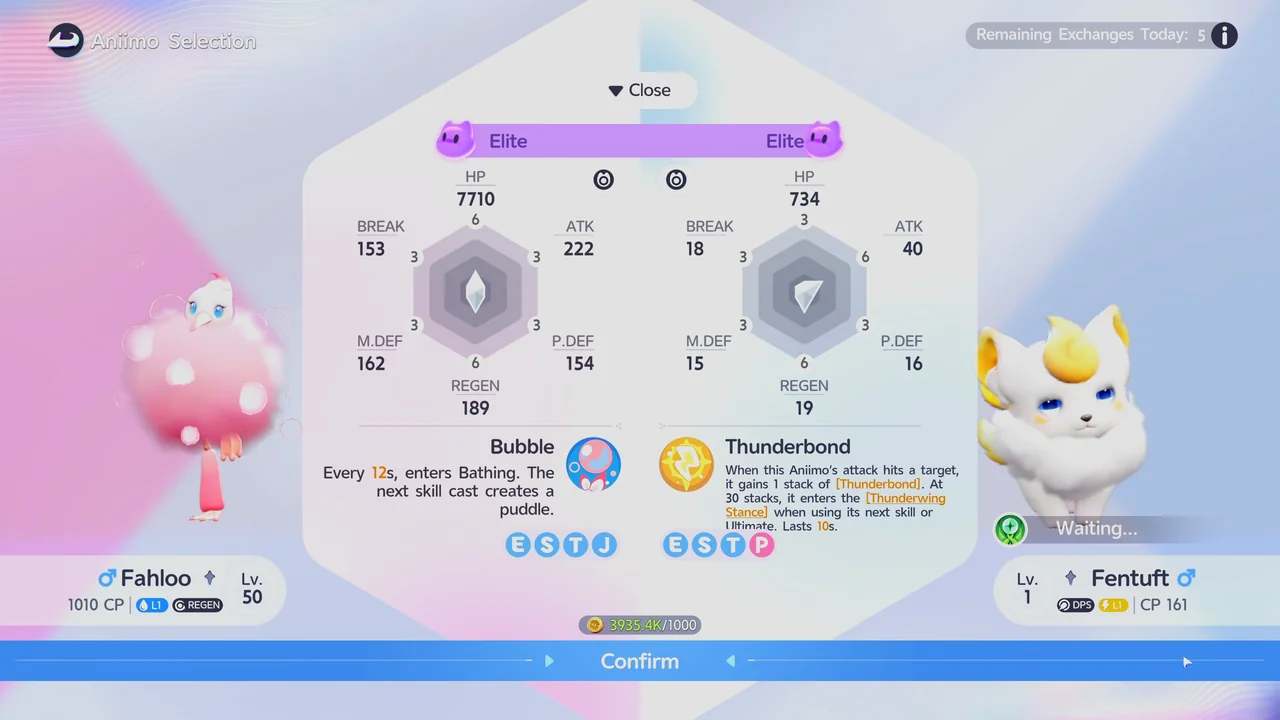
For trade costs and daily limits, see our guide on how to trade with friends.
Operation: Egg Heist
Operation: Egg Heist is a real-time PvPvE mode set on the Lost Isles. In a run, you reach the Lost Sanctum, dig an egg out of a nest, and carry it back to the Egg Boat to extract before the 30-minute timer ends.
It unlocks when you pass Dr. Lewis's assessment for the III Wayfarer promotion, which requires character level 50.
| Mode | Details |
|---|---|
| Team Mode | A single team of 1 to 3 players with no rival teams, so you can also play it solo. The difficulties are Normal, Hard, and Nightmare. |
| Operation: Egg Heist (six teams) | Adds rival teams. It unlocks once your Egg Heist rank is high enough. |
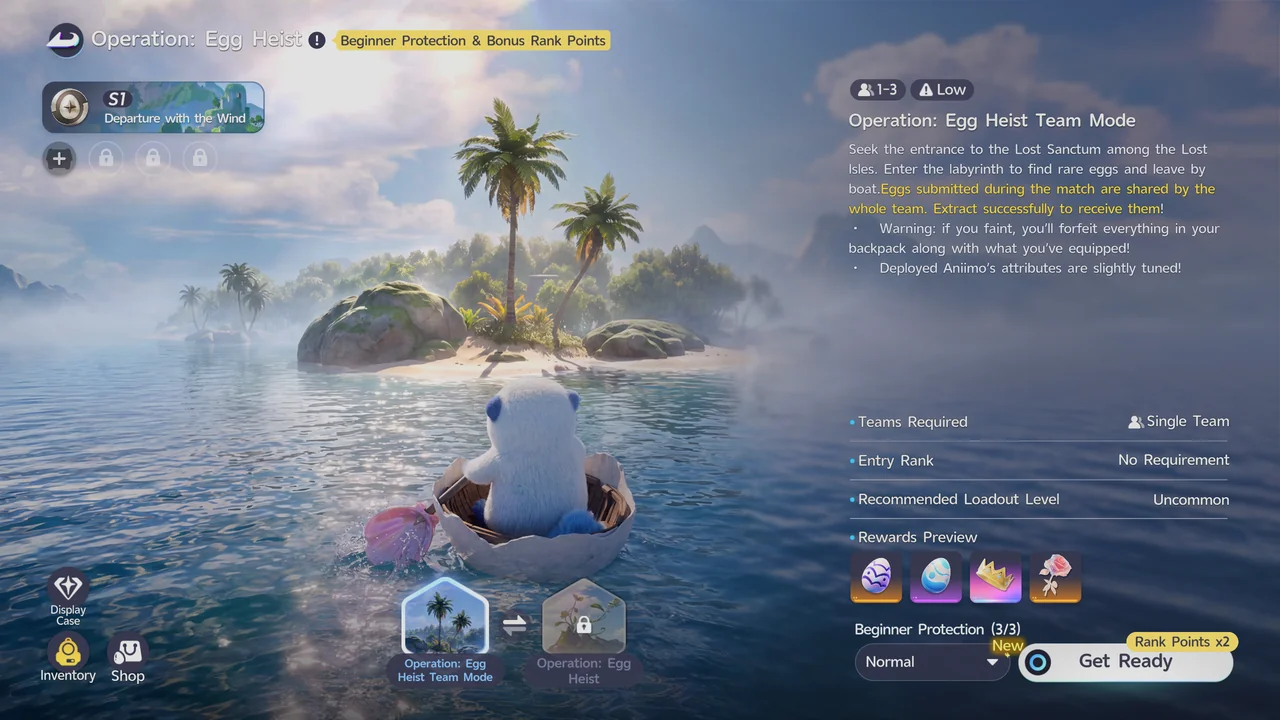
If you faint during a run, you lose everything in your backpack along with all of your equipped gear.
Egg Heist awards Eggshell Coins, which you spend at the Egg Heist Shop.
For rewards and tips for a run, see our Operation: Egg Heist guide.
How to Find, Unlock, and Clear a Sanctum · How to Beat Alpha Turbo · How to Change the Weather