In Monster Hunter Outlanders, your character's gender changes how they look, not how they play. This guide covers the differences between male and female characters (Type 1 and Type 2 on the creation screen) and how to change gender after creation with an appearance ticket. Information is as of November 2, 2026.
Male vs Female: What's Different
Gender Doesn't Change Stats
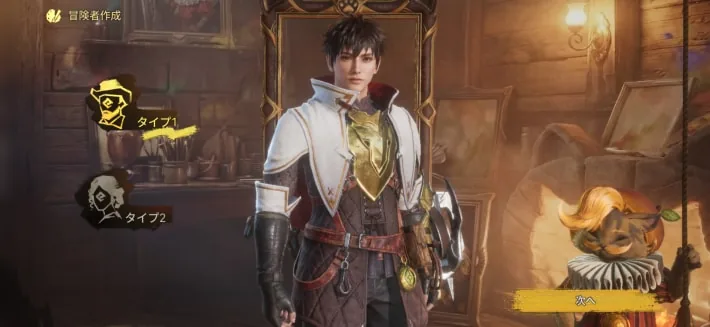
Gender doesn't change the controls or your character's performance. Male and female characters can wear the same gear, and it performs the same, so pick whichever you like. On the creation screen, male is Type 1 and female is Type 2.
Armor Looks Different
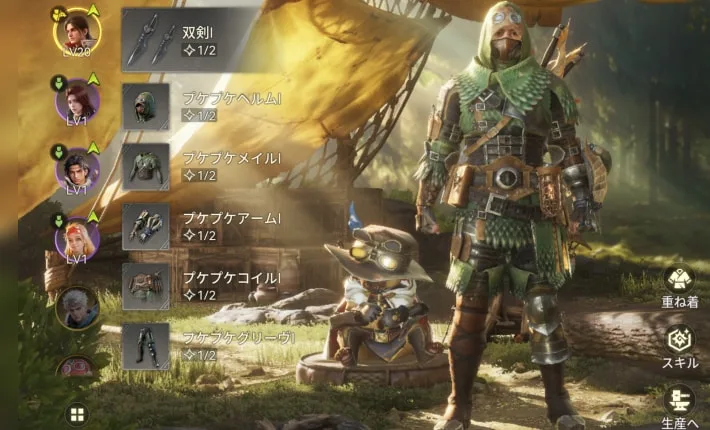
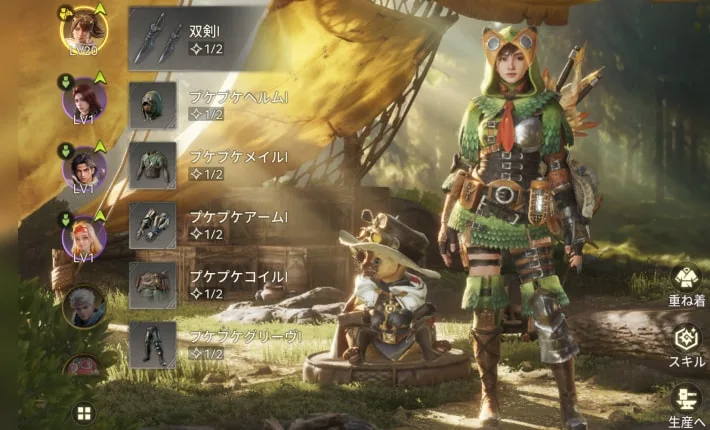
As in other Monster Hunter games, the same armor looks different on male and female characters. Its stats are the same.
Body Type and Face Presets Differ
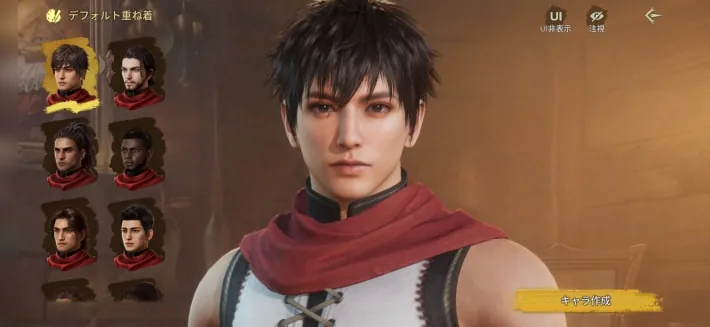
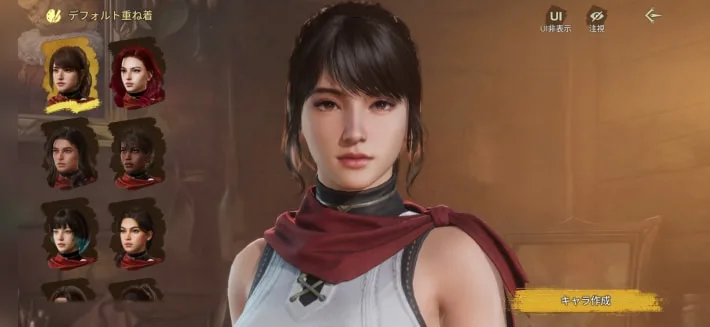
Your gender choice makes a big difference to body type and to the face presets you can choose from. Pick the gender that lets you build the look and body type you want.
Only Male Characters Can Have a Beard
The beard option in character creation is only available for male characters. Female characters can't choose a beard, so keep that in mind when you create your character.
Voice Depends on Gender
You can't pick a voice. The voice depends only on the type.
How to Change Your Gender
You can change your gender and the rest of your look with an appearance ticket, so you can remake your character later if you change your mind.
Use an Empty Slot to Switch Gender
When you edit a look you've already made, you can't switch between Type 1 (male) and Type 2 (female). To change it, create a new look in an empty slot.
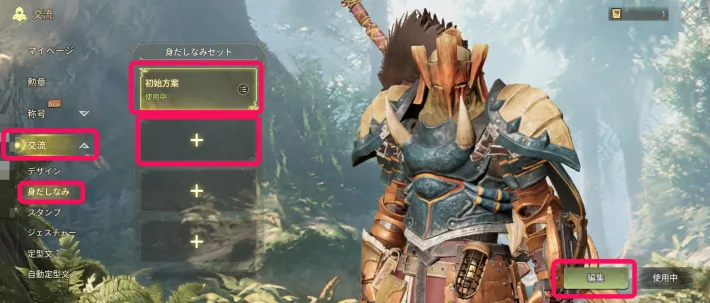
An Appearance Ticket Costs 150 Rutacoin
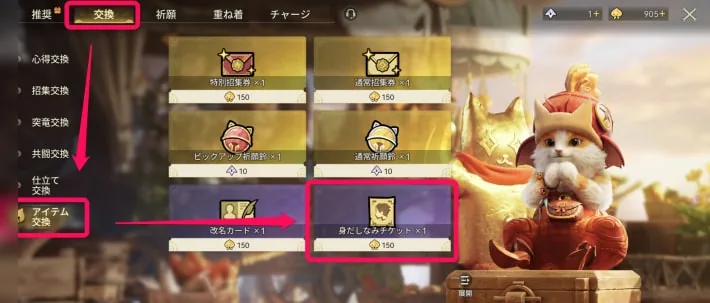
Rutacoin is valuable, so think it over before you spend it on a change.
One Free Ticket From Pre-Registration
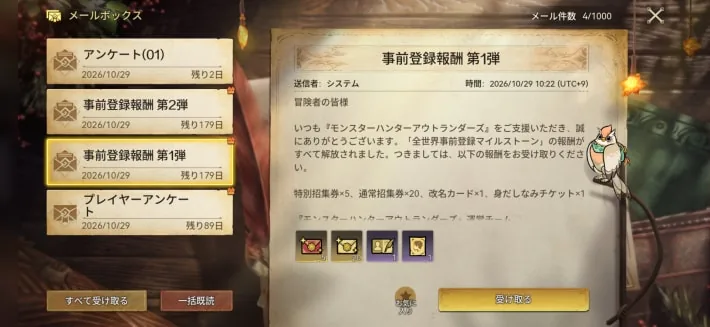
The first wave of pre-registration rewards includes one appearance ticket. It arrives by mail, so claim it from your mailbox. Any further tickets cost Rutacoin, so change your gender carefully.
Steps to Change Gender
The steps are as follows.
- Open the menu, go to the shop, and buy an appearance ticket for 150 Rutacoin under item exchange in the Exchange tab.
- Open your Item Pouch from the menu and use the appearance ticket in the treasures tab.
- Pick the appearance set to change. You can edit a look you've made or choose an empty slot, then redo character creation.
For everything you can adjust in character creation and how to share a look, see the character creation guide.
The screenshots are from the Japanese version of the game.