How to add friends in Monster Hunter Outlanders. This guide covers searching by name or player ID, sending and accepting friend requests, the friend limit of 200, what friends give you, and what to check if a friend can't find you. Friends unlock at the same time as co-op. Information as of November 2, 2026.
How to Add Friends
- Open Friends from the menu.
- Type the player's name or player ID into the search bar and search.
- Send a friend request. You're friends once they accept it.
Search by name or player ID
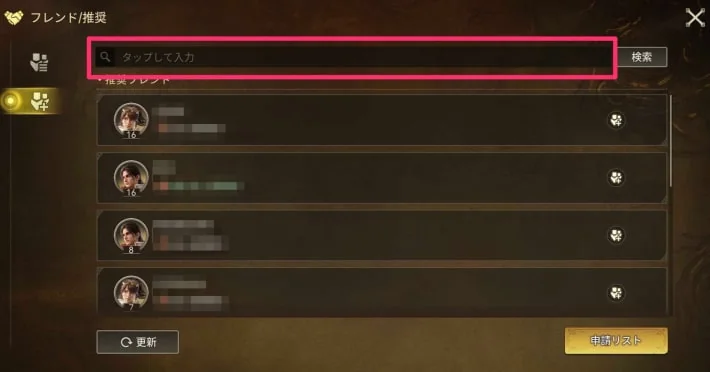
If you know a player's name or player ID, you can find them with the search. Part of a name won't find them, so type the whole name before you search.
Find your player ID on your profile
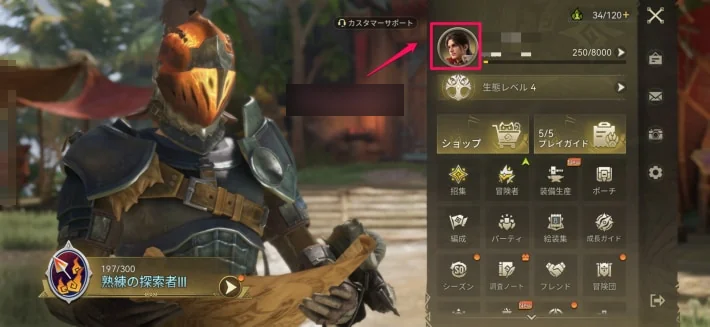
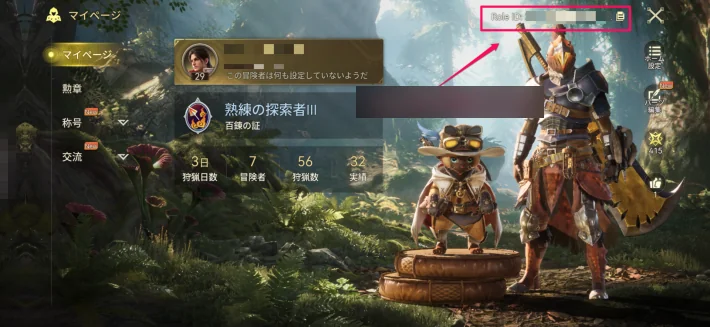
Open the menu and tap your icon at the top to open your profile. The ID shown at the top right of the profile (Role ID) is your player ID. Give it to anyone who wants to add you.
Send requests to suggested friends
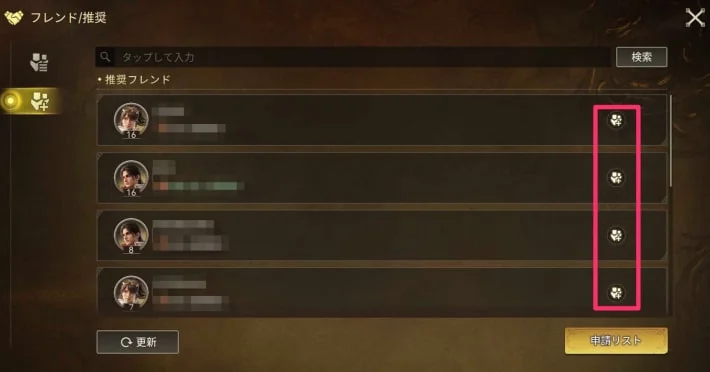
The same screen also shows suggested friends you can send requests to. Suggested friends are random players, so think before you send one.
Send requests to party members
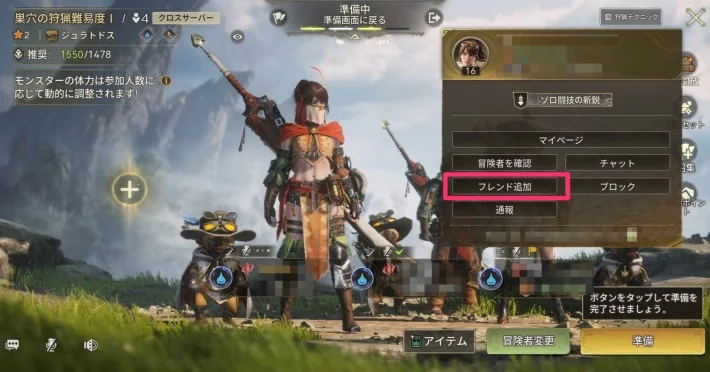
You can also send a friend request to an adventurer in your party. Tap them in the party and choose the add friend option from the menu that opens.
How to Accept Friend Requests
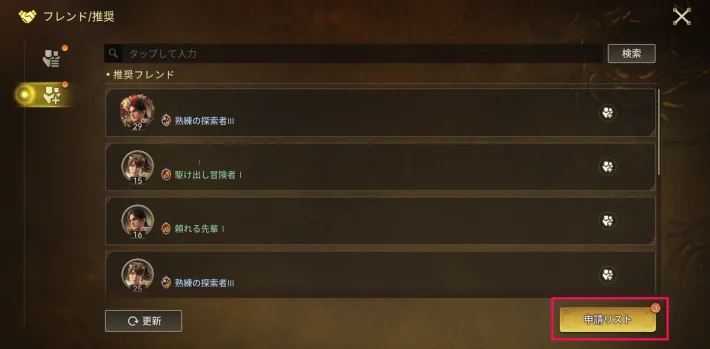
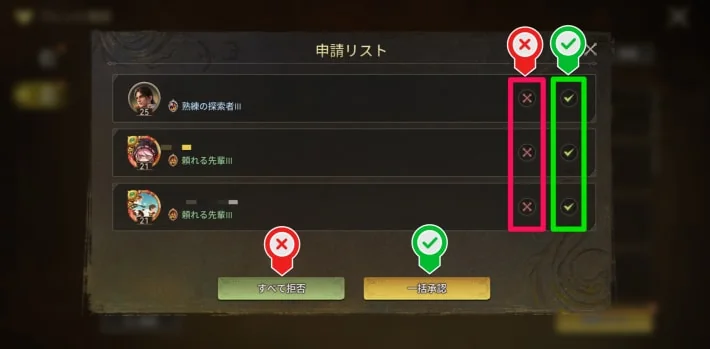
Requests you receive are in the request list, opened from the button at the bottom right of the friends screen. You can accept or decline each request, or decide on all of them at once with the decline-all and accept-all buttons at the bottom.
Friend Limit
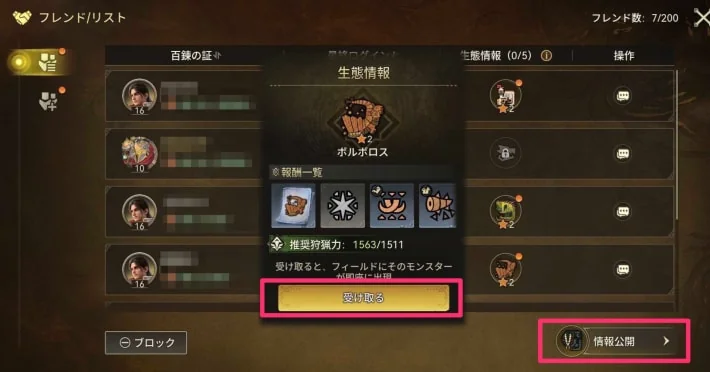
You can have up to 200 friends. The friend list shows how many you have at the top right, for example 7/200.
What Friends Give You
Share monster ecology info
Monster info you register with the info sharing button at the bottom right of the friend list is shared with your friends. When you open a friend's ecology info and tap the receive button, that monster appears in your own field.
Invite them to co-op
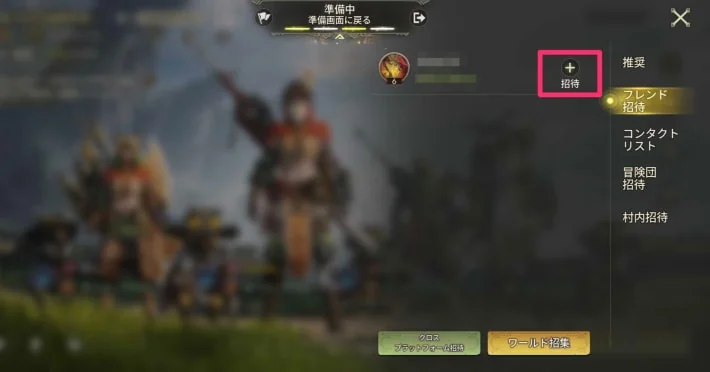
You can invite friends to co-op from the friend invite tab of the party's invite screen. Playing with friends also lets you talk over gear and your party lineup before the hunt.
See who's online
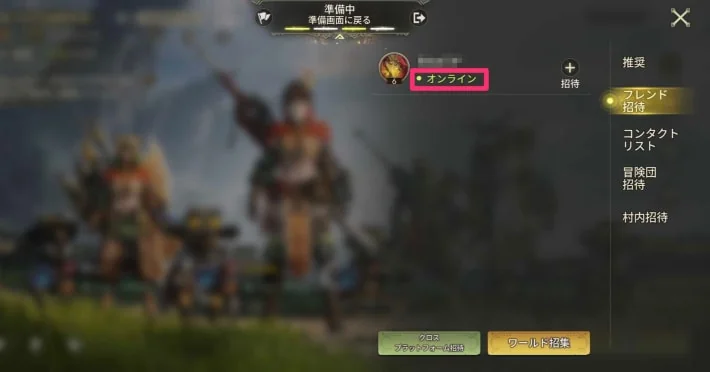
You can see whether each friend is online. Knowing who's online makes it easier to get a co-op group together.
Chat privately
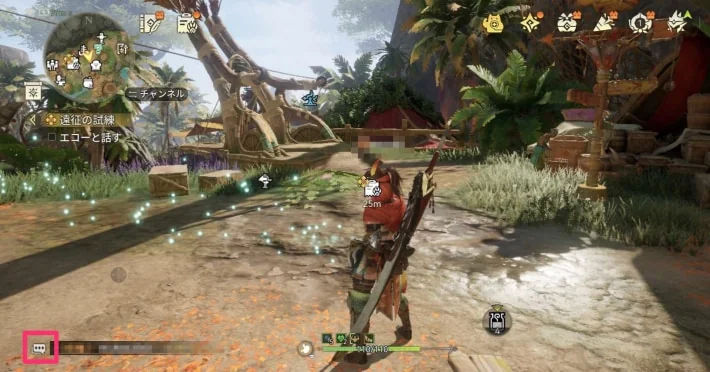
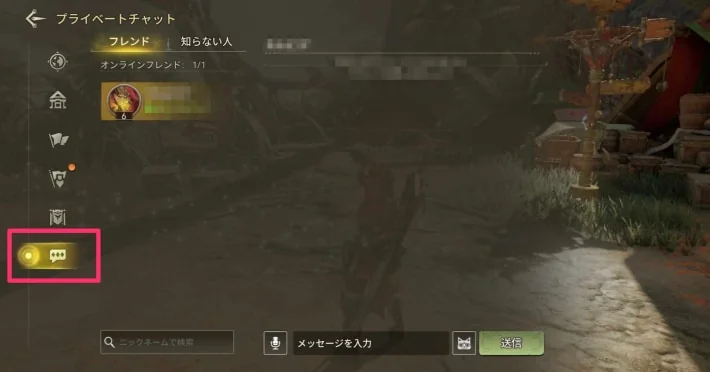
Once you're friends, you can talk in private chat. Open the chat with the button at the bottom left of the screen and switch to the private chat tab.
If a Friend Can't Find You
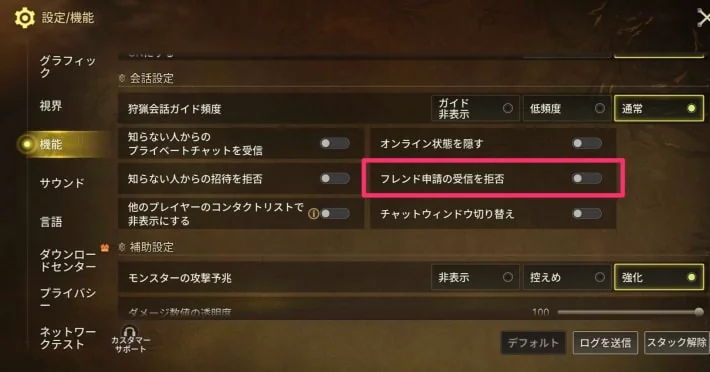
Some settings limit online features, so a friend may not find you in a search. Open the settings next to the menu, go to Settings/Features, and check that Block Friend Requests is turned off.
When Friends Unlock
Friends unlock in Chapter 1 of the story, at the same time as co-op, once you clear the story quest "Ready for Another Adventure!".
Story Walkthrough / Multiplayer
The screenshots are from the Japanese version of the game.